
Knowledge and advice
Trade fair stand power distribution: circuits for displays, lighting and AV
How many circuits do you need on an exhibition stand? Calculate the correct power distribution for displays, lighting and AV — in line with NEN 1010 and exhibition regulations.
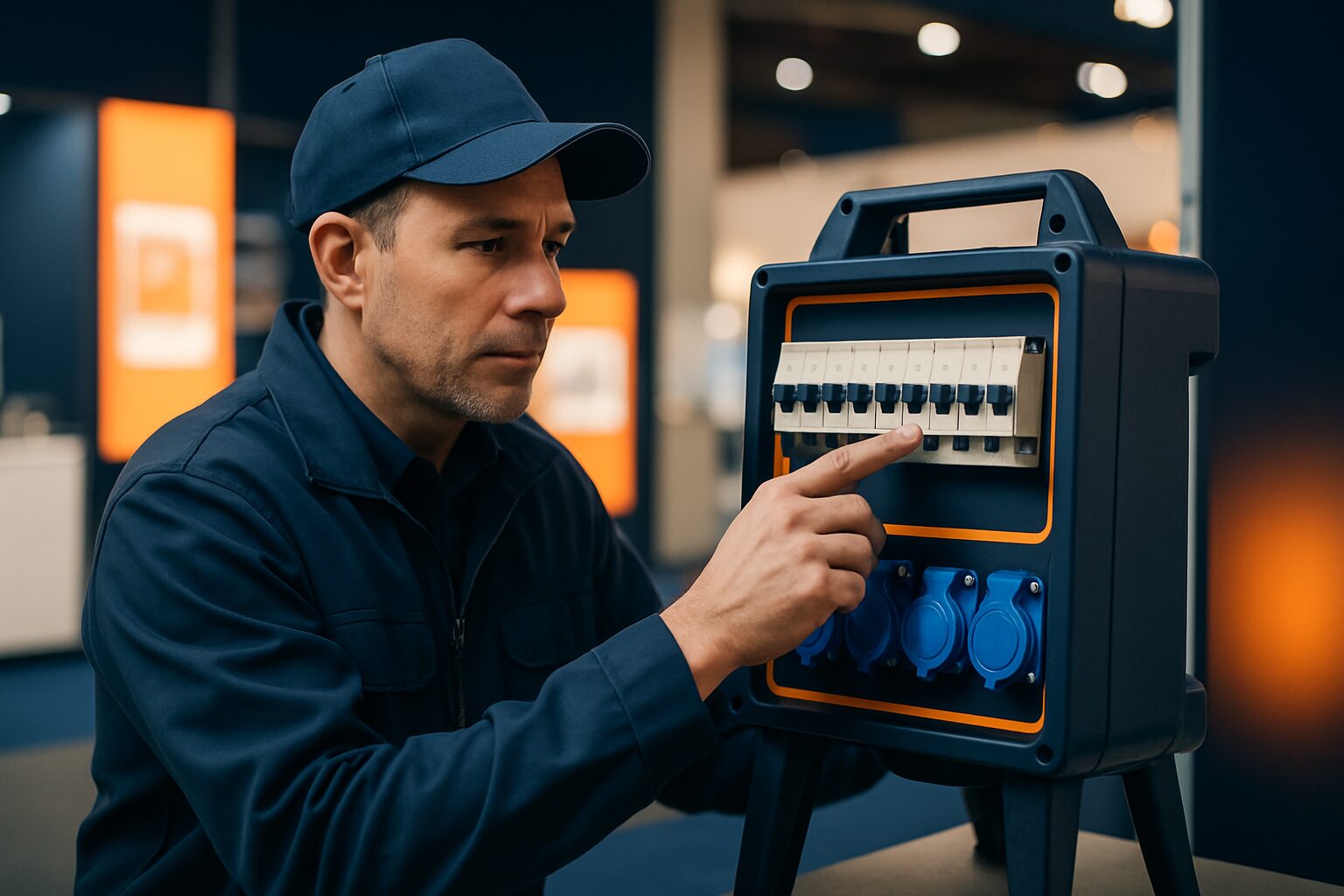
Trade fair stand power distribution: how many circuits for displays, lighting and AV?
A trade fair stand with multiple displays, spotlights and AV equipment requires at least three separate power circuits: one for displays, one for lighting and one for AV and other equipment. A standard B16 breaker allows 3.680 watts (16 A × 230 V) per circuit. If you connect displays, spots and a mixer to the same group, you risk a tripped breaker at the busiest moment of the day. The layout must comply with NEN 1010 — the Dutch standard for low-voltage installations.
Why separate circuits are mandatory
NEN 1010 stipulates that electrical installations must be installed safely and that each circuit has its own protection via a circuit breaker. At a trade fair stand, the same rules apply as in a commercial building: temporary installations are not exempt from the standard. Many trade fair organisers also require a separate distribution board per stand, with residual-current protection of no more than 30 mA per group.
Another reason for separation: displays and AV equipment generate harmonic currents. These can cause RCDs to trip incorrectly if you connect them to the same circuit as lighting. Separate circuits prevent one fault from bringing down the entire stand.
How many watts does each device use?
Before dividing circuits, you need to know the consumption per device category. Always use peak power, not the average.
| Device category | Typical consumption |
|---|---|
| Commercial display 43–49" (e.g. PixioDisplay) | 100–150 W per screen |
| Commercial display 55–65" | 150–250 W per screen |
| LED spotlight trade fair stand (per spotlight) | 20–50 W |
| LED light bar / strip (per metre) | 10–20 W |
| AV mixer / amplifier | 100–300 W |
| Active speaker (per piece) | 50–150 W |
| Laptop or mini-PC | 30–65 W |
| Tablet charging station (6 ports) | 60–120 W |
Commercial displays use more power than consumer TVs because they run at higher brightness. A 43" display at 400 cd/m² draws on average 120–140 W; a 55" screen at 3.500 cd/m² (outdoor class) can consume 300 W or more.
Three circuits as a basic layout
For an average trade fair stand of 12–24 m² with four to six displays, this is the recommended minimum layout:
Circuit 1 — Displays (B16, 3.680 W max)
Connect only commercial displays here. Four screens of 43" together draw approx. 560 W; that fits comfortably on one B16 circuit. With six screens of 55", you reach approx. 1.500 W — still within the limit, but always allow 20% reserve capacity.
Circuit 2 — Lighting (B16, 3.680 W max)
LED spots and light bars go on a separate circuit. Twelve spots of 30 W = 360 W. That sounds low, but with warm-white halogen spots (still used by stand builders) this quickly rises to 1.200–1.800 W.
Circuit 3 — AV and other equipment (B16, 3.680 W max)
This includes amplifiers, mixers, laptops, charging stations and coffee machines. This is the most variable group: check the total power draw before the trade fair, because an espresso machine quickly draws 1.200–1.500 W.
For larger stands (36 m² or more) or video walls, split circuit 1 into multiple display groups, one per wall or cluster.
Practical example: six displays and an LED wall
Pixio Display provided more than 50 displays at a single event (Summit). A similar setup on a large trade fair stand requires a thorough power plan. Suppose you install six PixioDisplay Luxe screens (49", 67×185 cm, buy current price on request each, price list Q2 2026) as a video wall, supplemented by twelve LED spots and an AV rack.
- 6 × PixioDisplay Luxe at ±150 W = 900 W → circuit 1 (B16, well within limit)
- 12 LED spots of 30 W = 360 W → circuit 2
- AV rack (amplifier 200 W + mixer 100 W + laptop 50 W) = 350 W → circuit 3
- Total: 1.610 W distributed over three B16 groups
The PixioDisplays have an integrated Android computer (Android 13/14), so you do not need a separate media player or laptop per screen. That saves 30–65 W per screen and one plug per display — relevant if you are working with a limited number of sockets at the stand connection.
What event organisers require
Most Dutch trade fair venues (Jaarbeurs Utrecht, RAI Amsterdam, Ahoy Rotterdam) impose requirements on temporary electrical installations. Common rules:
- Own distribution board per stand at a connection greater than 16 A
- Residual-current protection of ≤ 30 mA on each circuit (in accordance with NEN 1010)
- Approved material with CE marking
- Accessible connection points: floor and wall sockets must not be covered
- Written power plan for connections above 3 × 16 A (three-phase)
Always request the technical regulations before the stand-building phase. Some organisers inspect the installation before opening — a rejected distribution board means no power on day one.
Three-phase or single-phase?
A standard trade fair connection is single-phase (230 V, 16 A = 3.680 W). That is sufficient for a small stand with two to three displays and basic lighting. As soon as your total power exceeds 3.000 W, request a three-phase connection (3 × 16 A = 11.040 W available).
With three-phase, you distribute the load evenly across L1, L2 and L3. Do not put all displays on L1 and lighting on L2 and L3 empty — an uneven phase distribution causes voltage imbalance and can overload the neutral conductor.
Rule of thumb: request three-phase power as soon as you install more than four commercial displays or a video wall.
Checklist for the installer
- Consumption per device added per circuit — peak power, not average
- Each group loaded by a maximum of 80% (B16 = max. 2.944 W in use)
- Displays on their own circuit, separate from lighting and AV
- RCD ≤ 30 mA per circuit
- Technical regulations for the trade fair venue requested and reviewed
- Three-phase requested for total power > 3.000 W
- Power plan on paper available on the stand
A good power plan is also the basis for the technical AV setup. Read on in Controlling video on a trade fair stand: technical setup step by step for the next layer: how to align displays, media players and the network.
Want to know which displays best suit your stand layout? View the full range on the page for exhibition and event displays or request the current price list on.
Frequently asked questions
How many amps do I need for four displays on a trade fair stand?
Four commercial displays of 43–49 inches together use about 480–600 W. That fits well on one B16 circuit (3.680 W). Always allow 20% spare capacity and connect lighting and AV to separate circuits.
Does a temporary trade fair installation also have to comply with NEN 1010?
Yes. NEN 1010 applies to all low-voltage installations in the Netherlands, including temporary ones. In addition, most exhibition venues set additional requirements, such as their own distribution board and earth leakage protection of no more than 30 mA per circuit. Always request the venue’s technical regulations before the stand construction phase.
When do I need a three-phase connection on a trade fair stand?
As soon as your total power exceeds 3.000 W, a three-phase connection (3 × 16 A = 11.040 W) is advisable. In practice: more than four commercial displays or a video wall almost always requires three-phase. Then distribute the load evenly across L1, L2 and L3.
Can I connect displays and lighting to the same circuit?
That is technically possible as long as the total power stays below 3.680 W, but it is strongly discouraged. Displays and AV equipment cause harmonic currents that can trip residual current devices incorrectly. Separate circuits prevent one fault from taking the entire stand offline.
What if I do not have a fixed power connection at the trade fair?
Then choose a battery-powered display such as the PixioDisplay Sidewalk Board (43", 14–18 hours battery life, no mains power required, €2.245 at 1.500 nits, price list Q2 2026). That is suitable for separate setups outside the stand area, but not as a replacement for a full display wall.