
Knowledge and advice
Promotional header display: digital end caps and promotion screens in the supermarket
What is an action-header display and how do you use digital header shelves and promotional screens effectively in the supermarket? Read all about types, placement and results.
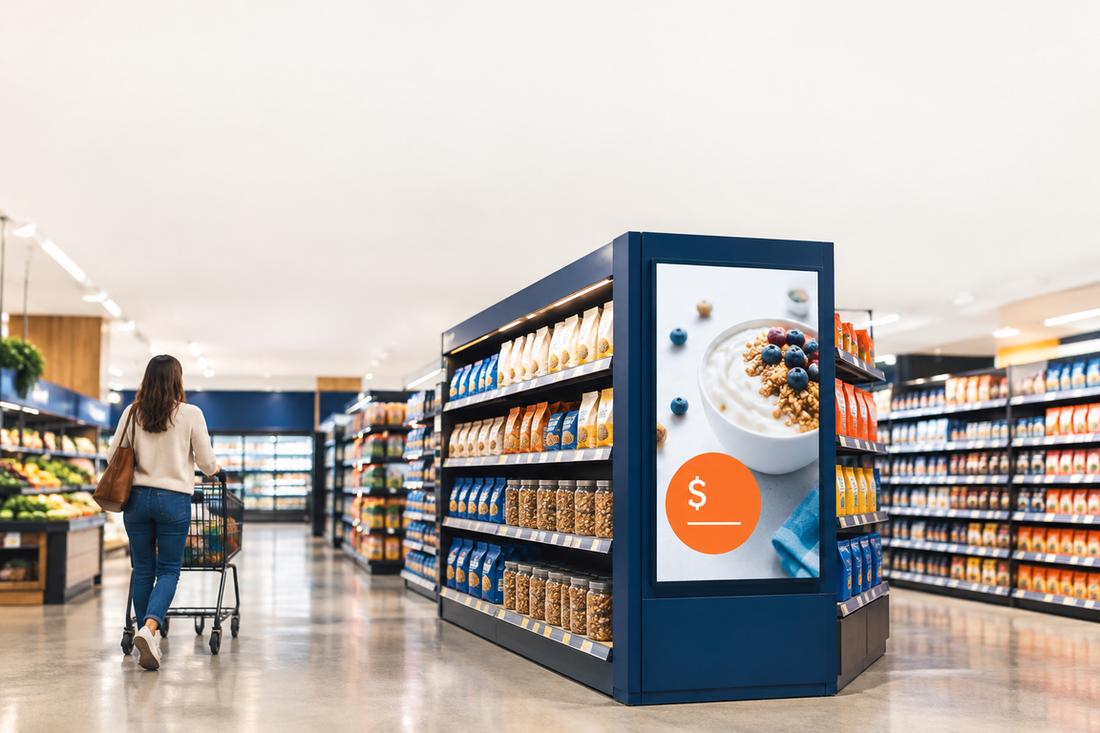
A promotion header display is a digital screen placed at or near the head of a supermarket shelf to show promotions, prices or product information dynamically. It replaces paper shelf-end displays and makes it possible to adjust content remotely and in real time — without new printing costs. Supermarkets and suppliers use these screens to encourage impulse purchases, make promotional prices immediately visible and direct shoppers' attention to high-margin products.
Why the end of the shelf is so effective
Position determines the effect. The display locations with the strongest positive impact on category purchase are endcaps — both near and 'far' from the category — followed by directly by the shelf and at the front of the store. That is the conclusion of EFMI Business School based on purchase data from 700 households at a major supermarket chain.
With an endcap display, a SKU moves from its usual position between competing products to the head of the shelf, where it is more visible. That visibility is the key advantage. Endcap and island displays deliver better results for hedonic products — think snacks, drinks, seasonal items and premium brands.
The effects become stronger as the price is lower and/or the discount deeper. So preferably combine a header display with a visible promotional price.
Digital versus cardboard: the practical differences
A cardboard end-cap display requires print and installation work again every time the promotion changes. A digital screen is updated from a central management tool. That makes it attractive for supermarkets with weekly promotions or chains with multiple branches.
| Property | Cardboard endcap display | Digital promotional header display |
|---|---|---|
| Content change | New print + installation | Direct via app or URL |
| Multiple branches | Logistics coordination | Central management |
| Animation/video | Not possible | Possible |
| Dynamic pricing | Not possible | Possible |
| Lifespan | One-off use | 50.000+ hours |
The PixioDisplay Shelf is a digital shelf edge specifically developed for use on retail shelving. Whether it is promotions, product information, dynamic pricing or branding: with digital shelf displays, you strengthen communication at the most decisive purchase moment. Via the PixioApp you manage the content easily remotely — for one location or an entire chain.
Which type of screen should you choose for the supermarket?
Not every screen is suitable for a supermarket floor. Commercial displays are designed for continuous use; a consumer screen with around 300 nits is not intended for that. In a lit retail environment, a brightness of 500–700 nits is sufficient for clearly readable content.
For a freestanding promotional screen by a promo island or entrance, the PixioDisplay Mobile a practical choice: a 43″ touchscreen of 60×150 cm with a brightness of 400 cd/m², suitable for indoor use in busy locations. If you want a screen that also works at the entrance or in a brightly lit shop window, you need more nits.
Dunkin' Donuts chose the PixioDisplay Window for digital shop window posters — an example of how a food retailer with a bright screen appeals to both passers-by and shopping customers.
What do you show on a digital promotional header display?
The content strategy determines the result. For a digital display to increase sales, the message must promote the price. This is shown by field research published in the Journal of Retailing. Price-promotional content demonstrably works better than purely informative or brand-oriented messages.
Practical content formats for the promotional header:
- Promotion price + countdown: time pressure increases urgency with impulse purchases
- Product animation or video: draws the eye from the central aisle
- Cross-sell suggestion: combine product A with product B
- Allergens or nutrition information: mandatory information that you update dynamically
- QR code: link to recipe, loyalty programme or extra discount
You can easily change content via USB, a website URL or the PixioApp — the integrated Android computer in PixioDisplays makes external hardware unnecessary.
Placement and return
The supermarket sector is growing: supermarket turnover rose by 4,8 per cent in the fourth quarter of 2025, reports CBS. In this growing market, every extra impulse purchase counts.
Start with the promotional display on the most frequented walkways — typically the fresh produce section, drinks aisle or the promotional island at the front of the store. Position the screen at eye level (120–160 cm) for maximum visibility. Use short texts and high contrast: shoppers scan, they don't read.
For dynamic pricing displays, the ACM rules apply in the Netherlands. Read more in the knowledge base article Dynamic price display in shops: what is allowed according to the ACM? before setting up automatic price links.
Would you like to know which screen suits your supermarket or retail concept? Request the price list or view the full retail and window display options.
Frequently asked questions
What is the difference between a header shelf display and a shelf display?
An end-cap display sits at the end of the shelf — the end of the aisle — and is visible from multiple directions. A shelf display sits on the shelf edge directly by the product. End-cap displays attract more category purchases; shelf displays are more likely to drive brand choice.
What brightness does a screen need in a supermarket?
In a well-lit shop environment, 500–700 nits is sufficient for content that is easy to read. For a shop window in full sun, you need at least 3.000 nits. A standard consumer screen with around 300 nits is not suitable for continuous use in a retail environment.
Can I change the content on multiple screens at the same time?
Yes. Through the PixioApp you can centrally manage content for one location or an entire chain. You can also control content via a website URL or USB. That makes weekly campaign changes easy without additional printing costs.
Does a digital promotion head display also work for smaller supermarkets?
Research shows that digital screens have less effect in smaller shops than in large supermarkets and hypermarkets. The effect is strongest when the message shows a clear promotional price. Start with one screen in the most visited location and measure the result.
Do I need a permit for a digital screen in the supermarket?
For in-shop screens in a supermarket, no permit is usually required. However, ACM rules apply to dynamic price display. Read more in the knowledge base article on digital displays, safety and permits for the full regulations.