
Knowledge and advice
Narrowcasting in supermarkets: applications by department
Discover how digital signage in supermarkets works by department: from fresh produce to checkout. Practical applications, screen choice and regulations in one place.
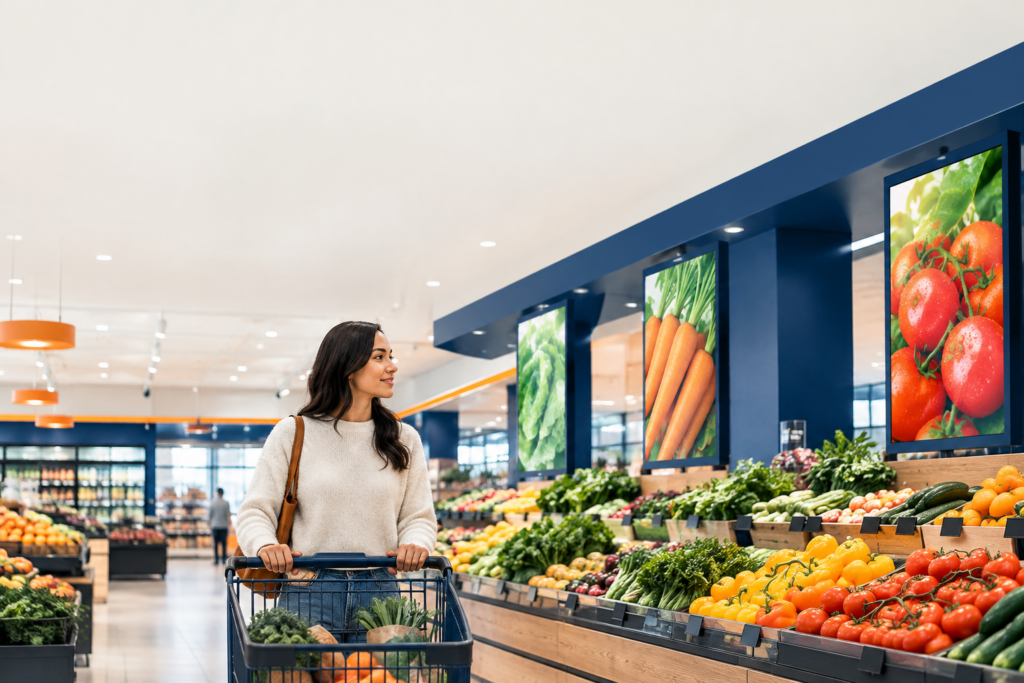
Narrowcasting in the supermarket is the targeted broadcasting of digital content at specific locations in the store, tailored to the department, time and audience. The difference from general advertising: the message is hyper-relevant to whoever is standing there at that moment. A screen at the meat counter shows different content from a screen at the checkout. That makes narrowcasting more effective than one central screen with a generic message.
Why narrowcasting works in supermarkets
Supermarkets are structurally growing businesses. In the third quarter of 2025, retail turnover was 4,1 percent higher than a year earlier; supermarket turnover rose by 4,5 percent (source: CBS). That growth calls for smarter in-store communication: customers need to make the right choice faster, without staff having to answer every question.
Digital screens address that problem. They show real-time information, change content automatically and can be managed remotely. One CMS connection can control dozens of screens in the store at the same time — with different content per zone.
Entrance and aisle: guiding first impressions
At the entrance, you set the store route and the mood. A screen here shows weekly offers, seasonal campaigns or a welcome message. Customers absorb the message in two to three seconds — so keep the text short and use large images.
In the aisles, narrowcasting works best as an extension of the shelf. A screen next to the dairy shelf shows a recipe with the ingredients on that same shelf. That increases the chance of an additional purchase without being pushy. If you link the screen to your inventory management, a product will automatically disappear from the content as soon as it is out of stock — read more about that link in the integration guide for display content and stock management.
Fresh produce department: highlight freshness and origin
The fresh produce section — meat, fish, vegetables, bakery — is where customers hesitate most. Origin, preparation method and shelf life are decisive factors. A screen showing the farmer behind the meat, or a short preparation tip for the fish of the day, builds trust.
Important: products in shops must have a price indication; the price (including VAT) may be shown on the product itself or on the shelf (rijksoverheid.nl). A digital screen may display the price, but does not simply replace the legally required price indication on shelf or product. So always combine screen communication with the physical price labels. More about the legal framework around dynamic price display can be found in the article Dynamic price display in shops: what is allowed according to the ACM?
Promotional corner and end caps: activate the promotion
End caps — the ends of aisles — are the most viewed spots in the supermarket. A digital screen on or above the end cap reinforces the promotion below it. Moving image attracts attention; a static poster does not.
The PixioKiosk is available in 21,5", 32", 43" and 49" and has an integrated Android computer. You send content via USB, a website URL or the PixioApp. That makes it suitable as a standalone promotional pillar in the promotion area, without extra hardware or cabling. For a deeper explanation of digital end caps, see the knowledge base article on promo header displays and digital shelf headers.
Checkout and queue: making use of waiting time
At the till, a customer stands still for an average of two to four minutes. That is the most captive audience in the entire shop. Show cross-sell suggestions, loyalty programme information or a short campaign video here.
A touchscreen at the checkout can go one step further: customers scan a product themselves for more information, or sign up for a newsletter. The PixioDisplay Mobile has a 43″ touchscreen, measures 60×150 cm and has a brightness of 400 cd/m² — sufficient for indoor use, where around 400 cd/m² is the standard norm. The wheels make it movable: ideal when the till layout changes.
Screen choice by zone: a practical overview
| Zone | Primary function | Recommended screen type | Brightness |
|---|---|---|---|
| Entrance | Campaign / weekly promotion | Freestanding display or wall screen | ±400 cd/m² |
| Aisle | Recipes / cross-sell | Compact wall-mounted screen | ±400 cd/m² |
| Fresh produce department | Origin / preparation tip | Wall screen or totem | ±400 cd/m² |
| Head end | Campaign activation | Screen on or above end cap | ±400 cd/m² |
| Checkout | Cross-sell / loyalty | Touchscreen column | ±400 cd/m² |
| Shop window (sun) | External communication | High-brightness display | 3.000 nits |
For shop window screens standing in full sun, 400 cd/m² is not enough. Dunkin' Donuts chose the PixioDisplay Window for their digital window posters — that model delivers 3.000 nits and is therefore visible in direct sunlight. See the reference page of Dunkin' Donuts for the execution.
Start here if you are just starting with narrowcasting
Choose one zone as the starting point, not the whole shop at once. The checkout or promotional corner delivers measurable results fastest: high footfall, short dwell time and a clear call-to-action link. Only once the content workflow is in place should you expand to the aisles and fresh produce section.
Want to know which screen fits which zone? See the application page for retail and window display or request a price list.
Frequently asked questions
How many screens do I need for an average supermarket?
That depends on the surface area and the number of zones you want to control. A compact supermarket of 500–800 m² often does with four to eight screens: entrance, two to three aisles, fresh produce and checkout. Start small and scale up once the content workflow is in place.
Can I use a digital screen to replace the legally required price display?
No. According to the Dutch government, every product in a shop must have a price indication on the product itself or on the shelf. A digital screen is an addition, not a replacement. Always combine screen content with physical price labels.
What brightness does a supermarket screen need?
For indoor use, ±400 cd/m² is sufficient. Only shop windows in direct sunlight require 3.000 nits. The panel — not the size — determines the extra cost.
Can I link the content to my inventory management?
Yes. With a CMS integration, a sold-out product is automatically removed from the screen content. The integration guide on the Pixio Display knowledge base explains step by step how to set this up.
Is narrowcasting also suitable for small supermarkets or convenience stores?
Certainly. One screen by the checkout or in the promotion corner is already a complete start. You manage the content via the PixioApp or a website URL, without separate software or technical knowledge.