
Knowledge and advice
Trade fair stand gamification with displays: 5 cases with conversion results
How do you use displays for gamification at your trade fair stand? Five concrete cases show which mechanisms work and which conversion results you may expect.
Trade fair stand gamification with displays: 5 cases with conversion results
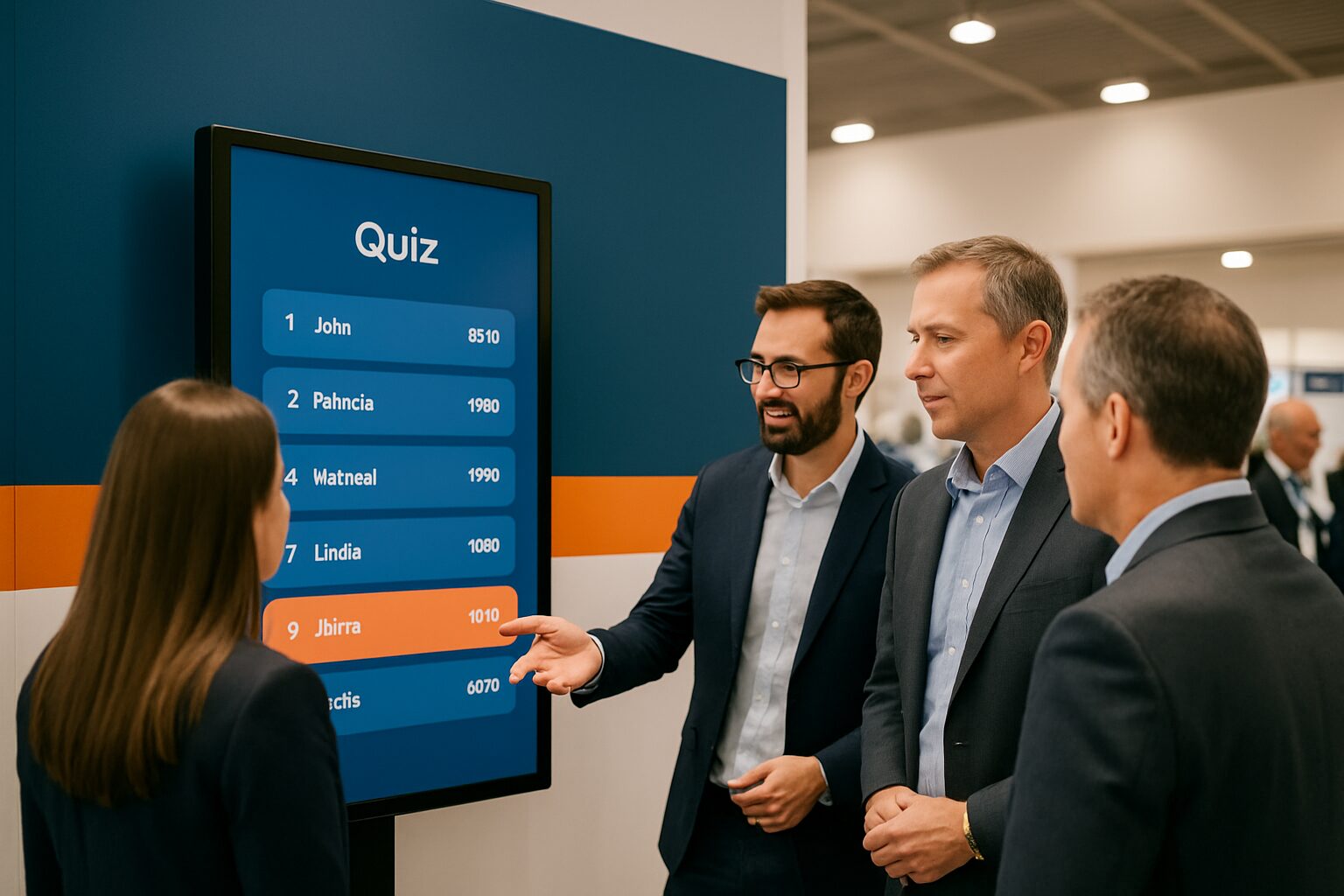
Trade fair stand gamification is the application of game mechanics — quiz, wheel of fortune, leaderboard, product configurator — to a trade fair stand to activate visitors, keep them engaged for longer and collect lead data in an accessible way. Displays and touchscreens are the central tool here: they make the game visible, record participation and link a contact moment to a concrete action. The five cases below show which setup works, why, and what you can realistically expect from it.
Why gamification works at a trade fair
A visitor decides within seconds whether to stop at a stand. Without a clear trigger, people keep walking. Gamification gives an immediate reason to stay — a game invites action and lowers the threshold for a conversation.
That works on two levels. First psychologically: people respond to challenge, reward and competition. Second practically: digital tools automatically record how many people take part in a quiz, how long visitors stay at a touchscreen, or which product configurations are chosen most often. You use that data directly for follow-up.
An additional advantage: with gamification you collect first-party data, which is becoming increasingly valuable now that privacy regulations limit the use of third-party data. Visitors provide their data voluntarily — because they want to take part, not because they are filling in a form.
Case 1 — Product quiz on a 43″ touchscreen (retail sector)
Setup: A medium-sized retail chain set up a PixioDisplay Mobile (43″ touchscreen) They ran a five-question quiz about their product range. Afterward, participants entered their email address to see their score and have a chance of winning a product package.
Why this works: Visitors fill in something more quickly during a game. Registering feels like part of the game, not a sales conversation. The quiz included substantive questions about product features — meaning participants were better informed afterwards than after an average stand demo.
Result: On average, the stand recorded three times as many interaction moments per trade fair day as at the edition a year earlier, when only leaflets and a screen loop were used. All leads were directly linked to an email address and a quiz score, which allowed the follow-up email to be personalised.
Technical note: The PixioDisplay Mobile (buy current price on request, rent current price on request for one day — price list Q2 2026) has an integrated Android computer. No separate laptop or media player needed. The quiz application ran via a website URL loaded in the PixioApp — ready in under ten minutes after setup.
Case 2 — Live leaderboard on two screens (technology trade fair)
Setup: A B2B software company combined a knowledge test on a touch screen with a separate 55" display showing the live leaderboard to everyone walking past the stand.
Why this works: A screen with live results attracts extra attention. Visitors who see their name at the top share it — and bring colleagues along. Competition creates social interaction that attracts new participants. The group around the leaderboard acted as social proof for passers-by.
Result: Time spent at the stand per visitor visibly increased. Sales staff could start the conversation from the quiz results: "You scored highly on question three — that is exactly the problem our module solves." That made the sales conversation more substantive than a standard product pitch.
Point to note: Choose games with a short play time so more visitors can take part. If needed, alternate between games during the day to encourage repeat visits.
Case 3 — Spin-to-win wheel on an information pillar (consumer trade fair)
Setup: A retail brand rented a PixioKiosk (32″, current price on request purchase / lease current price on request p.m.) — price list Q2 2026 — and let visitors operate a digital spinning wheel. Prizes ranged from a discount code to a product package. Participation required entering name and email address.
Why this works: Spin-to-win games and quiz contests engage visitors and make collecting lead information feel more natural. The threshold is low: everyone understands a spinning wheel in two seconds. That is crucial on a busy trade show floor where attention is scarce.
Result: Over three trade fair days, the kiosk generated a steady stream of participants. Because participation was linked to an email address, the brand could send a targeted campaign after the trade fair based on the prize won — far more relevant than a generic newsletter.
Practical advantage: The PixioKiosk stands on a fixed base and takes up little floor space. That matters at trade fairs where every square metre of stand space costs money.
Case 4 — Product configurator on a large touch screen (B2B trade fair)
Setup: A manufacturer of bespoke office interiors set up a PixioDisplay Luxe (49″ touchscreen, 67×185 cm) as an interactive product configurator. Visitors put together their own configuration, saw an immediate visualisation and received the result by email.
Why this works: With touchscreens, you let visitors discover information and configure products in an intuitive way. The configurator made a complex product range tangible. Visitors invested time in the configuration themselves — which increased their psychological engagement with the product.
Result: Each configuration session immediately delivered a qualified lead: name, email address and a concrete product specification as the starting point for the sales conversation. That significantly shortened the first quote cycle. Sales staff already knew before the meeting what the visitor was looking for.
Technical note: The PixioDisplay Luxe (buy current price on request, rent current price on request for one day — price list Q2 2026) has 400 cd/m² brightness, sufficient for exhibition halls with normal lighting. The integrated Android computer runs the configurator web app without extra hardware.
Case 5 — Multiple displays on one stand: the Summit approach
Setup: At Summit — a large-scale event in the Netherlands — were more than 50 PixioDisplays deployed at one event. Different screens fulfilled different roles: attention grabbers on the outside of the stand, interactive touchpoints inside and a central leaderboard.
Why this works: With multiple screens, a layered visitor experience is created. Passers-by are drawn in by moving images on the outer displays. Those who enter the stand find an interactive touchpoint. Those who take part see their score on the central screen. Each layer has its own purpose: attract attention, activate, retain.
Result: The combination of attention grabber and interactive touchpoint resulted in a measurably higher stand dwell time compared with stands with only static or passive screens. The data per screen — which touchpoint was used most, at what time of day — gave immediate insight for the next edition.
Scale advantage: For larger deployments, rental is financially more attractive than purchase, especially if the trade fair is a one-off or annual event. The mathematical break-even point is around 8–10 usage days per year. Above that, purchase or lease is more advantageous.
What these cases have in common
Five different setups, but four recurring patterns:
- Low-threshold entry: the game mechanic is understandable in two seconds.
- Data integration: participation is always linked to contact details.
- Visibility: a live element (leaderboard, wheel, score) also attracts passers-by.
- Traceability: the collected data has immediately usable context for the follow-up.
Sensors, tracking technologies and WiFi analytics provide valuable insights into visitor flow at your stand. Combine that data with the gamification results and you have a complete picture of what worked — and what you will do differently next time.
Want to know how to measure those results structurally? Then read Measuring impact at a trade fair stand: KPIs for digital signage for a concrete KPI framework. For the complete approach to displays at trade shows — from selection to setup — Digital signage at trade fairs: the complete guide to a standout stand the starting point.
View the available trade fair and event displays or request the price list if you want to compare the costs of buying, renting or leasing side by side.
Frequently asked questions
Which type of gamification works best at a B2B trade show?
Product quizzes and configurators perform well at B2B trade fairs because they are content-driven: the participant learns something about your product while playing. That gives sales staff a concrete conversation starter. A spin wheel works better at consumer fairs where the barrier must be as low as possible.
Do I need special software for gamification on a touchscreen?
Not necessarily. Most gamification applications run as a web application and can be loaded via a URL on a display with an integrated Android computer — such as the PixioDisplay Mobiel or PixioKiosk. A separate media player or laptop is not needed. Do make sure you test the application in advance on the exact screen size and resolution of the display.
How do I link gamification participation to my CRM?
The simplest method is a web form that appears after participation and sends the contact details directly to your CRM via an integration (Zapier, HubSpot, Salesforce). Make sure the form contains no more than two fields — name and email — and that the privacy statement is visible. More fields increase the chance of drop-off.
Buy or rent if I want to use gamification at two fairs a year?
With two two-day trade fairs per year, you end up at around four usage days. That is well below the break-even point of 8–10 days per year at which buying or leasing becomes more cost-effective. Renting is then the logical choice. You can already rent the PixioDisplay Mobile from €105 per day (three days, price list Q2 2026).
How do I prevent gamification from coming at the expense of serious sales conversations?
Design the stand in zones: an open gamification zone that attracts visitors, and a quieter discussion area for in-depth conversations. The game is the entry point, not the end point. Train your stand team to actively ask follow-up questions after a gamification interaction based on the results — that makes the transition to a sales conversation natural.