
Knowledge and advice
Digital signage at trade fairs: complete guide to an eye-catching stand
Everything about digital signage at trade fairs: screen choice, content, setup and lead generation. So your stand makes more of an impression than the neighbours’.
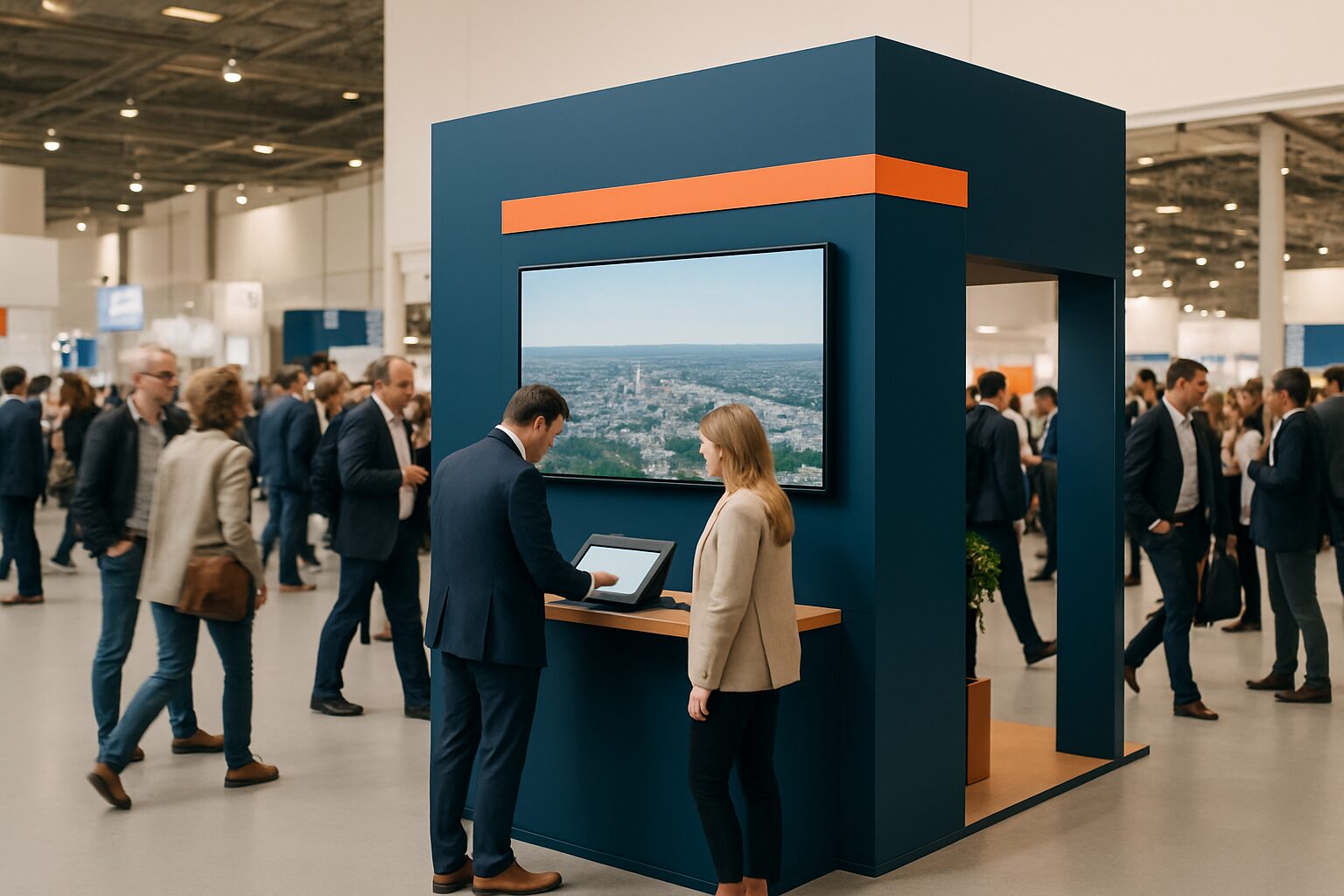
Digital signage at trade fairs: complete guide to an eye-catching stand
Digital signage at a trade fair stand means using digital screens — such as LED displays, touchscreen kiosks or video wall systems — to attract visitors, show product information and generate leads. Unlike static banners, digital content adapts in real time and is measurable. Trade fairs such as Jaarbeurs Utrecht, RAI Amsterdam and Brabanthallen Den Bosch have hundreds of stands; a well-deployed screen is the difference between walking past and stopping.
In short
- Digital screens attract up to 400% more attention than static displays (source: Digital Signage Federation).
- Choose the screen type based on stand size, visitor flow and budget — buy or rent.
- Content is just as important as hardware: short loops of 6-10 seconds per message work best.
- Touchscreen kiosks combine lead generation with product presentation at one point.
- Pixio Display offers a rental model that lets you deploy professional hardware without a large investment.
Why digital signage works at trade fairs
An average trade fair visitor walks past 50 to 150 stands per day. You have less than three seconds to attract attention. Moving image consistently performs better than print or static roll-ups.
According to the Digital Signage Federation, digital signage increases brand recall by an average of 83% compared with traditional media. That is not a marginal difference — it is the difference between a lead and a passer-by.
You can also adjust content during the trade fair itself. Is a product demo performing better than expected? Put that screen on repeat. Is a keynote starting in the hall? Adapt your message to the audience that will return shortly.
Choosing the right screens for your stand
Not every screen suits every stand. The choice depends on three factors: stand size, visitor flow and objective.
Comparison of commonly used screen types at trade fairs:
| Screen type | Ideal for | Typical format | Note |
|---|---|---|---|
| Freestanding display (totem) | Small to medium-sized stands | 43"–75" | Takes up little floor space |
| Video wall | Large stands, back wall | 2×2 to 4×4 | High impact, higher costs |
| Touchscreen kiosk | Lead generation, product catalogue | 32"–55" | Interactive, requires good UX |
| Outdoor LED display | Entrances, outdoor trade fairs | Modular | High brightness (2500+ nits) |
| Tablet on stand | Small stands, forms | 10"–13" | Low-threshold, limited reach |
A machine builder at Technishow in Utrecht makes a different choice from a software company at an HR trade fair in Rotterdam. The machine builder wants a large video wall that visualises its production installation; the software company benefits more from a touchscreen kiosk where visitors can start a demo themselves.
Content that works on a trade fair stand
Hardware without good content is an expensive painting. The most common mistake: too much text, too little movement.
Stick to the 6-10 second rule. Every message must be clear at a glance. Use a maximum of seven words per slide. Change every 8 seconds for informational content, every 15 seconds for more complex product explanations.
A logistics provider at the Transport & Logistics trade fair in the Brabanthallen used a three-part loop: (1) an animation of their route-optimisation software, (2) a customer reference with logo and one sentence, (3) a QR code to a demo request form. Result: 34% more scanned QR codes than the previous year with a static banner.
Also consider dynamic elements:
- Live social media feed with your hashtag
- Real-time counter of completed demos or visitors
- Countdown to a presentation at your stand
- Product configuration operated by visitors themselves
Setup and technical requirements at the trade fair venue
Every major trade fair venue has its own rules for power consumption, suspension structures and noise. Always check these before ordering or hiring hardware.
Technical preparation checklist:
- Power supply: how many circuits, amps per circuit?
- Mounting point: can you hang it from the ceiling or only stand it on the floor?
- Sound: is audio allowed and if so, up to what dB level?
- Internet connection: organiser’s Wi-Fi or your own 4G/5G router?
- Aspect ratio and resolution: 16:9 or 9:16 (portrait for totems)?
For example, RAI Amsterdam has strict rules for hanging structures above 100 kg — a certified rigger is required there. Jaarbeurs Utrecht works with standardised power connections per stand module. Always request the technical manual from the trade fair organiser.
Plan the set-up so that screens are visible from the main route. A screen facing the side wall loses 60-70% of its potential reach. Corner stands benefit from two screens set at an angle of 90 degrees.
Link lead generation to your screens
A screen that only shows images misses opportunities. The strongest combination is a touchscreen kiosk linked to your CRM.
Visitors enter their details via the screen — in exchange for a whitepaper, a demo request or entry into a competition. That data goes straight to HubSpot, Salesforce or a simple spreadsheet. No business cards to enter manually afterwards.
An insurance company at the Zorg & ICT trade fair in Utrecht combined a touchscreen quiz on cybersecurity with direct lead capture. Visitors played for two minutes, saw their score and left their email address for the result. Over two trade fair days, this produced 210 qualified leads — three times more than the previous year.
For more concrete ideas on gamification at your stand, see the article Gamification at your trade fair stand: 5 working ideas in the Pixio Display knowledge base.
Buy or rent: the financial trade-off
For many businesses the question is not whether they want screens, but how to finance them.
Buying is more economical if you attend more than three trade fairs a year with the same hardware and arrange your own storage and transport. Renting is more economical if you exhibit once or twice a year, have no storage space, or want installation and support included.
Rule of thumb:
- Fewer than 3 trade fairs per year → rent
- 3 or more trade fairs per year with the same configuration → consider buying
- Changing stand sizes → renting gives more flexibility
Pixio Display, a provider of digital signage in the Netherlands and Belgium, offers a rental model in which hardware, transport and technical support are included. This lowers the threshold for businesses that do not use the same stand set-up every year. See also the article Buy or hire a display for a trade fair? The trade-off for a full cost calculation.
Measuring what your screens deliver
Digital signage is measurable — use that advantage.
Basic metrics you can track:
- Number of interactions on a touchscreen (via the CMS or kiosk software)
- QR code scans via UTM parameters in Google Analytics
- Leads via screen versus leads via conversation (ask this in your CRM)
- Dwell time at the stand (estimate via phone camera or observation)
Some advanced systems use anonymous camera analysis to measure how many people look at a screen and for how long. This falls under GDPR regulations; only use certified solutions that do not store personal data.
After the trade fair, compare the results with your objective: was the goal brand awareness, leads or demo requests? Adjust your content strategy for the next edition.
Practical timeline: from decision to live stand
A realistic schedule prevents stress on the build day.
6 weeks before the trade fair:
- Confirm stand size and location
- Determine screen type and quantity
- Request a quote (purchase or hire)
4 weeks before the trade fair:
- Provide technical drawing to trade fair organiser
- Start content production (video, animations, slides)
2 weeks before the trade fair:
- Test all content on the correct screen size
- Check touchscreen CRM integration
- Confirm delivery and installation appointment
1 week before the fair:
- Upload final content to CMS
- Backup copy available on USB
- Technical support contact person recorded
On the stand build day:
- Switch on the screens and check the content
- Adjust brightness to trade fair lighting
- Test QR codes with your own phone
For an extensive checklist, see the article Trade fair preparation: a checklist of 6 weeks for the fair.
Conclusion
Digital signage on a trade show stand is no longer a luxury — it is a functional part of your exhibition formula. The right screen choice, sharp content and a direct link to lead generation make the difference between a stand that attracts visitors and one they walk past. Start with one clear objective per screen, measure the results and optimise per edition. Pixio Display offers rental and purchase solutions for exhibition displays, including delivery and technical support on site in the Netherlands and Belgium.
Read more about displays at trade fairs and events
- Trade fair preparation: a checklist of 6 weeks for the fair
- Trade fair stand displays: installation and commissioning checklist
- Interactive displays at trade fairs: user experiences that convert
- Trade fair venues Netherlands: Ahoy, Jaarbeurs, RAI, MECC & Brabanthallen
- Gamification at your trade fair stand: 5 working ideas
- Hiring digital displays for events: step-by-step guide NL/BE
- Rent digital signage for a trade fair: what does it cost in NL/BE?
- Interactive touchscreen at trade fair: user experience and conversion
- Trade show stand design with digital signage: flow, positioning and sightlines
- Update trade fair stand content live: remote management step-by-step plan
- Trade fair stand hire: rules, insurance and liability
- Creating impact with digital signage at trade fairs: strategy and cases
- Video compression for exhibition stand displays: bandwidth and quality
- Trade fair stand display hire vs. purchase: TCO calculator and scenarios
- Trade fair stand WiFi and connectivity: how do you connect displays?
- Trade fair stand power supply: how many watts do displays need?
- Trade fair stand gamification with displays: 5 cases with conversion results
- Outdoor displays at events: weather resistance and placement
- Trade fair stand content planning: from concept to live (checklist)
- Trade fair stand power distribution: circuits for displays, lighting and AV
Frequently asked questions
How many screens do I need at a trade fair stand of 9 m²?
For a stand of 9 m², a single central screen of 55" to 65" is usually enough as an eye-catcher, supplemented by a tablet or small kiosk for interaction. More screens on a small stand lead to visual chaos and confuse visitors. Choose one main message per screen.
What does it cost to rent an exhibition screen?
Hire prices for a 55" display including stand and content upload are on average between €150 and €350 per trade fair day, depending on the screen type and included services. Videowalls and touchscreen kiosks are more expensive. Always ask whether transport, installation and technical support are included — those costs add up quickly.
Which content works best on a trade fair screen?
Short videos and animations of 15-30 seconds perform better than still slides. Use no more than seven words per message and change every 6-10 seconds. Customer logos, product demos and a clear call to action (QR code or stand invitation) are the most effective content elements.
Am I allowed to use sound on my trade fair screen?
That varies by trade fair location and sometimes by hall. Most major venues such as Jaarbeurs Utrecht and RAI Amsterdam allow limited sound, but set a maximum dB level. Always ask the trade fair organiser. A good alternative is subtitles or sign language icons so your message comes across without sound as well.
How do I connect a touchscreen kiosk to my CRM?
Most kiosk software platforms offer native integrations with HubSpot, Salesforce and Microsoft Dynamics, or a Zapier connection as an intermediary layer. You need a stable internet connection on the stand. Preferably use your own 4G/5G router rather than the organiser's Wi-Fi — that is often overloaded.
What is the difference between an LED display and an LCD screen for trade fairs?
LCD screens are cheaper and suitable for indoor trade fairs with normal lighting. LED displays (direct view LED) have higher brightness, are modular in construction and visible in bright ambient light or outdoors. For most indoor stands, a commercial-grade LCD is sufficient; for large video walls or outdoor trade fairs, LED is the better choice.
How far in advance should I reserve my trade fair screens?
Reserve at least four to six weeks for the trade fair, especially for major events such as the Jaarbeurs or RAI. In peak season (September–November and February–April), the availability of popular screen sizes is limited. Booking early also gives you time to prepare and test content properly.
Can I change my screen content during the trade fair?
Yes, if you use a cloud-based content management system (CMS) you can adjust content remotely via laptop or tablet. That is useful if you want to respond to a current trade fair announcement or a session promoting your stand. Just make sure you have a stable internet connection and an offline USB backup.
Are there trade fair venues in the Netherlands with special requirements for digital signage?
Yes. RAI Amsterdam requires a certified rigger for suspended structures above 100 kg. Jaarbeurs Utrecht works with standardised power connections per stand module. MECC Maastricht has specific rules for sound levels in the halls. Always ask the organiser of your specific trade fair for the technical manual.
What is the advantage of hiring from Pixio Display compared with buying yourself?
Renting from Pixio Display, supplier of digital signage in the Netherlands and Belgium, means transport, installation and technical support are included. You do not need to store hardware between trade fairs and you choose the most suitable screen type for each fair. Buying is more economical if you attend three or more trade fairs a year with the same configuration.