
Knowledge and advice
Interactive displays at trade fairs: user experiences that convert
How do you deploy a touchscreen display on a trade fair stand so that visitors stay longer and generate leads? Complete guide with UX principles, cases and model comparison.
Interactive displays at trade fairs: user experiences that convert
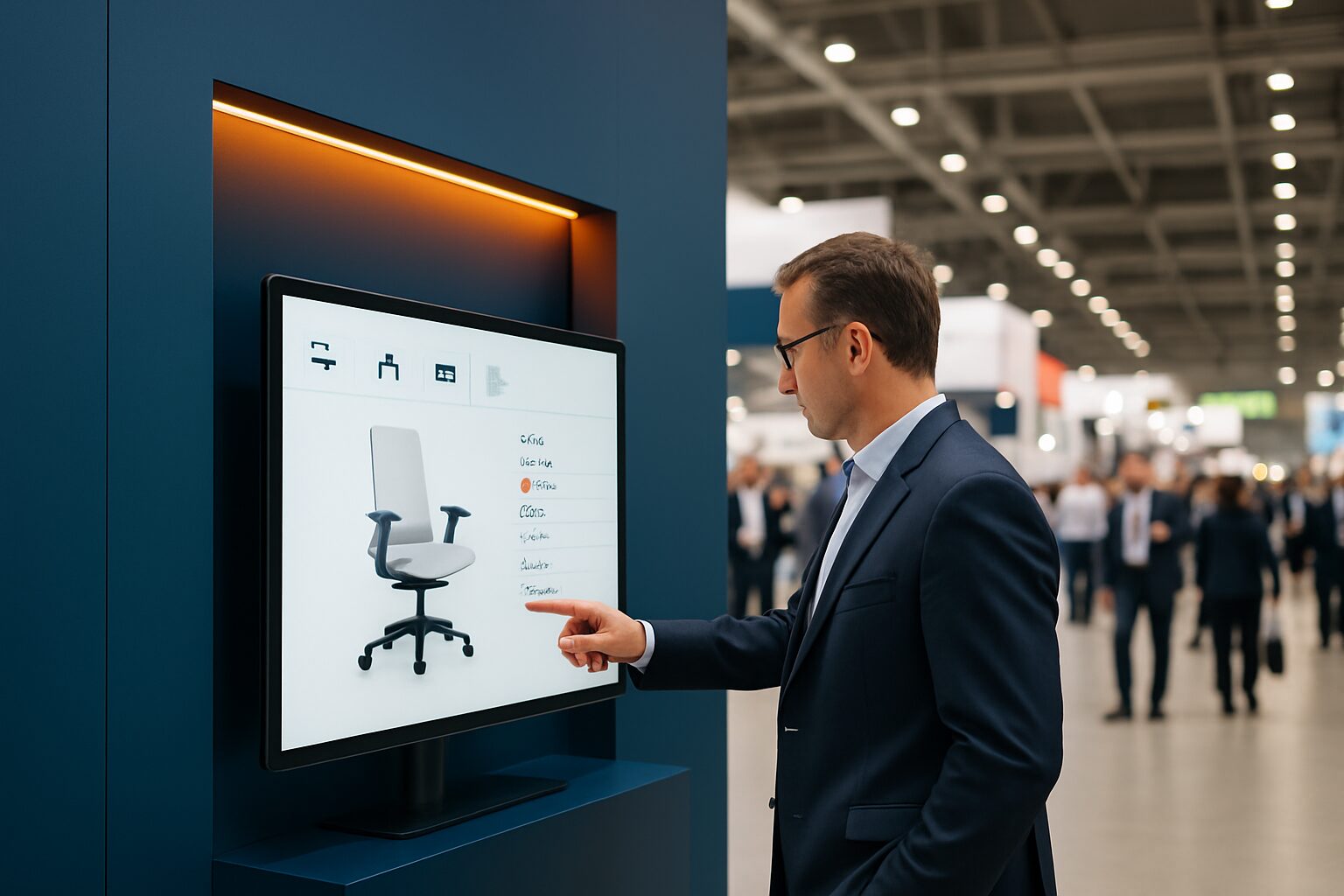
An interactive touchscreen display at a trade fair combines two functions: it actively draws visitors to your stand and captures usable data. Visitors navigate product information themselves, start videos or fill in a lead form. That makes the display not only a presentation tool, but also a measuring instrument for your trade fair ROI. For B2B exhibitors — from retail chains to manufacturing companies — that distinction is decisive.
In short
- A touchscreen increases dwell time at your stand because visitors control the interaction themselves.
- Lead capture, product configurators and digital brochures with analytics are the three most effective applications.
- The choice between buying, leasing and renting depends on the number of days on site per year; the break-even point is around 8–10 days.
- PixioDisplays run on an integrated Android computer (Android 13/14): no separate laptop or media player needed.
- UX quality determines whether a touchscreen converts — technology alone is not enough.
Why interactivity works on the trade fair floor
On a busy trade show floor, visitors decide within seconds whether to stop at a stand. A static roll-up banner or printed leaflet asks nothing of the visitor — and gives you nothing in return. A touchscreen turns that dynamic around: visitors can navigate product information themselves, start videos or operate a configurator.
That self-directed exploration delivers two benefits: longer dwell time at your stand and behavioural data that shows which topics genuinely attract interest. For B2B event managers, that second point is crucial. Someone who spends ten minutes comparing three specific product models and downloads a specification sheet shows more purchase intent than someone who just walks through.
Dutch trade fairs such as Horecava in RAI Amsterdam (more than 60.000 visitors per edition) and the Bouwbeurs in Jaarbeurs Utrecht (well over 67.000 visitors in 2023, source: Monitor Beurzen, CLC-VECTA via Events.nl) show how large the reach is. With hundreds of exhibitors per hall, standing out is not an afterthought — it is the primary challenge.
The three most effective applications
1. Lead capture via a registration form
Place a touchscreen kiosk at the edge of your stand. Visitors enter their name, company and email address themselves — in return for a white paper, product demo or quote. The threshold is lower than a conversation with a stand staff member, and the data comes in directly in digital form.
Important: as soon as you record contact details via a touchscreen, GDPR applies. According to the Dutch Data Protection Authority you always need at least one valid legal basis — for lead capture at a trade fair, that is usually the visitor's explicit consent. Make sure there is a visible opt-in on the screen and record consent digitally.
2. Product configurator or quiz
Let visitors enter their needs via an interactive quiz and immediately show a suitable product recommendation. Each choice in the quiz is a data point: sector, budget range, timeline. After the trade fair, your sales team has not only a contact list, but also qualified context per lead.
This works particularly well for retail chains with multiple product lines. A visitor who selects three specific assortment options via a configurator is a warmer lead than someone who picks up a brochure.
3. Digital brochure with analytics
Replace printed catalogues with a touchscreen presentation. Every page a visitor opens, every video that starts — that is measurable. After the trade fair, you can see exactly which products attracted the most attention and where visitors dropped off. You can pass those insights straight to your sales team for targeted follow-up.
UX principles that make the difference
Technology alone does not convert. The user experience on the screen determines whether a visitor stays or moves on. Four principles are key:
One clear first action. Show no more than one call-to-action on the home screen. 'Discover our range' works better than five buttons at once. Trade fair visitors have little time and even less patience.
Large touch areas. Buttons of at least 44×44 px prevent frustration when using fingers. On a 43″ screen this is easy to achieve — on a 21,5″ kiosk it requires more design attention.
No more than three clicks deep. Every extra step increases the chance of drop-off. Keep the navigation structure flat: category → product → action.
Visual feedback. Every touch must respond visibly straight away. A loading indicator or colour change gives the visitor confirmation that the screen is registering their input.
These principles apply regardless of the display model. They are the difference between a touchscreen that frustrates visitors and one that guides them through your funnel.
Three concrete examples from practice
bol.com at the Negenmaandenbeurs (RAI Amsterdam). Bol.com used displays on its stand at the Negenmaandenbeurs — a public fair that attracts tens of thousands of visitors to RAI Amsterdam every year. The aim: to guide visitors straight to the relevant range and strengthen brand experience at a busy consumer fair. You can read more about this case on the bol.com reference page.
ALDI Netherlands — staff event with video wall. ALDI Netherlands used a PixioDisplay video wall during an internal staff event for presentation and atmosphere. This example shows that interactive displays prove their value not only at trade fairs, but also at internal events with large groups. View the full case on the ALDI reference page.
Summit — more than 50 displays at one event. At the Summit event, more than 50 PixioDisplays were deployed. That requires a tight logistical approach: displays that work plug-and-play without separate laptops or media players are not a luxury at that scale, but a necessity. Read the details on the Summit reference page.
Which model do you choose for which situation?
The choice of display depends on your stand staffing, available space and whether you want to buy or rent the display. All PixioDisplay models run on an integrated Android computer (Android 13/14) — you do not need a separate laptop or media player. You upload content via USB, a website URL or the PixioApp.
| Model | Size | Buy | Lease (60 mth) | Hire (1 day) | Best for |
|---|---|---|---|---|---|
| PixioKiosk | 21,5″–49″ | current price on request | current price on request p.m. | current price on request p.d. | Lead capture, self-service information |
| PixioDisplay Mobile | 43″ | current price on request | current price on request p.m. | current price on request (1 day) / current price on request (3 days) | Product presentation, flexible setup |
| PixioDisplay Luxe | 49″ | current price on request | current price on request p.m. | current price on request (1 day) / current price on request (3 days) | Large stands, high attention value |
| PixioDisplay Kiosk Duo | 15,6″ touch + 29″ | current price on request | current price on request p.m. | From current price on request p.d. | Dual-screen: interaction + presentation |
Price list Q2 2026. Courier delivery within the Netherlands from current price on request
Start with the PixioDisplay Mobile if you want flexibility and are not yet sure about your stand layout. Choose the PixioDisplay Luxe when your stand is at least 4 m² wide and you want maximum attention value in large halls such as Ahoy Rotterdam or the Jaarbeurs Utrecht.
Buying, leasing or renting: the mathematical break-even point
The question exhibitors ask most often is: buy or hire? The mathematical break-even point is around 8–10 usage days per year.
Concretely for the PixioDisplay Mobile (43″ touchscreen, price list Q2 2026): at 10 hire days per year you pay current price on request Buying costs current price on request — but you use that screen year after year. Leasing spreads that investment to current price on request per month, which fits better within many companies' trade fair budgets.
Rule of thumb:
- Up to 8 stand days per year → rental via /display-huren/
- 8 or more stand days, or for internal use → buy or lease
- Changing exhibition calendar → hire
- Structural trade show calendar + internal use → buy or lease
Hiring has three practical advantages in addition to the financial consideration: no storage between trade fairs, no transport logistics and always up-to-date hardware with sufficient brightness (400 cd/m² for indoor use).
GDPR and practical safety on the stand
As soon as you collect contact details via a touchscreen, the GDPR applies. That requires a few concrete measures:
- Include an explicit opt-in checkbox in your lead form.
- Clearly state what you use the data for (follow-up, newsletter or both).
- Do not store data in the display's browser cache — use a secure web application or the PixioApp.
- Lock the display after use with a screen saver so previous input does not remain visible.
For the technical setup of your display on the stand — including bandwidth and network configuration — we refer to the article Trade fair stand WiFi network: calculating bandwidth for multiple displays.
How do you measure whether your interactive display converts?
A touchscreen without a measurement plan is an expensive decorative piece. Set three KPIs in advance:
- Number of touchscreen interactions per hour — baseline measurement for attentiveness.
- Lead conversion ratio — how many interactions lead to a completed form?
- Average session duration — how long does a visitor stay active on the screen?
After the trade fair, pass these three figures on to your sales team together with the qualitative data from the configurator or quiz. That way you not only know how many leads you have, but also which leads deserve priority. Read more about KPIs and measurement methods in the article Measuring impact at a trade fair stand: KPIs for digital signage.
Conclusion
An interactive display converts at a trade fair when three elements are right: the proper hardware for the space, a UX design that leads visitors to an action in no more than three steps, and a measurement plan that turns data into sales insight. Start with one display in a strategic spot on your stand — by the entrance or opposite the most frequently asked question — and build from there. The PixioDisplay Luxe (49″, current price on request buy or current price on request p.m. lease) is the most versatile starting point for medium-sized stands: large enough to stand out, compact enough to move.
Frequently asked questions
What is the difference between an interactive display and a regular TV on a trade fair stand?
A standard TV shows content passively; a visitor watches or walks on. An interactive touchscreen display invites the visitor to navigate themselves, fill in forms or operate a configurator. That creates longer dwell time and measurable behavioural data — two things a TV cannot offer.
How large should a touch screen be on a trade fair stand?
At an average trade fair stand of 6–12 m², a 43″ or 49″ display works best. Smaller than 43″ gets lost in a busy hall; larger than 55″ is only useful with an open stand concept and plenty of circulation space. Brightness (at least 400 cd/m² for indoor use) is at least as important as size.
Is it smarter to rent or buy a display for a trade fair?
The arithmetic break-even point is around 8–10 usage days per year. If you attend 1–3 trade fairs per year with fewer than 8 stand days in total, hiring is almost always cheaper and logistically easier. If you also use the display internally — for presentations, reception or events — buying or leasing pays for itself quickly.
Do I need a laptop or media player with a rented PixioDisplay?
No. All PixioDisplays have an integrated Android computer (Android 13/14). You load your content via USB, a website URL or the PixioApp. A separate laptop or media player is not needed — that saves considerable set-up time and cable chaos at a trade fair stand.
Which content works best on an interactive exhibition screen?
The three most effective applications are: a lead capture form (name, company, email in exchange for something valuable), a product configurator or quiz that qualifies purchase intent, and a digital brochure with analytics. Choose one as the primary function and keep it as simple as possible — no more than three clicks deep.
Can I bring my own display to the RAI Amsterdam or Jaarbeurs Utrecht?
In most cases yes, but each location has specific rules on suspension points, power consumption and safety. Always check the exhibitor instructions from the trade fair organiser before ordering or renting equipment. Freestanding displays on their own base usually do not require additional approval.
How do I comply with the GDPR if I collect leads via a touchscreen?
Include an explicit opt-in checkbox in your lead form and clearly state what you use the data for. Do not store data in the display’s browser cache. Use a secure web application or the PixioApp and lock the screen after use so that previous entries are not left visible.
What are the daily hire rates for renting a touchscreen display for a trade fair?
The PixioDisplay Mobile (43″ touchscreen) costs €175 for one day and €105 per day for three days' rental. The PixioKiosk (21,5″ information pillar) starts from €65 per day with a minimum rental period of two weeks. The PixioDisplay Luxe (49″) costs €225 for one day and €160 per day for three days. All amounts exclude courier delivery (price list Q2 2026).
How do I measure whether my interactive display at the trade fair worked?
Set three KPIs in advance: the number of touchscreen interactions per hour, the lead conversion rate (how many interactions result in a completed form) and the average session duration. Combine those figures after the trade fair with the qualitative data from your configurator or quiz to determine which leads should be prioritised for follow-up.
Can I also use an interactive display outside the trade fair period?
Yes, that is precisely an argument for buying or leasing rather than renting. The same display works as a digital welcome screen at reception, as a product presentation screen in the showroom or as an information point at an internal event. The more you use the screen outside trade fairs, the faster the investment pays for itself.