
Application
Touchscreen displays for your showroom
Let visitors view your collection, compare versions and look up product information. Pixio helps you with the touchscreen, the software and the setup.
Product and model
Your collection within easy reach.
Use the built-in Android computer to open your website, video or app. With the additional Pixio App, you can update the screen content remotely. Choose the size, setup and any accessories for this application.
Which version do you need?
- Which products should visitors be able to view?
- Will the display be in a fixed place or do you want to move it?
- Who keeps the product information up to date?
What you can do with it
Your entire range on one screen.
A showroom never shows your entire range. On a touchscreen, visitors browse all versions, colours and options, even those that are not in the room. The built-in Android computer opens your website, a product catalogue or videos. A laptop or separate media player is not needed.
- Show your entire collection, including what is not on the shop floor.
- Let visitors compare versions, colours and sizes side by side.
- Play product videos and atmosphere images among the products.
- Change offers without new printed material.
- Let visitors use your configurator or webshop.
- Let sales staff look something up during the conversation.
Displays that suit this
View all displaysPixioDisplay Luxe
Freestanding 49-inch touchscreen. Stands on its own among your products.
PixioDisplay Desk
13,3-inch touchscreen for a counter or table.
PixioDisplay Duo
A touchscreen for operation and a second screen for presentation, in one setup.
PixioDisplay Window Full Sun
Window display from 43 to 65 inch, also for direct sunlight.
How others use it
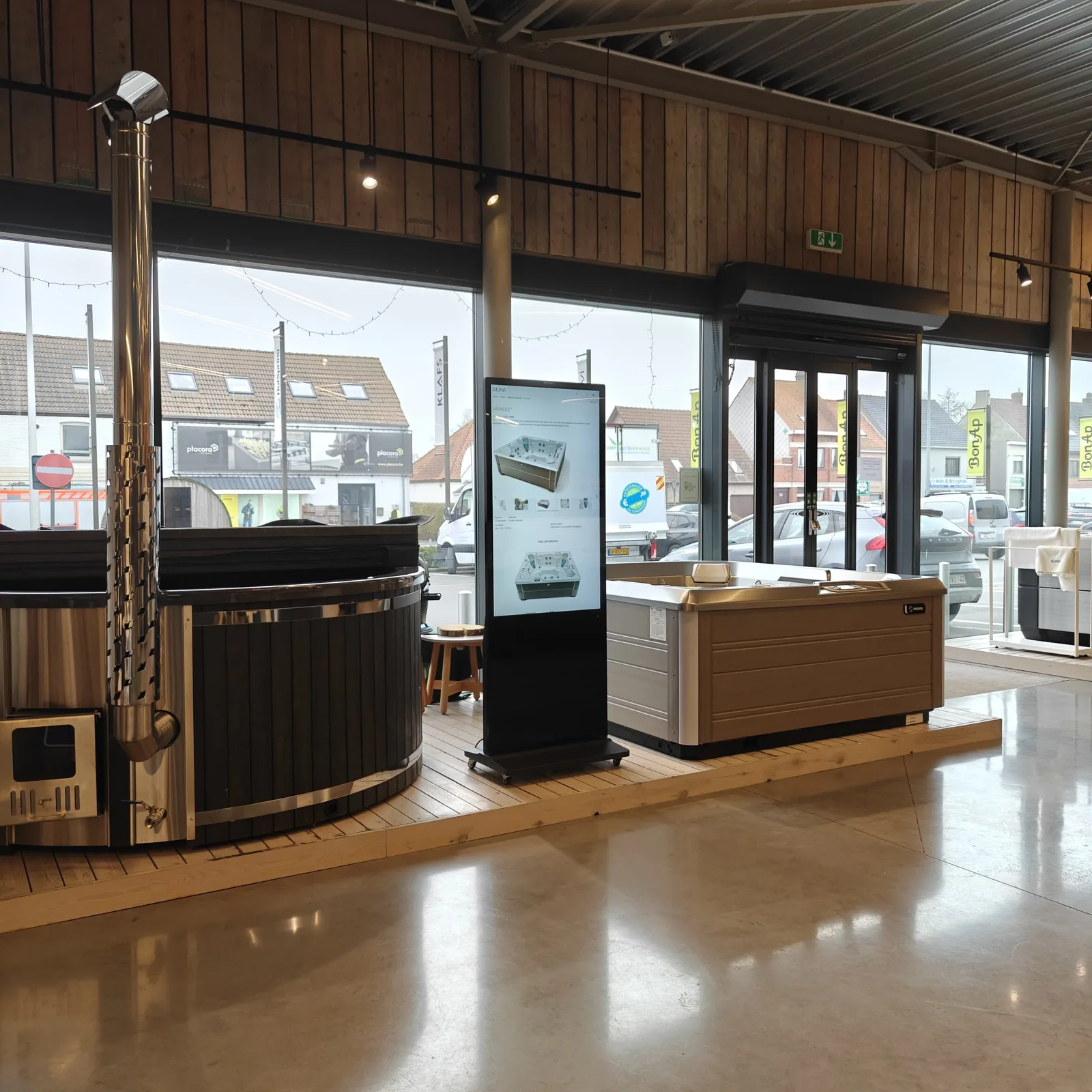
Gervi Showrooms uses PixioDisplay Luxe to let visitors view product information, atmosphere images and promotions.
Read the caseMak Auto's uses PixioDisplay Luxe for images, videos and specifications alongside the cars in the showroom.
Read the case
Ordering and setting up
Steps for this application.
Choose which products and information you want to offer.
Align display, software and operation with Pixio.
Test the presentation at the place where visitors will use the screen.
Is your idea not listed?
A display with Android can do much more than this page lists. Tell us what you want to show or have done. We will think along with you, even if you do not yet know which model you need.