
Knowledge and advice
What is narrowcasting? Meaning, operation and examples
Narrowcasting explained: meaning, operation and examples. Learn how a narrowcasting system works, what you need and view NL cases. Discover the possibilities.
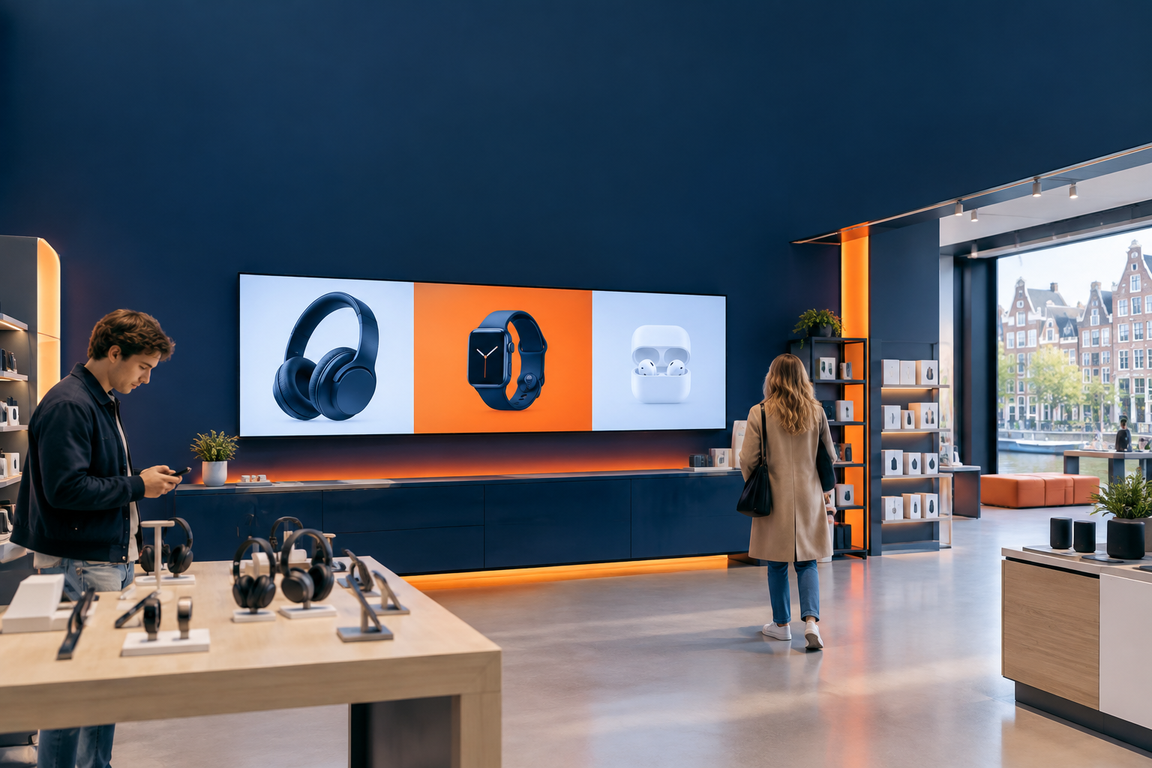
Narrowcasting is the targeted display of digital content on one or more screens, tailored to a specific audience, location and time. The term is the opposite of broadcasting: you are not broadcasting to everyone, but to a defined group in exactly the right place. In the Netherlands and Belgium, 'narrowcasting' is the common term; internationally one almost always speaks of digital signage. A narrowcasting system consists of three components: a professional screen, a media player and management software.
In short
- Narrowcasting = targeted digital screen communication for a specific audience at a fixed location.
- The difference with broadcasting: you decide what appears on which screen, at which location and at what time.
- A system consists of three layers: hardware (screen + media player), software and content.
- Applications range from digital menu boards in hospitality to information screens in hospitals and trade fair stands.
- The Dutch Digital Out of Home market grew in 2024 by 14 per cent — the fourth year in a row with double-digit growth.
Narrowcasting vs broadcasting: the core difference
In broadcasting — think television or radio — all viewers receive the same message at the same time. In narrowcasting, you determine exactly what appears on which screen. That makes the message more relevant for the recipient and more effective for the sender.
A practical example: a supermarket that shows weekly offers to regular customers on Monday morning, seasonal atmosphere images on Saturday afternoon and promotes impulse purchases at the till — that is narrowcasting. The same screen that runs the same advert all day is merely digital signage without a targeted strategy.
In short: broadcasting is about reach, narrowcasting is about engagement.
How does a narrowcasting system work?
A narrowcasting system has three layers that work together.
| Low | What it does | Examples |
|---|---|---|
| Hardware | Displays the content | Commercial display, media player, kiosk |
| Software | Plans and manages content centrally | Cloud platform, CMS, PixioApp |
| Content | The message itself | Video, image, live data feed, RSS |
The software is the hub. Through a central dashboard you schedule content per screen, per location and per time slot. If you link external data sources — such as a weather feed, a POS system or a calendar — the content automatically adapts to the context.
PixioDisplays have an integrated Android computer; content can be loaded via USB, a website URL or the PixioApp via /software/narrowcasting/ are controlled. That makes the threshold for a first installation low: no separate media player needed, no complex network configuration.
Narrowcasting vs digital signage: what is the difference?
The two terms overlap strongly, but there is a nuance. Digital signage is the umbrella term for all digital screen communication. Narrowcasting is a specific application in which content is deliberately tailored to a particular audience, location or moment.
The difference is not in the technology but in the strategy: in narrowcasting, the target audience is central; in digital signage, the medium is central. Nearly all Dutch narrowcasting providers actually supply digital signage hardware and software — the term 'narrowcasting' emphasises the targeted communication approach.
Want to go deeper into this distinction? Read the article Digital signage vs narrowcasting: what is the difference? for a full comparison.
Three concrete examples from Dutch practice
1. Retail and shop window
A clothing store in Utrecht places a digital advertising screen in the shop window. The screen shows lookbook videos during the day and switches to a calm ambient image in the evening. Screen brightness is crucial here: a shop window in full sun requires at least 3.000 nits to remain visible — the panel, not the size, determines the additional cost.
2. Trade fair and event
Bol.com used narrowcasting at the Negenmaandenbeurs via screens from Pixio Display. At a trade fair stand, moving image immediately draws attention and gives the brand a professional look without having to replace print every day. Read more about trade fair use on the page trade fair and event displays.
3. Care and public space
A GP practice in Amsterdam shows health information in the waiting room on a narrowcasting screen. The content changes automatically based on the time of day: morning for preventive tips, afternoon for seasonal vaccinations. Patients experience the waiting time as shorter and more relevant.
Where do you use narrowcasting? Sectors and applications
Narrowcasting can be used in virtually any sector where people gather. Below are the most common applications in the Netherlands and Belgium:
- Retail and shop window — offers, lookbooks, seasonal promotions (digital shop displays)
- Hospitality — digital menu boards, daily menus, ambience visuals (hospitality)
- Office and internal communications — KPI dashboards, HR messages, safety information (digital signage in offices)
- Care — waiting room information, health education, wayfinding
- Trade fair and event — brand activation, product demonstrations, visitor guidance
- Public space and municipalities — wayfinding, emergency messages, local information (digital signage tenders for municipalities)
- Education — rota changes, notices, campaigns
For every application: start with the question who you want to reach and when, not which screen you want to mount.
What hardware do you need?
Not every screen is suitable for narrowcasting. Commercial displays are designed for continuous use; consumer TVs with around 300 nits are not intended for this and deteriorate quickly with 24/7 use.
The screen brightness is determined based on the location:
| Location | Minimum brightness |
|---|---|
| Indoors (office, waiting room) | ±400 cd/m² |
| Shop window with indirect light | 1.000 nits |
| Shop window in full sun | 3.000 nits |
| Free-standing outdoor display | 3.500 cd/m² |
For a digital information column in a town hall or shopping centre, a screen of 400 cd/m² is usually sufficient. The PixioDisplay Mobile has a 43″ touchscreen with a brightness of 400 cd/m² and measures 60×150 cm — a commonly used choice for temporary and semi-permanent indoor setups.
Unsure about the right screen size for your space? The readability calculator for Dutch spaces helps you determine the optimal combination of size and viewing distance.
Regulations: what is allowed and what is not?
Inside a building — not visible from the public road — there are almost no specific rules for narrowcasting screens. As soon as a screen is visible from public space, that changes.
Since 1 January 2024, outdoor advertising has been subject to the Environment and Planning Act. Additional municipal policy rules apply to digital outdoor advertising: moving images are only permitted in pedestrian zones in many locations, and digital outdoor advertising is usually switched off between 01.00 and 05.00 hours. Each municipality sets its own rules via the General Local By-law (APV); what is permit-free in Rotterdam requires a formal application in Amsterdam.
For a narrowcasting screen inside a shop or office, in most cases you do not need a permit. If in doubt, always check your local council's APV via lokaleregelgeving.overheid.nl.
The market in figures
Narrowcasting and digital signage are growing strongly. Digital Out of Home (DOOH) — the outdoor variant of narrowcasting — grew in the Netherlands in 2024 for the fourth year in a row by double digits: an increase of 14 per cent. The total Dutch out-of-home market reached a record turnover of more than 300 million euro in 2024, according to Nielsen data reported by Marketing Report.
Growth is not only outside. Internal communication via narrowcasting is also gaining ground: more than half of internal communications teams are considering screen communication to convey company information more effectively.
Buy or hire: when do you choose which?
For regular use — more than 8 to 10 days per year — buying is almost always more cost-effective than renting. The question customers ask Pixio Display most often is exactly that choice: buy or rent? The arithmetic break-even point is around 8–10 usage days per year.
Do you have a one-off trade fair or a temporary event? Then display hire or rent a TV screen for a trade fair the smarter choice. Want to know what suits your situation? Request the price list or visit the showroom in Montfoort to compare hardware live.
Conclusion
Narrowcasting is targeted digital screen communication: the right message, on the right screen, for the right audience, at the right time. Start with the question of who you want to reach — the hardware and software follow from there. Choose a commercial display with the brightness suited to your location, connect a management system that can schedule and scale automatically, and take municipal rules into account as soon as your screen is visible from the public space. For a full overview of the cost side by retail type, read the article digital signage implementation: cost savings per retail type.
Frequently asked questions
What exactly is digital signage?
Narrowcasting is the targeted display of digital content on screens for a specific audience at a fixed location and time. It is the opposite of broadcasting, where everyone receives the same message. In the Netherlands and Belgium, 'narrowcasting' is the common term; internationally, digital signage is used.
What is the difference between narrowcasting and digital signage?
Digital signage is the umbrella term for all digital screen communication. Narrowcasting is a specific application in which content is deliberately tailored to a target group, location or moment. The difference is not in the technology but in the strategy: in narrowcasting the target group is central, in digital signage the medium.
What do you need for a narrowcasting system?
A narrowcasting system consists of three components: a professional screen (commercial display, not a consumer TV), a media player or integrated computer, and management software with which you schedule and manage content. Many modern displays already have the media player built in.
What screen brightness do I need?
That depends on the location. For an office or waiting room, approx. 400 cd/m² is sufficient. A shop window with indirect light requires at least 1.000 nits, a shop window in full sun 3.000 nits and a free-standing outdoor display 3.500 cd/m². The panel, not the size, determines the additional cost.
Do you need a permit for a narrowcasting screen?
For screens inside a building that are not visible from the public road, a permit is usually not required. As soon as a screen is visible from public space, the Environmental Act and the municipal APV apply. Rules differ by municipality; always check lokaleregelgeving.overheid.nl for your situation.
What does narrowcasting cost?
The costs consist of hardware (screen), software (licence or subscription) and any installation. For an indication of the hardware investment, you can request the price list via pixiodisplay.com/prijslijst/. The arithmetic break-even point between buying and hiring is around 8–10 usage days per year.
Can I also use narrowcasting temporarily, for example for a trade fair?
Yes. For a one-off trade fair or temporary event, renting is almost always more economical than buying. You then hire a complete system including screen and software for the duration of the event. Pixio Display offers specific rental solutions for trade fairs and events.
In which sectors is narrowcasting used most?
Narrowcasting is widely used in retail, hospitality, healthcare, offices, education, trade fairs and the public sector. In healthcare it informs patients in waiting rooms; in hospitality it replaces paper menus; in offices it shows KPIs and HR messages. Each sector has its own content strategy.
What is the difference between a commercial display and a regular TV?
Commercial displays are designed for continuous use of 16 to 24 hours per day. Consumer TVs typically have a brightness of around 300 nits and are not built for 24/7 use; they deteriorate quickly under intensive use. For narrowcasting, you always need a commercial display.
How do I manage content on multiple screens at once?
With narrowcasting software, you manage all screens centrally from one dashboard. You schedule content per screen, per location and per time slot. If you link external data sources — such as a till system, weather feed or calendar — the content automatically adapts to the context without manual intervention.