
Knowledge and advice
Hiring digital displays for events: step-by-step guide NL/BE
Hiring digital displays for a trade fair or event in the Netherlands or Belgium? Follow this practical step-by-step plan: from screen selection to delivery and content on the day itself.
Hiring digital displays for events: step-by-step guide NL/BE
Hiring digital displays for an event means using professional screens temporarily — touchscreen kiosks, freestanding displays or video walls — without an upfront purchase investment. You pay a daily rate, receive ready-to-use hardware, play your content and return the screen afterwards. For organisers active on fewer than 8 to 10 trade fair participation days per year, hiring is almost always financially more advantageous than buying.
In short
- Hire is cheaper than buying if you use a display for less than 8–10 days per year.
- Plan your rental at least 2–3 weeks before the event date, especially in the busy spring and autumn periods.
- Professional displays have an integrated computer — no separate laptop or media player required.
- Always check the venue rules of the exhibition hall before reserving hardware.
- Prepare your content for the screen: short loops of 6–10 seconds per message work best.
Why rent displays instead of buying?
The trade fair sector grew strongly in 2024: in total, 540 trade fairs took place, compared with 470 in 2023, an increase in both trade fairs (+12%) and consumer fairs (+16%) (source: Monitor Beurzen 2025, Respons & CLC-VECTA). More exhibitors means more competition on the floor — and therefore greater pressure to stand out.
Still, buying a display is not always the smartest move. The question Pixio Display receives most often is: buy or hire? The financial break-even point is around 8–10 use days per year. Are you at 1–3 trade shows per year with a total of up to 6 stand days? Then hiring is cheaper and easier logistically. Do you organise 4 or more trade shows per year, or do you also use the screen internally for presentations or reception? Then buying or leasing is preferable.
A concrete example: the PixioDisplay Mobiel (43″ touchscreen) costs current price on request when purchased or current price on request per month on lease (price list Q2 2026). If you hire the same model for three stand days, you pay current price on request per day — in total current price on request With ten hire days per year, you pay current price on request, still less than the purchase price. But after buying that screen, you use it year after year.
Hiring also has practical advantages: no storage between trade fairs, no transport arrangements, and you choose the most suitable screen type for each event.
Step 1 — Define your objective and location
Start with the question: what should the screen do? Three common objectives at trade fairs and events:
- Attract visitors — moving image at eye level, visible from the aisle.
- To inform or to demonstrate — product presentation or interactive demo via touchscreen.
- Collect leads — visitors enter their own details on a kiosk.
The location then determines which screen type you need. An indoor exhibition hall calls for a different screen than an outdoor location. Indoors, a brightness of ±400 cd/m² is sufficient; an outdoor setup in direct sunlight requires at least 3.000 nits. The panel, not the size, determines the surcharge.
Also check the location rules. RAI Amsterdam requires a certified rigger for suspended constructions above 100 kg; Jaarbeurs Utrecht works with standardised power connections per stand module; MECC Maastricht has specific rules for noise levels in the halls. Always request the technical manual from the organiser of your specific trade fair.
Are you organising an event on public roads or a public square in the Netherlands? Then the General Local By-law (APV) from the municipality. Submit a permit application to the municipality — cities such as Utrecht require this at least 12 weeks before the event. In Belgium, similar municipal rules apply; always check with the local authority.
Step 2 — Choose the right screen type
Not every screen suits every situation. Below is a comparison of the most commonly used display types for trade fairs and events:
| Screen type | Size | Hire price (Q2 2026) | Best for |
|---|---|---|---|
| PixioDisplay Mobile | 43″ touchscreen, 60×150 cm | current price on request (1 day) / current price on request p.d. (3 days) | Standard trade fair stand, product presentation |
| PixioDisplay Luxe | 49″ touchscreen, 67×185 cm | current price on request (1 day) / current price on request p.d. (3 days) | Larger stands, premium appearance |
| PixioKiosk | 21,5–49″ information pillar | current price on request p.d. (depending on size and duration) | Lead generation, self-service information |
| PixioDisplay Kiosk Duo | 15,6″ touch + 29″ screen | From current price on request p.d. | Dual function: info + interaction |
| PixioDisplay A-board | 43″, battery-powered, 14–18 hours | Buy current price on request | Outdoor locations without a power point |
All PixioDisplays have an integrated Android computer (Android 13/14). You do not need a separate media player (elsewhere current price on request per screen) or laptop. You load content via USB, a website URL or the PixioApp. At trade fairs, that is the biggest practical difference compared with separate TV + laptop setups: you are ready to use within minutes.
If in doubt about the correct size, also read Which display size should you choose for maximum impact at a trade fair? for a concrete viewing distance calculation.
Step 3 — Book in time
Plan your rental at least 2–3 weeks before the event date. During busy periods — spring and autumn are peak months for trade fairs — availability may be tight.
What you provide with the booking:
- Desired screen type(s) and quantity
- Event date and build-up day
- Delivery address (exhibition hall, stand number)
- Return address or collection time
- Any content requirements (preloading)
Courier delivery within the Netherlands costs from current price on request (price list Q2 2026). Would you like to collect the display yourself from the branch in Montfoort or Paal-Beringen? That is possible — and saves transport costs. Also take the return time after the trade fair into account: some halls have strict dismantling times.
Would you like to compare the options in the showroom before you reserve? Plan a showroom visit in Montfoort — then you can see the screens side by side and test the brightness and operation yourself.
Step 4 — Prepare your content
Hardware without good content delivers no result. Prepare your content for the screen size and viewing distance. Practical guidelines:
- Duration per message: 6–10 seconds per message works best on trade fair floors.
- File formats: MP4 for video, JPEG/PNG for static image.
- Resolution: supply in the screen’s native resolution (1080p or 4K, depending on the model).
- Text: use large fonts — at least 40 pt for text that must be readable from 2 metres away.
- Branding: add your logo to every slide; the PixioApp supports brand customisation.
Do you want your content to already be on the screen upon delivery? Then send your files at least 3 working days before the delivery date. That way the display is delivered plug-and-play: switch on, position, done.
For a detailed technical explanation of controlling content on trade fair displays, read Controlling video on a trade fair stand: technical setup step by step.
Step 5 — Arrange the practical logistics on site
The build day is where things can go wrong if you are not prepared. Check in advance:
Power: Every PixioDisplay requires a standard 230V connection. Ask the trade fair organiser how many power connections you receive as standard and what the capacity is. At Jaarbeurs Utrecht, power connections are standardised per stand module — check whether your connection has sufficient capacity for your display and other equipment.
Positioning: Position the screen at eye level (centre of screen at approx. 150–160 cm) and in the direction of the main traffic flow. Avoid reflections from hall lighting on the screen.
Confirmation: Freestanding displays on a base do not need additional fixing. Want to hang a screen from a truss structure? Then check the hall’s weight limits and whether a certified rigger is required.
Wi-Fi or offline: PixioDisplays also work offline — content is stored locally on the device. If you want to update content live during the trade fair via the PixioApp, you need a stable Wi-Fi or 4G connection. Trade fair Wi-Fi is rarely reliable enough; consider a mobile hotspot.
Step 6 — Three concrete examples from practice
Bol.com at the Nine Months Fair
Pixio Display provided the screens for bol.com's stand at the Negenmaandenbeurs. A consumer fair with high visitor traffic requires displays that quickly attract attention and can guide visitors without explanation — exactly the role of a touchscreen kiosk. View the reference at pixiodisplay.com/referenties/bol-com/.
ALDI Netherlands — staff event
For an internal staff event for ALDI Netherlands, a PixioDisplay video wall was used. Internal events place different demands than trade fairs: the content is aimed at employees, the build time is short and the venue is often a warehouse without fixed signage infrastructure. More details: pixiodisplay.com/referenties/pixiodisplay-videowall-ondersteunt-aldi-nederland-tijdens-personeelsevenement/.
Summit — more than 50 displays at one event
At the Summit event, more than 50 PixioDisplays were deployed at the same time. This requires central content coordination and clear naming per screen. The integrated Android computer makes it possible to control each screen individually without extra hardware. Reference: pixiodisplay.com/referenties/more-than-50-pixiodisplays-at-summit/.
Step 7 — Return and evaluation
After the event, return the display at the agreed time. For courier delivery, the screen will be collected; for self-collection, you return it to Montfoort or Paal-Beringen.
Use the period immediately after the event for a short evaluation:
- How many visitors interacted with the touchscreen?
- Which content slide attracted the most attention?
- Was the positioning optimal, or was the screen in the stand's shadow?
Those insights determine your choices for the next edition. Want to measure results structurally? Then read Measuring impact at a trade fair stand: KPIs for digital signage for a practical measurement framework.
Rent or buy? The final consideration
The answer depends on one number: the number of days per year that you actually use the screen.
| Situation | Advice |
|---|---|
| 1–7 stand days per year | Rental — day rates are lower than annual depreciation |
| 8–10 stand days per year | Break-even point — calculate both scenarios |
| 10+ stand days or secondary use (reception, presentations) | Buy or lease |
| Varying screen types per event | Hire — flexibility is the main reason |
| Fixed configuration, multiple trade fairs per year | Buy — one-off investment, use year after year |
Lease spreads the investment: the PixioDisplay Luxe (49" touchscreen) is available from current price on request per month (60 months, price list Q2 2026). For many businesses, that fits the trade fair budget better than a one-off purchase of current price on request
View the full rental range and current daily rates at /display-huren/ or request the price list via /prijslijst/.
Conclusion
Hiring digital displays for an event is a seven-step process: defining the objective, choosing the screen, booking, preparing content, on-site logistics, use during the event and post-event evaluation. Start with the number of stand days per year — that figure determines whether hire or purchase is the better choice. Reserve at least 2–3 weeks in advance and supply content before the delivery date so your display arrives plug-and-play. For your first hire step, see the trade fair and event displays from Pixio Display or plan a visit to the showroom in Montfoort.
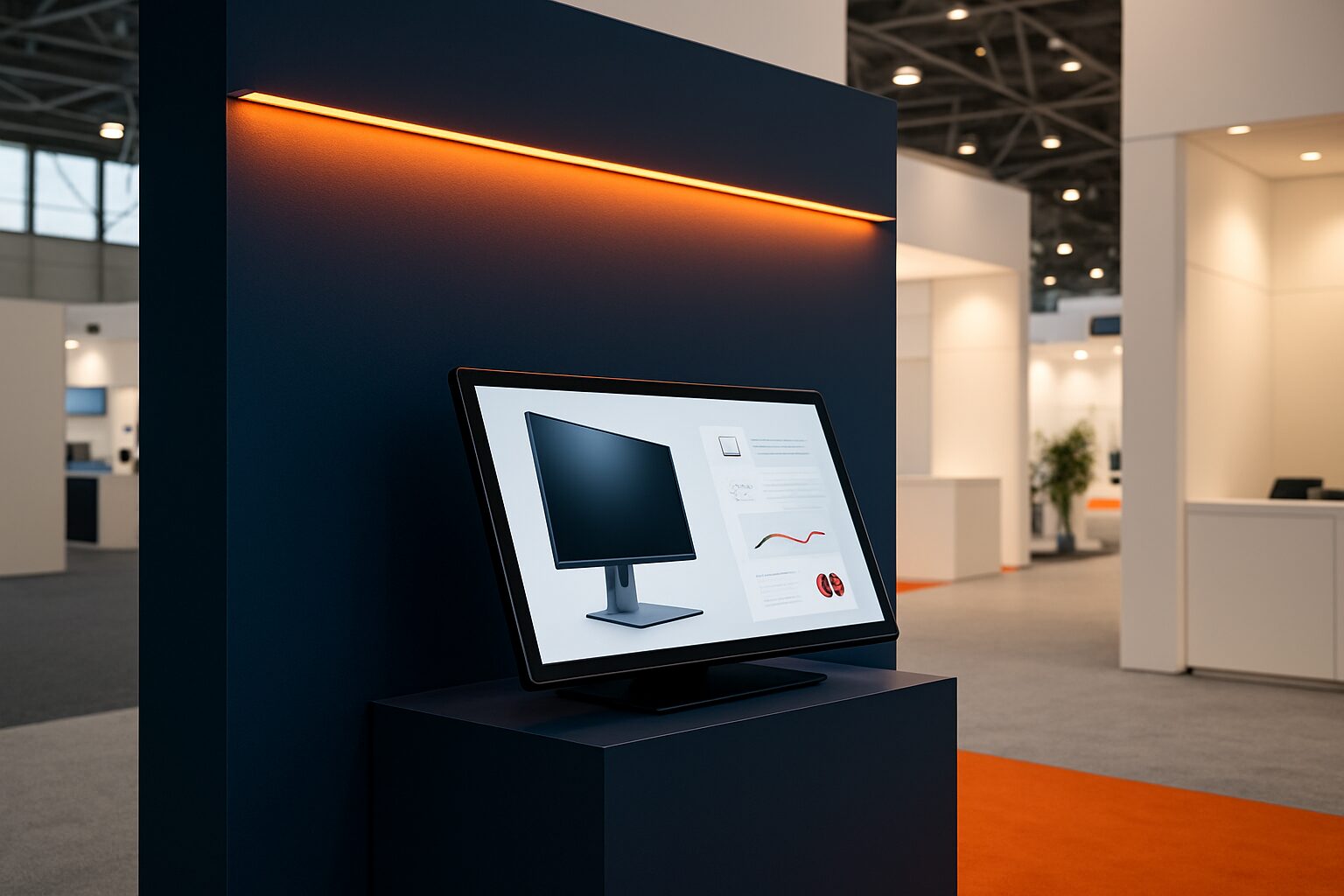
Quickly arranged for your event: the PixioDisplay Mobile is mobile, runs on battery power and can be rented per day.
Frequently asked questions
How far in advance should I hire a display for a trade fair?
Plan your rental at least 2 to 3 weeks before the trade fair date. During busy periods — spring and autumn are the peak months for trade fairs — availability can run out more quickly. If you want your content to be on the screen upon delivery, send your files at least 3 working days before the delivery date.
What does it cost to hire a digital display for a trade fair?
The rental price depends on the screen type and the rental period. The PixioDisplay Mobile (43″ touchscreen) costs €175 for one day and €105 per day for three days (price list Q2 2026). The PixioDisplay Luxe (49″) costs €225 for one day and €160 per day for three days. Courier delivery within the Netherlands costs from €95. See all current day rates at /display-huren/.
Do I need a laptop or media player with a rented display?
No. All PixioDisplays have an integrated Android computer (Android 13/14). You load content via USB, a website URL or the PixioApp. A separate media player or laptop is not needed — that saves €80 to €300 in extra hardware and makes the setup considerably simpler.
May I bring my own display to RAI, Jaarbeurs or Ahoy?
In most cases, you may bring your own display materials to major exhibition venues. Each venue does, however, have specific rules on suspension points, power consumption and safety. RAI Amsterdam requires a certified rigger for suspended structures above 100 kg; Jaarbeurs Utrecht works with standardised power connections per stand module. Always request the exhibitor instructions from the trade fair organiser.
When is buying more advantageous than hiring?
The break-even point is around 8 to 10 days of use per year. If you use a display less than that — for example for two or three trade fairs per year — daily hire rates are lower than the annual depreciation on a purchase. If you also use the screen outside trade fairs, for example for reception or internal presentations, that break-even point shifts downward.
How do I upload my content to a rented display?
You can load content via USB stick, via a website URL that the screen plays back, or via the PixioApp. If you want the content to already be on the screen upon delivery, send your files at least 3 working days in advance. Supply video as MP4 and images as JPEG or PNG, preferably in the native resolution of the screen.
Do I need an event permit for a display on the public highway?
If you place a display on a public road or public square in the Netherlands, the rules of the municipality's General Local By-law (APV) apply. Cities such as Utrecht require a permit application at least 12 weeks before the event. In Belgium, similar municipal rules apply. Inside an exhibition hall, you usually do not need a separate permit, but always check the organiser's exhibitor instructions.
Can I also rent a display for an event in Belgium?
Yes. Pixio Display supplies from branches in Montfoort (the Netherlands) and Paal-Beringen (Belgium). For events in Belgium, you can collect the display from the branch in Paal-Beringen or have it delivered to the location. Contact us for the current delivery costs and availability.
What is the difference between a touchscreen kiosk and a freestanding display for a trade fair?
A touchscreen kiosk (such as the PixioKiosk) is primarily intended for interaction: visitors navigate information themselves, enter data or start a demo. A freestanding display (such as the PixioDisplay Mobile) is more focused on attracting attention and showing moving images. On larger stands, you combine both: a large screen for attention, a kiosk for lead generation.
How does the return logistics work after a trade fair?
For courier delivery, the display is collected after the trade fair at the agreed time. If you collected the display yourself in Montfoort or Paal-Beringen, you return it afterwards. Take the dismantling times of the exhibition hall into account — some venues have strict end times for removing stand materials.