
Knowledge and advice
Creating impact with digital signage at trade fairs: strategy and cases
How do you really make an impact with digital signage at a trade fair? Concrete strategy, Dutch case studies and ROI insights for a striking trade fair stand.
Creating impact with digital signage at trade fairs: strategy and cases
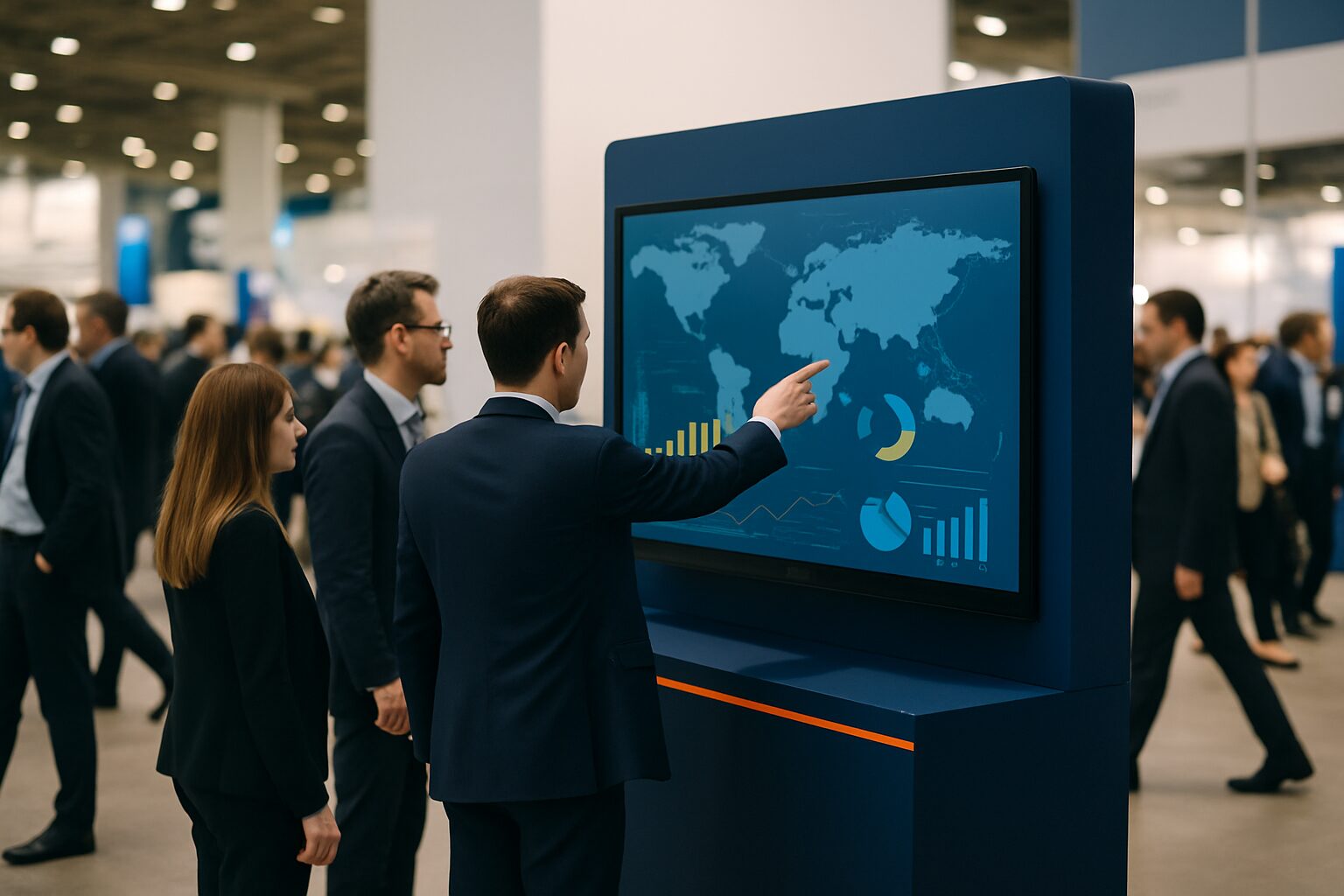
Digital signage on a trade fair stand means using digital screens — from touchscreen kiosks to large video walls — to stop, inform and activate visitors. The difference with a static banner: content is immediately adjustable, moving images attract more attention, and interaction turns a passer-by into a lead. For B2B exhibitors on busy trade fair floors, this is the difference between 'just looking' and 'stopping'.
Why moving image works on the trade fair floor
Visitors decide within seconds whether they will stop. On a busy trade fair floor, you are competing with dozens of other stands at the same time. Moving images draw attention and keep passers-by looking. That is the moment to start the conversation.
People process images 60.000 times faster than written text. A printed banner with six paragraphs of text will always lose to a sharp video screen with one clear message. Three days after seeing a visual message, people remember 65% of the information, whereas with text this is only 10% to 20%.
The practical consequence: put your primary message on screen, not on paper. Keep text on the screen short — a maximum of five words per slide works best on a busy trade fair floor.
Three strategic roles for your trade fair screen
Not every screen at a stand serves the same function. Choose deliberately which role a display fulfils:
| Role | Purpose | Recommended display type |
|---|---|---|
| Pull factor | Passers-by stop from the aisle | Large freestanding screen (49"+), moving video |
| Informator | Visitors already inside engage | Touchscreen kiosk, product catalogue |
| Lead activator | Retrieve contact details | Touchscreen with form or QR link |
Divide your space into three clear zones: a closed-off meeting zone at the core, an activation zone for interaction, and an attraction zone on the outside. Digital signage fits into all three — but the use differs by zone.
Start with the draw. Without footfall to your stand, the rest is pointless.
Case: bol.com at the Negenmaandenbeurs
bol.com used Pixio Display screens at the Negenmaandenbeurs. The stand combined moving product images with targeted information for a young, browsing audience. The result: a recognisable brand presentation at a trade fair where the target audience is already considering a purchase — exactly the moment when visual communication works hardest. You can read more about this approach on the bol.com reference page.
A second example is ALDI Netherlands, which used a PixioDisplay video wall during an internal staff event. The same hardware, different purpose: increasing internal engagement rather than generating external leads. That shows how flexibly the same displays can be deployed. See the ALDI reference for details.
At Summit, more than 50 PixioDisplays were used at a single event. At that scale, content consistency becomes the biggest challenge: all screens must tell the same story, even if they are in different places in the hall.
Interaction as a lead driver: the touchscreen approach
The difference is between 'just walking past' and 'staying, asking questions and leaving a lead'. A touchscreen kiosk lowers the barrier: the visitor starts the conversation themselves, without a member of staff having to approach them.
Practical formats that work at B2B trade fairs:
- Product configurator: visitor puts together their own package on the screen → result is emailed → you have a lead with context
- Knowledge quiz: three questions about an industry problem → score on screen → follow-up with whitepaper
- QR link: screen shows a QR code → visitor scans → landing page with registration form
For lead registration, link each demo to a short digital form. Do this immediately after the interaction, not halfway through.
The PixioDisplay Luxe (49″ touchscreen, 67×185 cm) is a suitable choice for this: large enough to stand out from the aisle, with full touchscreen for self-service. Hire price: current price on request per day or current price on request per day for three days (price list Q2 2026). Purchase is available from current price on request
Buying or renting: the arithmetic break-even point
The question exhibitors ask us most often: buy or hire? The arithmetic break-even point is around 8 to 10 usage days per year. If you are at two or three trade fairs a year, hiring is almost always more cost-effective. If you also attend internal events, roadshows or use it in the showroom, the balance shifts towards buying.
A concrete example: the PixioDisplay Mobile (43″ touchscreen, 400 cd/m²) can be hired from current price on request per day for three days. Buying costs current price on request If you hire for more than 17 days per year, hiring costs more than buying — then buying is the better choice.
For trade shows you attend once or annually, offers display hire the most flexibility. You only pay for the days when you actually need the screen.
A practical advantage that is often overlooked: all PixioDisplays are supplied with an integrated Android computer (Android 13/14). You do not need a separate media player or laptop. At a trade fair — where set-up time is scarce — this means a screen can be ready for use within minutes. That is the biggest practical difference compared with a separate TV + laptop setup, where you have to account for extra hardware at current price on request per screen.
Content strategy: what works on the trade fair floor
At a trade fair you have only a few seconds to capture visitors' attention. Your key message must be clearly readable from 5 metres away.
Three rules of thumb for trade fair content:
- One message per slide. Not five benefits at once — choose one.
- Maximum 6 seconds per slide for passing visitors in the attraction zone. In the information zone, it may be longer.
- Adapt content by day. Day one: brand introduction. Day two: product focus. Day three: call to action for follow-up.
It is important to refresh content regularly to prevent boredom and keep the audience’s attention. At a multi-day trade fair, this is extra relevant: returning visitors would otherwise see the same thing every day.
Content adjustments are made via USB, a website URL or the Pixio App — without extra software or technical knowledge.
From trade fair stand to measurable result
"The success of a trade fair is rarely captured in a single ROI figure." So don't just look at leads or direct revenue, but also at which message sticks and how the trade fair contributes to brand awareness.
For digital signage specifically, these are the measurable indicators:
- Stand dwell time: how long does a visitor on average stay at your stand?
- Touchscreen interactions: how many sessions per day, which content performs best?
- Lead volume via screen: how many contact details were collected via the display?
- Content views: which slides or videos are watched most?
You can read more about measuring trade fair results in the article Measuring impact at a trade fair stand: KPIs for digital signage.
Start with one measurement point — stand dwell time or touchscreen interactions — and build from there. Anyone who tries to measure everything at once ultimately measures nothing useful.
The complete strategic context — from stand design to content planning and regulations — can be found in the pillar Digital signage at trade fairs: the complete guide to a standout stand.
Frequently asked questions
Which screen size works best on a trade fair stand?
For the aisle, the rule is: bigger is more visible. A 49″ screen is still legible at 5 metres' distance. For interactive applications — such as a product configurator or lead form — a 43″ touchscreen is sufficient. Choose the display size based on the distance at which visitors see your screen, not on the stand size.
Is renting or buying more cost-effective for one or two trade fairs a year?
With fewer than 8 to 10 usage days per year, hiring is almost always cheaper. A PixioDisplay Mobile (43″ touchscreen) can be hired from €105 per day for three days. Buying only becomes interesting if you also use the screen outside trade fairs, for example in the showroom or at internal events.
How quickly is a digital screen ready for use at a trade fair?
PixioDisplays have an integrated Android computer built in. You do not need a separate media player or laptop. You load content via USB, website URL or the PixioApp. In practice, a screen is ready to use within minutes of being connected — a major advantage during the tight set-up time at a trade fair.
Which content works best on a trade fair screen?
Short videos and moving images perform better than static text. Keep each slide to a maximum of one message and make sure the key message is readable from 5 metres away. Adapt content by trade fair day: day one brand introduction, day two product focus, day three a clear call to action.
How do I use a touchscreen on my stand for lead generation?
Link every touchscreen interaction to a short digital form or QR code. Effective formats are a product configurator (result is emailed), a knowledge quiz with follow-up whitepaper, or a simple contact form that appears immediately after the interaction. Ask for details after the interaction, not halfway through.