
Knowledge and advice
Digital signage for internal communication and employee engagement
Discover how digital signage in office environments strengthens internal communication and increases employee engagement. Practical approach, locations and costs.
Digital signage for internal communication and employee engagement
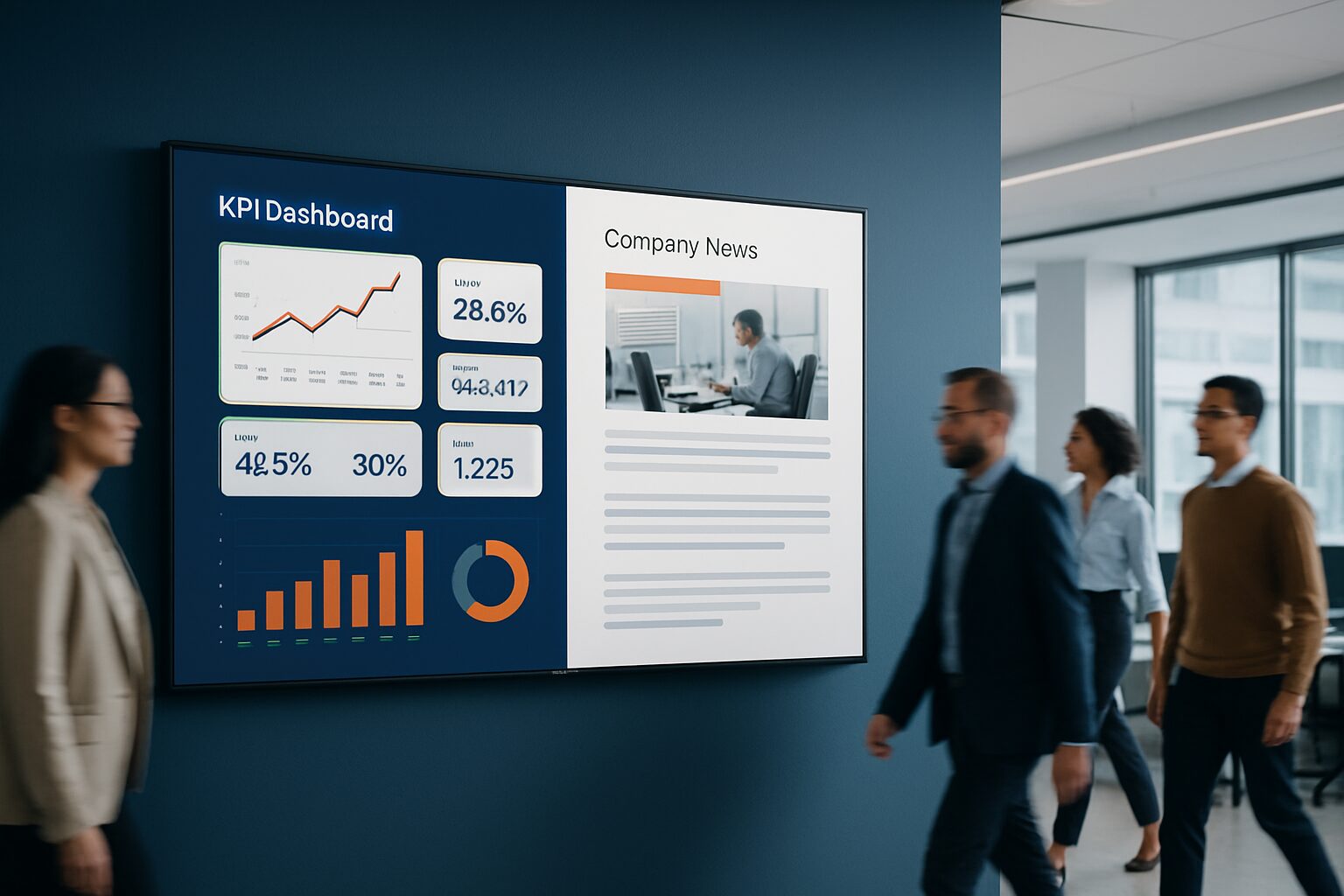
Digital signage for internal communication is the use of digital screens in strategic places in an office to inform, engage and connect employees with the organisation. The screens show company news, KPIs, announcements and culture content without employees having to log in or open an email. The channel works passively: employees literally walk past it.
Why email and intranet fall short
Many facility managers and HR teams still rely on email, intranet or a noticeboard for internal communications. The problem: messages disappear into overcrowded inboxes and the intranet is hardly visited. Employees without a fixed workplace or without a company account are not reached at all.
According to Gallup's State of the Global Workplace 2025 Report, global employee engagement fell in 2024 to 21% — the lowest level since the start of the coronavirus pandemic. That means roughly four in five employees worldwide are not actively engaged in their work. Poor or invisible communication is one of the main causes.
Digital signage solves this structurally. A screen in the canteen showing KPIs, a display by the lift with a team announcement or a welcome screen at reception: that information reaches employees without them having to do anything.
Four types of content that work in the office
An effective system combines multiple content types in a varied schedule. Repeating one type of content all day leads to screen blindness.
- Internal communication: company news, announcements, results and management notices. This is the primary reason to use digital signage.
- Operational information: KPI dashboards, occupancy overviews and schedules also make the system functional for day-to-day operations.
- Culture and engagement: colleagues' birthdays, anniversaries, new employees and team results strengthen the sense of connection.
- Infotainment: the weather report, a quote of the day or current news creates variety and keeps attention.
This mix prevents staff from ignoring the screen after a week. Changing relevant content is not an afterthought — it is the core of the system.
The best locations in an office
Where you place a screen determines who sees it and how often. Start with the three highest traffic points in your premises:
Reception and entrance — the first point of contact for employees and visitors alike. A screen here shows personalised welcome messages, the day's meeting schedule and current company information. It gives an immediate professional impression.
Canteen or pantry — the place where employees gather every day. A screen here has the longest viewing time in the entire building. KPIs, team results and culture content work best here.
Meeting room corridor or lift — short waiting times are ideal moments for short, scannable messages. Think of announcements, safety instructions or a quote.
For larger offices with multiple departments, it pays to show different content per location. The finance department sees different information from the production floor — this increases relevance and prevents information overload.
Touchscreens for interaction: from passive to active
A standard display communicates one way. A touchscreen adds interaction: staff can look up information themselves, fill in a survey or click through to the intranet via a QR code. That makes communication two-way.
A concrete example: a digital reception pillar at the entrance where visitors register themselves and staff consult the meeting room schedule. The same hardware serves two purposes at once.
The PixioDisplay Luxe (49″ touchscreen, 67×185 cm) is available from current price on request to buy or current price on request per month lease (price list Q2 2026). For organisations that want to test first without immediate investment, renting is an option: the PixioDisplay Luxe can be rented from current price on request per day for three days or more. This helps you build internal support with concrete results before you make a purchase decision.
Choosing hardware: what matters in an office environment
Within an office, a brightness of ±400 cd/m² is sufficient. Consumer TVs typically reach ±300 nits and are not designed for continuous use. Professional displays are: they run 16 to 24 hours a day without overheating or image retention.
All PixioDisplays have an integrated Android computer (Android 13/14). You do not need a separate media player — elsewhere current price on request per screen extra. You manage content via USB, a website URL or the PixioApp. This makes the system manageable for a facility manager without a technical background.
Want to compare multiple screens by specifications and price? View the full price list or schedule a visit to the showroom in Montfoort to see models side by side.
How to start: a practical approach
Start small and measure. Choose one location with heavy footfall — the canteen or the entrance — and run a pilot setup there for four weeks. Measure attention informally through a short employee survey or observation. That data makes it easier to free up internal budget for expansion.
The questions you answer beforehand:
- Who manages the content? Assign one owner, otherwise the content will quickly become outdated.
- Which information has priority? Determine the content mix before you buy hardware.
- How many screens do you need? One screen per 50 employees is a common starting point for an office environment.
- Buy or lease? The break-even point is around 8 to 10 usage days per year. For regular use, buying or leasing is almost always more economical than renting.
For more background on costs and payback time, read the knowledge base article Calculating the ROI of digital signage: a worked example.
Conclusion
For a facility manager, digital signage is the most direct way to make internal communication visible on the shop floor — without depending on e-mail open rates or intranet visits. Start with one screen in a high-traffic area, choose professional hardware for continuous use and appoint a content owner. Those are the three decisions that make the difference between a screen that works and a screen that is ignored after three weeks.
For a broader overview of digital signage applications, read the pillar What is digital signage? The complete guide for beginners.
Frequently asked questions
Which screen size is suitable for an office environment?
For most office locations — entrance, canteen, corridor — a 43″ or 49″ screen at eye level is sufficient. Larger formats (55″+) are useful in spacious lobbies or open-plan offices with a lot of distance between screen and viewer. In an office, you do not need high brightness: ±400 cd/m² is enough for clearly readable content.
Can I link digital signage to our intranet or SharePoint?
Yes. Modern digital signage systems support URL-based content, allowing you to display a SharePoint page or intranet dashboard directly on the screen. Some platforms also offer API links for automatic content updates. PixioDisplays show content via USB, website URL or the PixioApp — no separate media player required.
How do I prevent staff from ignoring the screen after a while?
Screen blindness arises from repetitive, irrelevant content. Change content blocks at least weekly and always combine multiple types: company news, KPIs, culture content and infotainment. Appoint one content owner responsible for up-to-date information. An empty or outdated screen damages the credibility of the communication.
Is leasing or buying more sensible for an office setup?
For structural use — screens that are on every day — buying or leasing is almost always more economical than renting. The mathematical break-even point is around 8 to 10 days of use per year. Leasing offers a fixed monthly amount without a large initial investment: the PixioDisplay Luxe (49″ touchscreen) is available on lease from €54 per month (price list Q2 2026).
Do I need technical knowledge to manage digital signage?
No. The PixioDisplays have an integrated Android computer and are controlled via the PixioApp, a website URL or USB. A communications professional or facilities manager without a technical background can schedule and publish content. For larger roll-outs with multiple screens, a short onboarding is recommended.