
Knowledge and advice
Control window displays remotely outside opening hours
How do you switch a shop window display on and off outside opening hours? Learn how to schedule content, set schedules and manage multiple locations centrally.
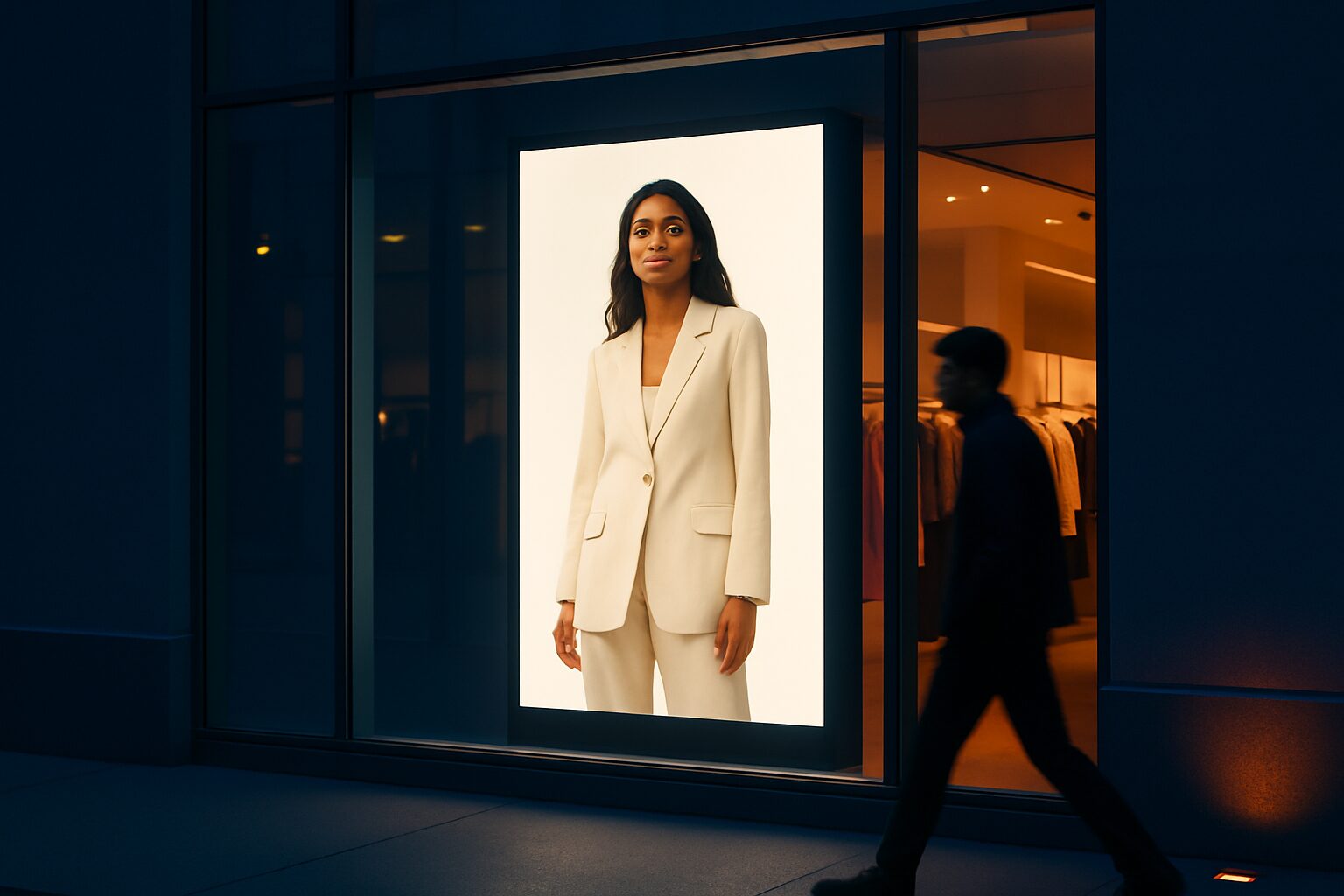
Control window displays remotely outside opening hours
You control a digital shop window display remotely via a content management system (CMS) or an associated app. You set when which content runs, schedule campaigns weeks ahead and switch screens on and off automatically — without anyone needing to be physically present. That applies to one branch, but also to a chain of ten shops at the same time. The combination of an integrated Android computer in the screen and a cloud-based CMS makes this possible.
Why remote control is essential for retail
A shop is open for an average of 60 to 70 hours per week. Passers-by still walk past for the rest of the time. A shop window display that only runs when the shop is open leaves those contact moments unused. You can instead tailor the content to times outside opening hours: refer to your webshop, show a QR code or play a brand film that also brings the window to life in the evening.
Remote management also solves a practical problem. In a chain with multiple branches, you do not want every branch manager to manually swap USB sticks. Central scheduling saves time and prevents outdated campaigns from lingering.
Three ways to plan and manage content
There are three common ways to control a shop window display remotely:
- USB update: you upload new content to a USB stick and insert it into the screen. Simple, but not suitable for multiple locations or time-based content.
- Website URL or webpage: the screen automatically loads a page that you update remotely. Useful for price lists or agendas you already manage online.
- CMS with scheduling: you use a dashboard to schedule which playlist runs at what time. The system switches content automatically, even while you sleep.
For retailers with multiple branches or complex campaign planning, the CMS route is the most reliable choice. A cloud-based CMS lets you schedule content, set playlists and monitor screen status — all from one dashboard, accessible via laptop or smartphone.
How to set up a dayparting schedule
Dayparting means linking different content to time slots. A practical schedule for a fashion chain looks like this:
| Time slot | Content | Purpose |
|---|---|---|
| 08:00–10:00 | New arrivals collection | Morning passers-by, commuters |
| 10:00–18:00 | Active campaign + offers | Shopping public |
| 18:00–22:00 | Lookbook video + QR to webshop | Evening passers-by, redirect to online |
| 22:00–08:00 | Brand film or screensaver | Minimal load, brand visibility |
Most CMS platforms support recurring schedules: you set it once and the system repeats it daily or by day of the week. Need an exception for a public holiday or a flash sale? Then you override the schedule for that specific date.
Which screen is suitable for 24/7 use outside opening hours?
Not every screen is built for continuous use. A consumer TV has a brightness of around 300 cd/m² and is designed for a few hours a day. A professional shop window display is certified for 24/7 use.
The PixioDisplay Window Full Sun has a brightness of 3.000 nits and is available from 43 to 55 inches. Prices range from current price on request (single-sided, 43") to current price on request (double-sided, 55") — price list Q2 2026. That higher price point is down to the panel, not the size: a shop window in direct sunlight simply requires a different type of screen from a display in a corridor.
Dunkin' Donuts chose the PixioDisplay Window for its digital shop window posters. The screen also runs outside opening hours and keeps the brand image visible to passers-by at any time of day. More details are on the reference page of Dunkin' Donuts.
All PixioDisplays have an integrated Android computer (Android 13 or 14). You do not need a separate media player or laptop — that saves current price on request per screen compared with setups where hardware is purchased separately.
Security and stability in unattended use
A screen that runs unattended at night has security requirements. Three points of attention:
- Network segmentation: connect displays to a separate Wi-Fi network, separated from your cash register system and customer data.
- Strong login details: use unique passwords per CMS account and enable two-factor authentication.
- Offline fallback: a good CMS plays the last cached playlist if the internet connection drops. That way the screen never goes black.
Also check the warranty conditions of your screen. The standard warranty at Pixio Display is 1 years; you can extend this to 2 years (current price on request depending on model) or 4 years (current price on request) — price list Q2 2026. For continuous use, an extended warranty is a sensible investment.
Step-by-step plan: from first use to fully automated schedule
- Choose your management method — USB for one screen without scheduling, CMS for multiple screens or complex schedules.
- Set time windows — define at least three blocks: shop open, shop closed (evening), night.
- Create a fallback playlist — a neutral brand film or screensaver that runs when there is no active campaign.
- Test the schedule for a week — check whether the right content appears at the right time and whether the screen remains stable.
- Scale up to multiple branches — group screens by region or format in your CMS and send campaigns out centrally.
Would you like to know how to measure the effectiveness of your shop window outside opening hours too? Then read the article Digital shop windows and retail displays: the complete retail guide for a broader approach to shop window communication and content planning.
Frequently asked questions
Can I switch a shop window display on and off automatically at fixed times?
Yes. Via a CMS, you set on and off times per day or per week. The screen switches automatically without you having to do anything. Some displays also support this via a built-in timer in the Android settings.
How do I update the content of multiple stores at once?
Via a cloud-based CMS, you manage all screens from one dashboard. You group screens by branch or region and send a campaign update centrally. Each location plays the new content as soon as the file has synchronised.
What happens to the screen if the internet connection drops?
A good CMS stores the active playlist locally as cache. If the connection fails, the screen simply continues playing the last synchronised content. So the screen never goes black because of a temporary network outage.
Do I need to buy a separate media player for remote management?
Not with PixioDisplays. All models have an integrated Android computer (Android 13 or 14), so you do not need a separate media player or laptop. That saves €80 to €300 per screen compared with setups that use separate hardware.
What brightness does a shop window display need to remain visible in the evening and at night?
For a shop window that also needs to be clearly visible in the evening and under artificial light, 1.000 nits is sufficient. In direct sunlight during the day, you need at least 3.000 nits. A consumer TV (around 300 nits) is unsuitable for shop window use.