
Knowledge and advice
Digital shop window screens and retail displays: complete guide
Everything about digital window display screens: operation, brightness, costs and results from practice. Discover which screen suits your window and shop.
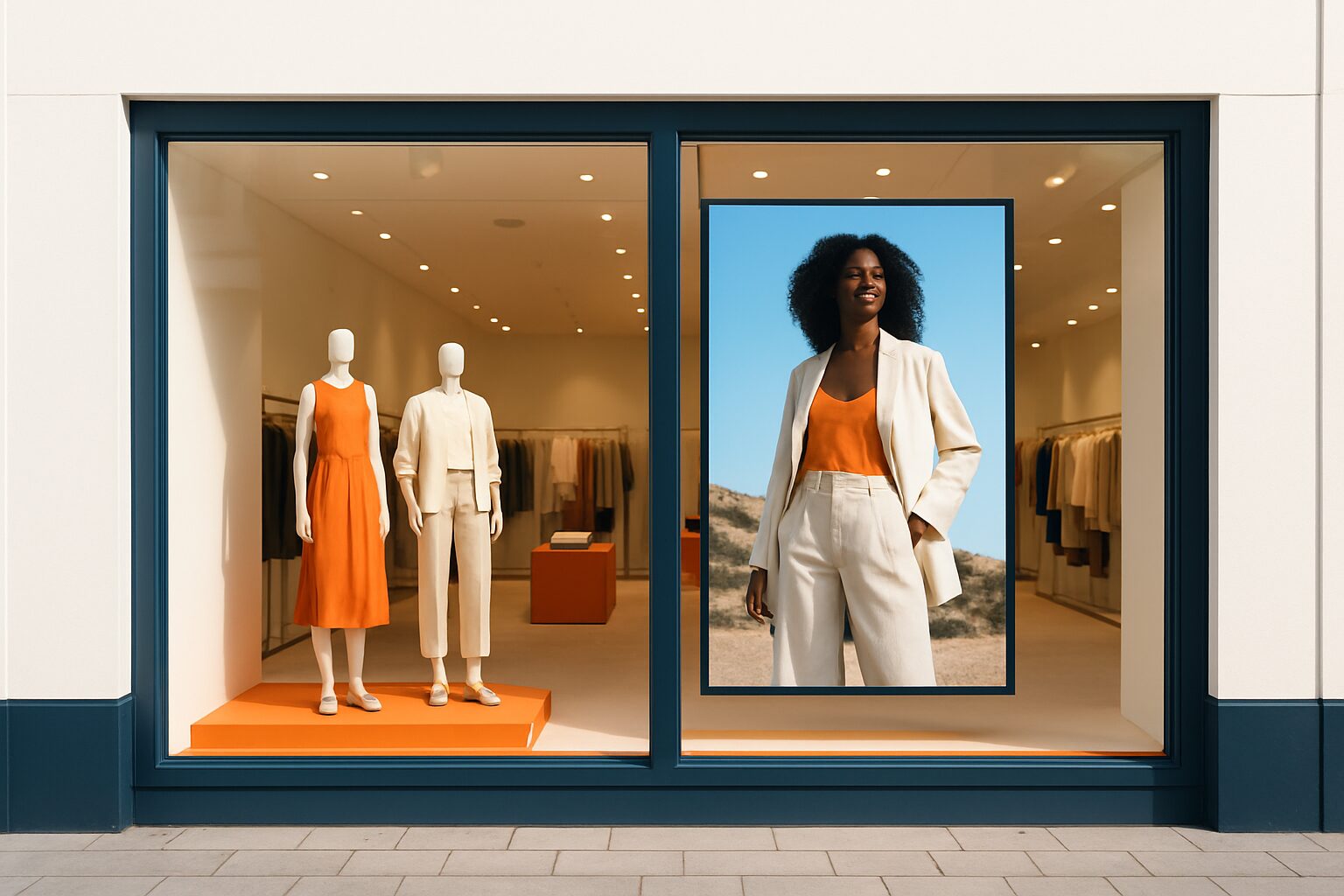
Digital shop windows and retail displays: the complete retail guide
A digital shop window or shop display is a screen — from a compact totem to a large LED panel — that shows dynamic images, videos and offers in or on a shop. Unlike static posters, you can adjust the content remotely and in real time, without printing costs. Retailers use these screens to attract passers-by, increase conversion and strengthen the in-store brand experience. Pixio Display, a supplier of digital signage in the Netherlands and Belgium, provides displays for a wide range of retail formats.
In short
- Digital displays replace static posters and provide real-time content without printing costs.
- Window displays increase footfall; in-store displays influence buying behaviour on the shop floor.
- The choice between LCD, LED and OLED determines brightness, lifespan and budget.
- Content is just as important as hardware: a good scheme makes or breaks the result.
- Payback time for mid-sized retailers is on average between 12 and 24 months.
Why digital shop displays are becoming more common
Dutch retailers are under pressure. Webshops are growing, rents are rising and consumers expect an experience that goes beyond a rack of clothes. Digital displays give physical stores a way to compete for attention. According to research by POPAI (Point of Purchase Advertising International), digital signage increases impulse purchases by an average of 20 percent. That is not a marginal improvement — that is the difference between a profitable and a loss-making day.
Moreover, the price of display hardware has been falling for years. A commercial 55-inch screen that in 2018 cost current price on request is now available from current price on request. The threshold for mid-sized chains has therefore become significantly lower.
The four main types of display in retail
Not every screen suits every situation. Below are the four most commonly used types.
1. Window-facing displays
These screens hang behind shop windows and are aimed at passers-by outside. They require high brightness — at least 2.500 nits, and preferably 4.000 nits or more in direct sunlight. A standard office screen (300 nits) is completely unsuitable here.
2. In-store promotional displays
Placed by product groups or promotion islands. They show product information, recipes (supermarket), styling tips (fashion) or technical specifications (electronics). Brightness of 500-700 nits is sufficient in a lit shop environment.
3. POS displays (point of sale)
Small screen at the till showing upsell offers, loyalty programmes or payment options. Read more about the specific use in our article on [POS displays: digital support at checkout].
4. Outdoor LED totems and façade displays
Large LED panels on the facade or as a freestanding pillar in the car park. Visible from tens of metres away, resistant to rain and temperature changes (IP65 rating or higher).
LCD, LED or OLED: which screen type should you choose?
| Property | LCD (commercial) | LED direct view | OLED |
|---|---|---|---|
| Brightness | 500–4.000 nits | 1.000–10.000 nits | 400–800 nits |
| Lifespan | 50.000 hours | 100.000 hours | 30.000–50.000 hours |
| Viewing angle | 178° | 160°–178° | 178° |
| Price (entry-level) | current price on request | current price on request | current price on request |
| Suitable for shop window use | Yes (high-bright version) | Yes | No (too few nits) |
| Suitable for in-store | Yes | Yes | Yes (premium look) |
For most medium-sized retailers, commercial LCD is the most sensible choice: proven technology, broad support and low entry price. LED direct view is interesting for large surfaces or outdoor applications. OLED is a niche for luxury retail where image quality matters more than budget.
Three concrete examples from Dutch practice
1. Fashion retail chain in Amsterdam
A fashion chain with five branches in Amsterdam replaced its paper shop window posters with 65-inch high-bright LCD screens. The content — lookbook videos and daily offers — is managed centrally from head office. Result after six months: 14 per cent more shop visits on Saturdays, measured via a counting system at the entrance.
2. Supermarket in Eindhoven
An independent supermarket operator in Eindhoven placed three 43-inch promotional displays at the fresh produce section. The screens show recipes and related offers. The operator reports a 22 per cent increase in sales of the promoted products in the first month.
3. DIY chain at the Batibouw trade fair in Brussels
During the Batibouw trade fair in Brussels, a Dutch DIY chain used a row of four 55-inch displays as a digital product wall. Visitors could compare materials via a touchscreen kiosk. The chain generated 30 percent more leads than at the edition a year earlier with a traditional stand build.
Content: the engine behind the screen
Hardware is only half the story. Without relevant, well-timed content, an expensive screen is nothing more than an expensive lamp. Bear these principles in mind:
- Short messages: a passer-by has an average of 3 to 8 seconds of attention. Use a maximum of 7 words per slide.
- Timing: show breakfast offers in the morning, lunch deals around midday. Smart content management systems (CMS) do this automatically.
- Image quality: use video and moving images where possible. Motion attracts 2,5 times more attention than still image (source: Nielsen Norman Group, suggested further reading).
- Brand compliance: make sure colours, fonts and tone of voice match your other communications.
Do you also want to communicate outside opening hours? Then read our article about [24/7 shop window marketing: communicating when the shop is closed].
Increasing footfall: how displays attract passers-by inside
A shop window display works like a digital magnet. Moving images stop passers-by, and a sharp offer gives them a reason to come inside. But there are other techniques as well. Some retailers combine their shop window display with a QR code that leads to the webshop outside opening hours. Others connect the screen to a sensor that counts how many people stop and look — so-called attention analytics.
In our article [Increasing footfall with digital signage: 6 proven techniques] you will find a comprehensive approach with measurement methods and benchmarks.
Dynamic pricing and legal frameworks
A frequently asked question: may you automatically adjust prices on a digital screen based on demand, time of day or stock levels? The answer is nuanced. In the Netherlands, the rules of the Netherlands Authority for Consumers and Markets (ACM) and the European Omnibus Directive apply. The displayed price is binding as soon as a customer starts the purchase. Automatic price changes are therefore allowed, but you must be transparent about discounts and reference prices.
You can find more details in our article [Dynamic pricing in retail: can and may you do that?].
Costs, payback period and ROI
A realistic budget for a starter setup (one shop window display, media player, mounting, CMS licence for one year) is between 2.500 and current price on request. A complete in-store rollout for a chain of ten branches with three screens per location quickly costs 60.000 to current price on request, including installation and software licences.
The payback period depends on your margin and the effect on turnover. With an average turnover increase of 10 per cent and a gross margin of 40 per cent, an investment of current price on request pays for itself at an annual turnover of current price on request per branch. For many mid-sized retailers, that is achievable within 12 to 18 months.
Factors that influence ROI:
- Location (busy shopping street vs residential area)
- Content quality
- Integration with the promotion calendar and stock management
- Number of screens and coverage of the retail space
Installation and management: what should you look out for?
Mounting a display is easy. Making a display work properly is less so. Pay attention to these points:
- Commercial grade: do not use consumer screens. They are not built to run 16 hours a day and fail within a year.
- Reliable internet connection: a wired connection (ethernet) is more stable than Wi-Fi for content updates.
- Remote management: choose a CMS that lets you adjust content remotely for all branches at the same time.
- Warranty and service: check whether the supplier offers an SLA with a maximum response time for faults. Pixio Display offers service from branches in Montfoort and Paal-Beringen.
- Mounting: use a certified installer, especially for screens heavier than 25 kg or when wall mounting.
Conclusion
Digital shop windows and retail displays are no longer a gadget — they are a proven instrument for increasing footfall, steering conversion and strengthening brand experience. The technology is affordable, the ROI is measurable and the content is fully in your own hands. Start with one screen at your busiest location, measure the effect and then scale up. Pixio Display helps you choose the right display, from a high-brightness shop window screen to an interactive touchscreen kiosk — for one branch or a nationwide rollout.
Get hands-on with your shop window? View the Pixio digital shop window displays — extra-bright screens to buy, rent or lease.
Continue reading about retail and window displays
- Seasonal retail campaigns with digital displays: planning and execution
- Dynamic pricing in retail: what is and is not allowed?
- Interactive displays in shops: touchscreen applications and best practices
- Digital displays for fashion and design shops: visual impact
- POS displays: digital support at the till
- Digital displays vs print materials: ROI and impact in retail
- Control window displays remotely outside opening hours
- Storefront displays in city centres: permits, placement and best practices
- Shop window displays in city centres: permits, placement and safety
- Dynamic price display in retail: what is legally permitted in the Netherlands and Belgium?
- Gondola displays vs digital screens: which choice for retail?
- Digital displays in shops: what is legally permitted in the Netherlands and Belgium?
- Measuring retail footfall: practical guide to motion sensors and analytics
Frequently asked questions
What is the difference between a shop window display and a regular television?
A commercial shop window display has a brightness of at least 2.500 nits, compared with 300-500 nits for a consumer screen. As a result, the image remains visible in direct sunlight. In addition, a commercial screen is built for 16 to 24 hours of use per day, whereas a TV often fails after a few months of continuous use.
How much does a digital window display cost on average?
A starter setup with one high-bright display, media player, mounting and a one-year CMS licence costs on average 2.500 to 5.000 euros. For a chain with multiple branches and several screens per location, the budget quickly rises to 60.000 to 100.000 euros. Always request a tailored quote, as location and screen size strongly affect the price.
How long does it take for a shop display to pay for itself?
At an average sales increase of 10 percent and a gross margin of 40 percent, an investment of 5.000 euros pays back at an annual turnover of 125.000 euros per branch. In practice, payback periods for mid-sized retailers are between 12 and 24 months. Good content and a busy location shorten that period considerably.
Can I automatically adjust prices on a digital screen?
Yes, dynamic pricing is allowed in the Netherlands, but you must comply with the rules of the ACM and the European Omnibus Directive. The displayed price is binding once a customer starts the purchase. Be transparent about discounts and reference prices. Read our article on dynamic pricing in retail for the full explanation.
Which screen type is best for a shop with lots of daylight?
Choose a high-brightness LCD or an LED direct-view panel with at least 2.500 nits. For a shop window with direct sunlight, 4.000 nits or more is recommended. OLED screens are too dim for this application and consumer screens are unsuitable anyway.
Can I centrally manage content from multiple branches?
Yes, that is one of the biggest advantages of digital signage. Via a cloud-based content management system (CMS), you can change the content of all screens at once, or show different content per branch. For this you only need an internet connection at each location.
How long does a commercial retail display last?
A commercial LCD screen has an average lifespan of 50.000 operating hours, which works out at over 8 years at 16 hours of use per day. LED direct-view panels last even longer: up to 100.000 hours. Always check the warranty terms and whether the supplier offers a service contract.
What should I show on my shop window display?
Use short, powerful messages of up to 7 words per slide. Moving image attracts more attention than still image. Tailor the content to the time of day: morning offers in the morning, current updates around midday. Make sure colours and style match your other marketing materials.
Is a touchscreen kiosk different from a retail display?
Yes. A standard retail display shows content one-way to the visitor. A touchscreen kiosk is interactive: visitors can search for products, compare them or book an appointment. Kiosks are more expensive to buy but increase engagement and can reduce staffing costs for simple information questions.
How do I choose the right supplier for retail displays?
Please note: commercial-grade hardware (not consumer screens), a clear service contract with response times, support for remote content management and local presence for installation and maintenance. Pixio Display, supplier of digital signage in the Netherlands and Belgium, has offices in Montfoort and Paal-Beringen and supplies hardware, software and installation as a complete solution.