
Knowledge and advice
Dynamic data in signage: show RSS, weather and stock live
Learn how to connect RSS feeds, weather APIs and live stock data to your digital signage — including technical explanation, examples and practical advice.
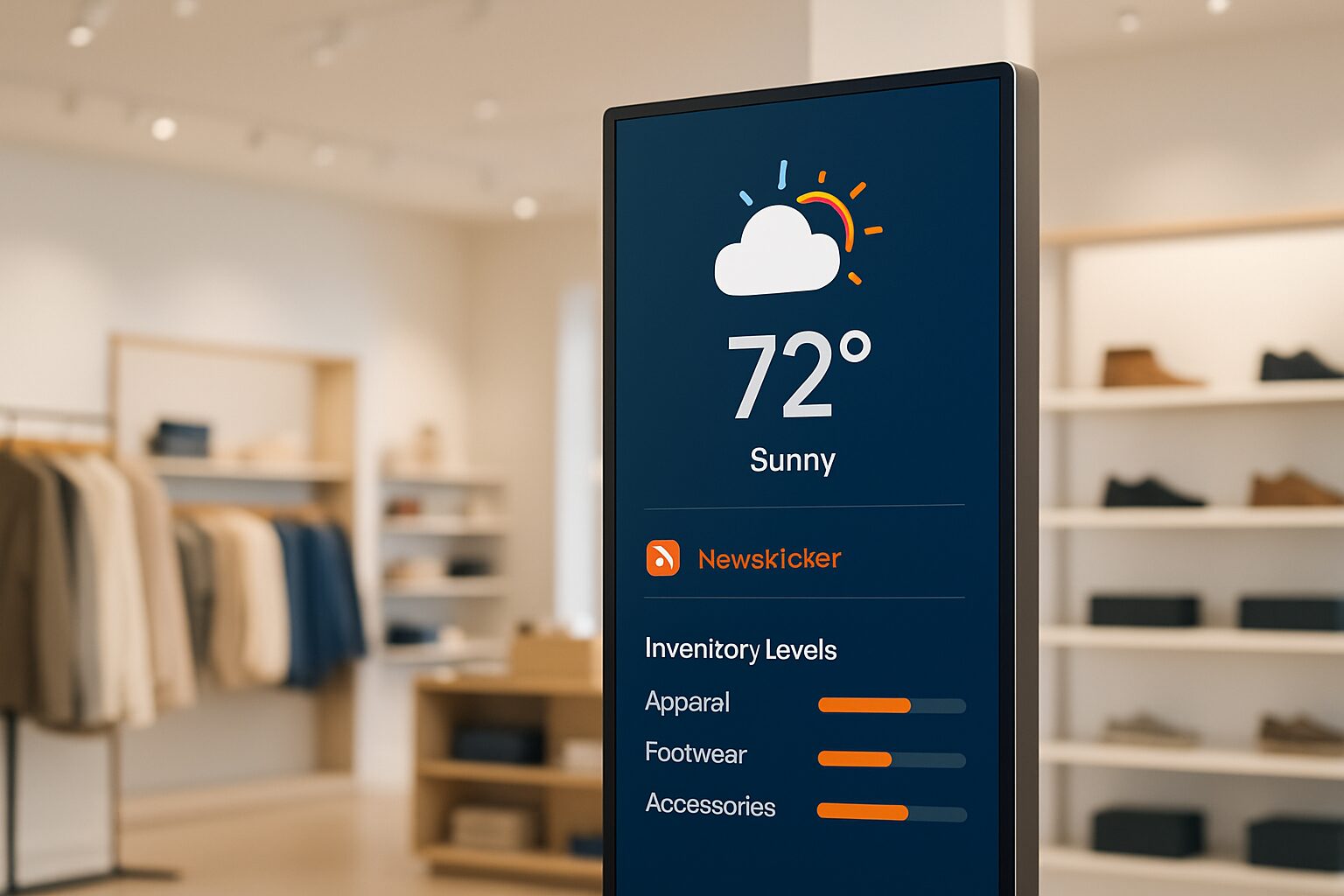
Dynamic data in signage: show RSS, weather and stock live
Dynamic data in digital signage means that a screen automatically retrieves and displays external information — without manually uploading content. The three most commonly used data sources are RSS feeds (news, calendars, internal announcements), weather APIs (current temperature and forecast) and stock information via an ERP or webshop API. Each of those sources requires a different technical approach and suits a different installation context.
Why static content falls short
A screen with a fixed image or a weekly updated slideshow quickly becomes outdated. Visitors ignore content they already know. Displays with live data — such as current stock information, waiting times or weather conditions — perform demonstrably better than static alternatives.
For you as an installer, that has a practical consequence: customers who connect live data call less often about content updates. The management workload decreases, customer satisfaction rises. That is the business case for discussing these integrations with every new installation.
RSS feeds: the fastest way in
RSS (Really Simple Syndication) is an XML format that allows websites to offer their latest posts as a structured feed. You paste the feed URL into your signage CMS, and the screen automatically fetches the latest items.
Applications that work straight away:
- Internal news — Intranet or SharePoint often provides an RSS endpoint. Employees see current company news on the lobby display.
- Industry news — trade magazines and government bodies (such as rijksoverheid.nl) publish RSS feeds. Useful for waiting areas in healthcare or at municipal offices.
- Agendas — Many scheduling tools export iCal or RSS. This lets a reception screen show the day’s agenda without manual management.
Most modern signage CMS platforms support RSS as a standard feature. When choosing software, check whether the feed can be rendered as a ticker, as a card view or as a full zone — that determines how useful the integration is in practice. Read more about software choices in the article Narrowcasting software: how do you choose the right system for your displays?.
Weather data: two routes, two licensing models
For weather data, there are two common routes in the Netherlands.
Route 1 — Widget (no code): Buienradar provides free weather widgets for non-commercial use on websites and intranets. Radar images are updated every 5 minutes; the current temperature every 10 minutes. For commercial use — that is, displays in a shop or public space — permission from Buienradar is required. Request this in advance, otherwise you run licensing risk.
Route 2 — API (more control): OpenWeatherMap provides weather data in JSON and XML format and supports multiple languages and units of measurement. The free tier is suitable for small-scale use; for multiple locations or a higher update frequency, a paid subscription is required. With an API, you decide which fields you show: only temperature, or also wind force, humidity and a 5-day forecast.
Choose the widget route if you manage one or two screens and do not have a developer available. Choose the API route as soon as you have multiple locations or want to combine the data with other data sources in a custom template.
Stock information: the most valuable but also most complex connection
Live stock on a screen is the most impactful integration for retail and wholesale. It prevents you from promoting a product that is no longer in stock, and it allows you to actively push overstock.
The connection is technically via an API. An API works as a digital intermediary: the signage system requests the stock status from the ERP or webshop, and the ERP sends the response back in a structured format — usually JSON or XML. Most modern ERP systems (Exact, AFAS, SAP, Microsoft Dynamics) offer a REST API. Older systems sometimes still work with SOAP/XML exports.
Three technical variants:
| Variant | Update frequency | Complexity | Suitable for |
|---|---|---|---|
| Periodic CSV/XML export | Every hour or daily | Low | Smaller retailers, limited assortment |
| REST API (polling) | Every 1–15 minutes | Average | Webshops, mid-sized retail |
| Webhook (real-time push) | Immediately upon change | High | Wholesale, fast-moving products |
Start with the periodic export if the customer does not have an IT department. That is sufficient for products whose stock does not change every minute. Choose webhooks only if the customer genuinely needs real-time accuracy — implementation is more complex and requires stable server infrastructure on both sides.
Which screen is suitable for live data connections?
Dynamic data does not place special demands on the screen itself, but it does on the media player. All PixioDisplays are supplied with an integrated Android computer (Android 13 or 14) — you do not need a separate media player (elsewhere current price on request per screen) or laptop. The PixioApp and content via website URL are the two most commonly used methods to access live data sources.
For an information totem in a shop or reception — where RSS news, weather data and stock information are combined — the PixioKiosk a logical choice. The 32″ version is available from current price on request (price list Q2 2026). For a retail environment with high ambient brightness, such as a shop window, you need at least 1.000 nits; the PixioDisplay Window Shadow (43″, 1.000 nits) costs current price on request (price list Q2 2026).
Do you want to show live data on a digital advertising screen outdoors, then this calls for a display with at least 3.500 cd/m². The PixioDisplay Outdoor (49″) is available from current price on request (price list Q2 2026) and is designed for continuous use in outdoor conditions.
Practical: this is how you start with the first connection
The order that carries the least risk for a new installation:
- Start with RSS — No licence fees, no API documentation needed. Set up the feed, test the display, deliver.
- Add weather data via widget — Request licensing permission from Buienradar for commercial use, or use OpenWeatherMap with a free API key.
- Inventory the customer's ERP — Ask whether a REST API is available and whether API documentation exists. Without documentation, the integration is an unbudgeted risk.
- Determine the update frequency — Not every customer needs real-time data. An update every 15 minutes is sufficient for most retail applications.
- Test on the screen, not just in the browser — rendering on Android sometimes differs from a desktop browser. Always plan an acceptance test on the final device.
For managing multiple screens with different data sources, a cloud CMS is almost indispensable. Read how to weigh this up in Cloud CMS vs on-premise: what suits your business?.
Conclusion
Start with RSS as a low-threshold entry route, add weather data via widget or API, and only build in the stock link once the customer's ERP offers a documented REST API. That order minimises installation risk and maximises the chance of a working handover. Want to know which software and hardware suit a specific integration best? Then see the pillar Narrowcasting software: how do you choose the right system for your displays? for a complete overview of the software choices within this cluster.
Frequently asked questions
Which signage software supports RSS feeds by default?
Most cloud-based CMS platforms — such as ScreenCloud, Yodeck and Play Digital Signage — support RSS as a built-in widget. Always check whether the feed can be shown as a ticker, card or full zone, as that determines how useful the integration is in your layout.
Can I use Buienradar for free on a commercial screen?
No. Buienradar provides free weather widgets, but use for commercial purposes requires prior permission from Buienradar. Request that permission via their website before putting the widget live on a display in a shop or public space.
How up to date is stock information via an API link?
That depends on the chosen method. With a periodic export (CSV or XML), you work with a delay of at least one hour. With a REST API polled every 1 to 15 minutes, the data is current enough for most retail applications. Webhooks provide real-time updates, but require more technical implementation on both sides.
Does my screen need a special media player for live data?
Not if you use a PixioDisplay. All models come with an integrated Android computer (Android 13 or 14), so you do not need a separate media player or laptop. Content via a website URL or the PixioApp is the most direct way to connect live data sources.
What do I do if my customer's ERP has no API?
Many ERP systems offer at least an XML or CSV export function. Set up a periodic export that the signage system imports at fixed times. That is less real-time, but technically simpler and sufficient for products whose stock does not change every minute.