
Knowledge and advice
Touchscreen menu board hospitality: hygiene and user experience
Touchscreen menu boards in hospitality: how to keep them hygienic, choose the right material and improve your guests’ user experience.
Touchscreen menu board hospitality: hygiene and user experience
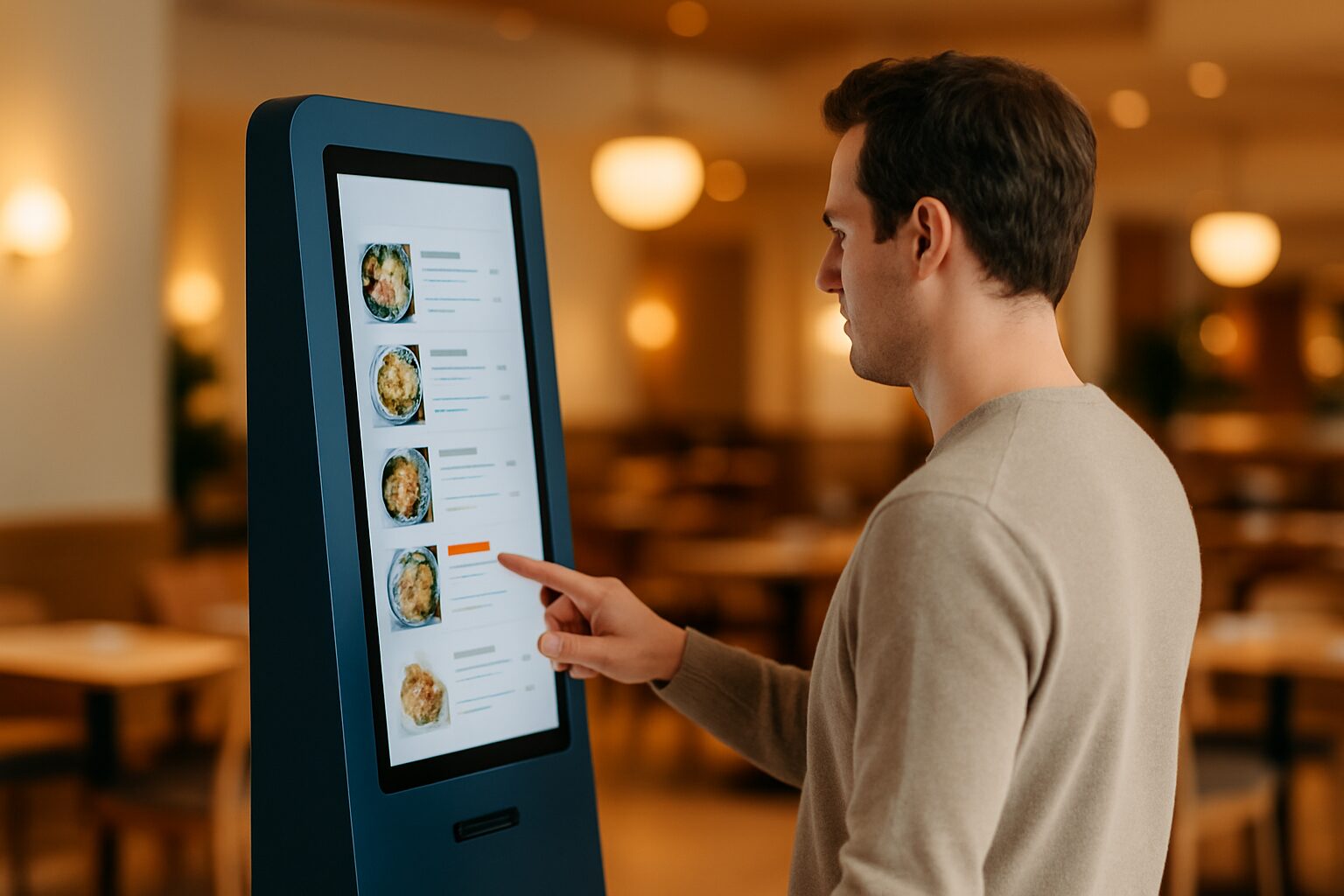
A touchscreen menu board is an interactive display on which guests can view, filter or order from the menu independently. The screen is touched by dozens to hundreds of hands per day, so hygiene is a serious consideration. With the right materials, a fixed cleaning routine and smart placement, a touchscreen menu board can be operated safely — and demonstrably provides a better guest experience than a paper menu.
Why hygiene is a separate issue for touchscreens
A paper menu is replaced or thrown away. A touchscreen remains in place and accumulates fingerprints, moisture and food residues with every use. That makes a structured cleaning approach necessary, not optional.
In the Netherlands, every hospitality business is required to operate according to a HACCP plan or a hygiene code approved by the NVWA. The Netherlands Food and Consumer Product Safety Authority supervises food safety in hospitality and may turn up unannounced. A touchscreen is not a food-contact surface, but it does fall under the broader cleaning obligations for equipment and touchpoints in the premises.
The Horeca Hygiene Code requires you to record cleaning procedures — including how and how often equipment is cleaned. Include your touchscreen menu board in this explicitly.
How do you clean a touchscreen safely and effectively?
The biggest mistake hospitality businesses make: using an ordinary kitchen spray or paper towel. Both damage the screen.
What you do do:
- Switch the screen off before cleaning — a dark screen shows dirt better and prevents accidental input.
- Use a microfibre cloth. Kitchen roll and tissues contain wood pulp fibres that can damage the anti-reflective coating with the first wipe.
- Always apply cleaning agent to the cloth, never directly to the screen. Moisture along the edge can seep into the electronics.
- For disinfection on toughened glass: use 70% isopropyl alcohol on a microfibre cloth. Do not oversaturate the cloth.
- Avoid: bleach, ammonia, acetone, glass cleaner (Glassex) and scouring pads.
How often?
| Time | Action |
|---|---|
| After every busy service | Dry wipe with microfibre cloth |
| Daily (end of day) | Lightly damp cleaning with a microfibre cloth |
| Weekly | Disinfection with 70% isopropyl alcohol on a cloth |
| When visibly dirty | Clean immediately, do not wait |
This frequency matches the daily cleaning obligations for contact points used by the NVWA — similar to door handles and cash register interfaces.
Material and housing: what makes a screen suitable for hospitality?
Not every touchscreen is suitable for hospitality. A consumer TV or tablet is designed for home use, not for continuous use in an environment with moisture, grease and intensive hand contact.
When purchasing, note:
- Tempered glass (PCAP technology): Capacitive touchscreens with tempered glass are more scratch-resistant than plastic resistive screens and better able to withstand damp cleaning.
- Closed housing without gaps: gaps and seams collect grease and food residues. A sleek enclosure is easier to keep clean.
- IP rating for terrace set-up: a touchscreen on a sheltered terrace requires at least IP54; with direct exposure to rain, IP65 is the minimum. IP65 offers full protection against dust and water jets from any direction — including heavy rain. That also makes the screen easier to wipe clean without the risk of moisture damage.
- Brightness: for indoor use, ±400 cd/m² is sufficient; in a bright hospitality environment by a window or on a terrace, you need more.
Commercial-grade displays are designed for continuous use. A normal consumer TV (±300 nits) is not — and the casing is generally less secure.
User experience: what do guests expect from a touchscreen menu?
Hygiene is one side. The other is whether guests find the screen pleasant to use. A poorly designed interface frustrates and slows people down — that costs you revenue.
A touchscreen menu board works well when:
- The response time is low. Guests tap again when the screen does not respond. That leads to duplicate input and irritation. Choose hardware with a fast touch controller (PCAP, not resistive).
- The screen is large enough. On a 21,5" screen, a full menu with photos and allergen information is tight. From 32" onwards, navigation becomes comfortable for most guests.
- The interface is logically structured. A maximum of three taps from category to dish. Use clear categories, large buttons and sufficient white space.
- Allergen information is clearly visible. Guests with an allergy do not want to search. Show allergens per dish, preferably with icons. Also read the article Displaying allergy information digitally: which rules do you need to comply with? for the legal obligations.
- The brightness is correct. A screen that is too dark in a bright room makes reading tiring.
A concrete example: a restaurant that places a standalone touchscreen kiosk beside the entrance gives guests the option to view the menu while they wait for a table. That reduces pressure on staff during peak hours and increases average spend because guests have more time to explore the offer.
Contactless alternatives: when do you choose a different format?
A touchscreen is not always the best choice. Sometimes a different format better suits your concept or hygiene policy.
QR code to digital menu: the guest uses their own phone. No shared surface, no cleaning. Downside: not everyone has a smartphone to hand or wants to use it. Works well as a supplement, less well as the only option.
Digital menu board (non-interactive): a display on the wall or above the bar shows the menu without a touch function. No hygiene issues, but no interactivity either. Suitable for cafés, fast casual and takeaway outlets.
Hybrid approach: combine a digital menu board for the general offer with a touchscreen column for ordering or allergen filtering. This limits the number of touches per guest and keeps the cleaning burden manageable.
Choose a touchscreen if you want guests to actively order or filter by dietary requirements. Choose a passive display if you mainly inform and leave the operation to staff.
Costs and practical choices
The investment in a touchscreen menu board depends heavily on the size and the application. As a guideline for hospitality:
- The PixioKiosk (information kiosk with touchscreen) is available in sizes from 21,5" to 49". The 21,5" version costs current price on request to buy; the 32" version current price on request (price list Q2 2026). Leasing is possible from current price on request per month (60 months). Want to test the concept first? Rental is available from current price on request per day with a minimum two-week rental for the 21,5".
- The PixioDisplay Luxe (49", 67×185 cm) is a standing touchscreen that also serves as a standalone ordering terminal or menu board. Purchase price current price on request, lease current price on request per month (price list Q2 2026).
- All PixioDisplays have an integrated Android computer (Android 13/14). You do not need a separate media player or laptop — that saves current price on request per installation compared with systems that require external hardware.
Start with hiring if you want to test how guests respond to a touchscreen menu board in your venue. Then scale up to purchase or lease once the added value has been proven.
For a full overview of digital menu solutions in hospitality — from menu board to terrace display — read the article Digital menus and signage in hospitality: from menu board to terrace display.
Frequently asked questions
How often should I clean a touchscreen menu board?
After each busy service, wipe the screen dry with a microfibre cloth. At the end of the day, clean it lightly with a damp cloth. Disinfect weekly with 70% isopropyl alcohol on a cloth — never spray directly onto the screen. Clean immediately if there is visible dirt.
Which cleaning agent may I use on a touchscreen?
Use a microfibre cloth with a maximum of 70% isopropyl alcohol for tempered glass. Avoid glass cleaner (contains ammonia), bleach, acetone and paper towels. Paper towels and tissues can damage the anti-reflection coating with the first wipe. Always apply the product to the cloth, never directly onto the screen.
Does a touchscreen menu board fall under HACCP rules?
A touchscreen is not a food-contact surface, but it does fall under the general cleaning obligations for equipment and contact points used by the NVWA. Include the cleaning frequency and method in your cleaning plan so you can show it during an inspection.
Is a touchscreen menu board more hygienic than a paper menu?
It depends on the cleaning routine. A paper card is rarely disinfected and passes from hand to hand. A touchscreen can be cleaned and disinfected daily. If you follow a fixed procedure, a touchscreen is at least as hygienic — and, if carried out consistently, more hygienic.
What size touchscreen works best as a menu card in a restaurant?
From 32" navigation becomes comfortable for most guests. At 21,5" a full menu with photos and allergen information is tight. For a standalone ordering kiosk, 43" or larger is recommended. Choose the size based on the distance at which guests operate the screen and the amount of information you want to show.