
Knowledge and advice
Queue management in hospitality: how digital displays help
Guests who have something to look at experience the waiting time as shorter. Practical screen set-ups for restaurants and cafés — from menu board to entertainment.
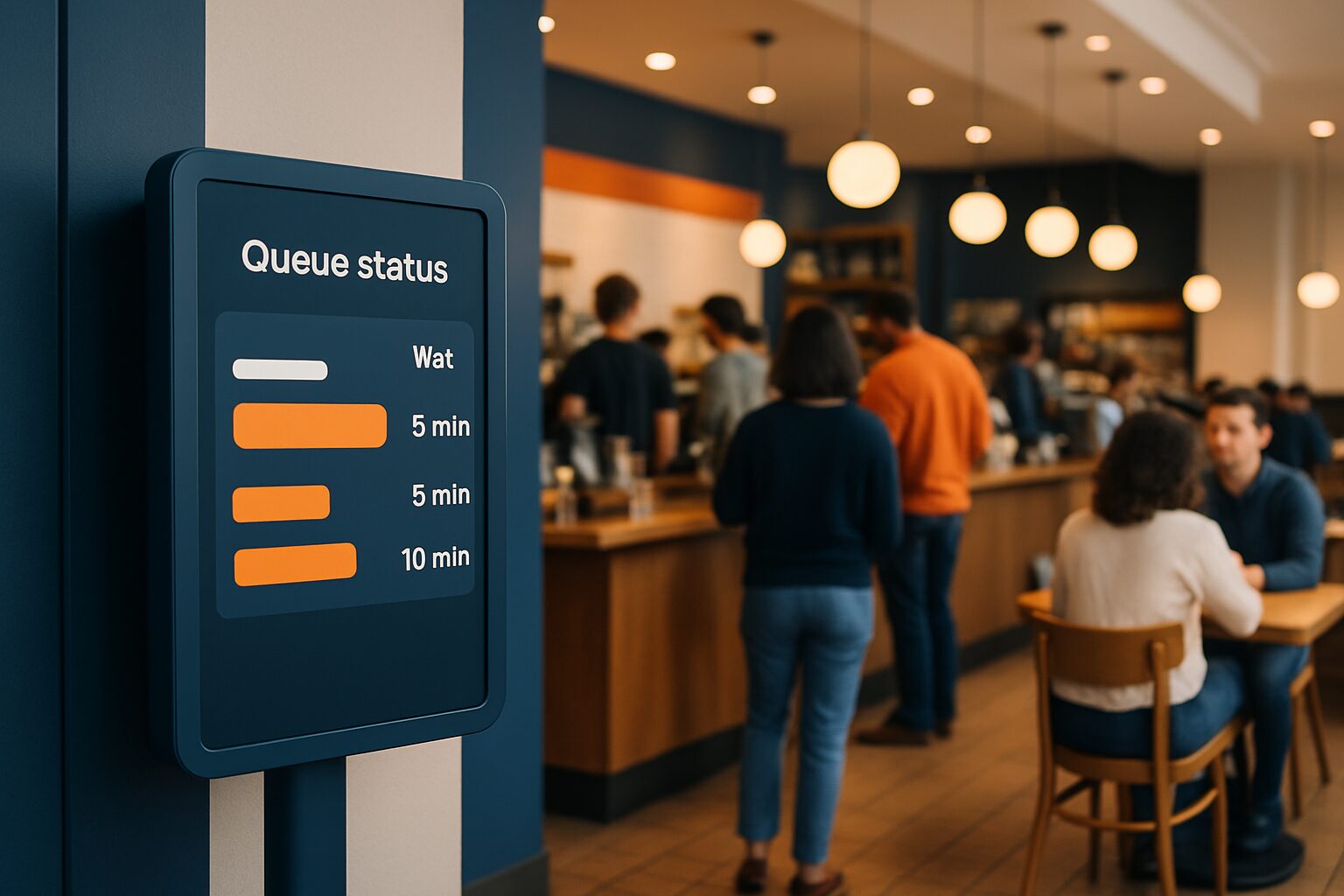
Queue management with digital displays is the use of screens to inform visitors in restaurants and cafés about waiting times, order status and flow. The system combines hardware — touchscreen kiosks, information totems or wall displays — with software that shows real-time data. Aim: to reduce both the objective waiting time and the perceived waiting time, so that guests stay longer and are less likely to drop out.
Why a queue of six guests is already too long
A queue quickly feels too long. Research shows that if a restaurant or café has more than six customers in the queue, people are discouraged from waiting. That means direct loss of revenue — without you noticing, because the guest simply walks on.
Traditional queues offer little communication: customers guess their waiting time. Digital systems keep customers informed via real-time updates on displays or mobile notifications. That transparency manages expectations and reduces frustration over uncertain waiting times.
For event managers and hospitality entrepreneurs managing busy periods — think lunch peaks, weekend evenings or trade fair days — this is the difference between a smooth flow and a chaotic entrance.
Three ways displays direct the queue
1. Order status screen above the counter
A display shows the order status per order number — for example 'Order #505: in preparation' or 'Order #499: ready'. That prevents couriers and customers crowding the counter and staff being asked for updates, so the team can stay focused on production.
This works best for takeaway restaurants, fast-casual concepts and busy coffee shops. One screen above the collection point is enough for smaller locations.
2. Waiting screen at the entrance or waiting area
Queue screens help manage customer expectations by showing estimated waiting times or order statuses. That reduces perceived delay and increases satisfaction.
A screen at the entrance immediately gives guests clarity: how long will it take, is there a table available, can I order in advance? That information removes uncertainty before the guest becomes frustrated.
3. Self-service kiosk for intake
Bring structure and certainty to your waiting area with easy self check-in, automatic service assignment on arrival and regular updates via displays in the venue.
A touchscreen column at the entrance lets guests check themselves in, indicate a table preference or place an order in advance. That shifts pressure from staff to technology — precisely at the busiest moment.
Which display suits which situation?
The choice depends on the location, use and budget. The table below gives an overview:
| Situation | Recommended display | Buy (Q2 2026) | Rent p.d. |
|---|---|---|---|
| Order status screen above counter | Wall display or information pillar | From current price on request (PixioKiosk 21,5") | From current price on request |
| Waiting-time screen at entrance | PixioDisplay Mobile 43" | current price on request | current price on request |
| Self-service check-in kiosk | PixioKiosk 32" or 43" | current price on request | From current price on request |
| Temporary event or terrace | PixioDisplay Pavement Sign 43" | current price on request | — |
The PixioKiosk is available in four formats (21,5", 32", 43" and 49") and can be leased from current price on request per month over 60 months — price list Q2 2026. That makes a permanent setup financially feasible, even for smaller businesses.
Important technical detail: all PixioDisplays have an integrated Android computer (Android 13/14). You do not need a separate media player or laptop. Content is played via USB, a website URL or the PixioApp.
Waiting time as a marketing moment
A queue is not just an operational problem — it is also an opportunity to communicate. Nobody likes standing in line, but with a screen full of entertainment or interesting information you make the waiting time more pleasant.
Digital signage is used to reduce waiting times by informing customers about their place in the queue and estimated waiting times. This increases customer satisfaction and helps to optimise the queue experience.
Fill the screen time with the daily menu, an upsell offer or a loyalty programme. Guests who are already waiting are more receptive to extra information than guests who have just arrived. See also the article Dynamic price display on displays: real-time updates for hospitality for more ideas on content planning.
Temporary or permanent: buy, lease or hire?
Not every hospitality business needs a fixed installation. For a one-off event, a pop-up restaurant or a busy trade show day, rental is a logical choice.
The PixioDisplay Mobiel (43", 400 cd/m²) can be rented from current price on request per day for three days, or current price on request for one day — price list Q2 2026. The screen weighs less than a standard information kiosk and does not need a fixed mains connection if you choose the battery-powered pavement sign model (14–18 hours' runtime).
Are you an event manager looking for a display for a trade fair stand or hospitality pavilion? Then also view the rental page for a complete overview of daily rates and available sizes.
For structural use, lease is financially more attractive than buying. The PixioKiosk 32" can be leased for current price on request per month — that is less than an average booking software subscription, while the screen can be active 24/7. Commercial displays are designed for continuous use; consumer TVs (±300 nits) are not and fail more quickly under permanent use.
Start with one screen in the right place
The advice is straightforward: start with one screen at the point where the most friction occurs. In most restaurants that is the entrance or the counter — not the table. Solve that bottleneck first before rolling out a full system.
An order status screen above the counter has the shortest payback period: it relieves staff, reduces questions and speeds up throughput. You can then expand with a kiosk at the entrance for sign-up and table allocation.
For the broader context of digital signage in hospitality — from menu boards to terrace displays — read the pillar article Digital menus and signage in hospitality: from menu board to terrace display.
Frequently asked questions
How much does a digital waiting-time screen cost for my restaurant?
An entry-level model such as the PixioKiosk 21,5" costs €1.395 to buy or can be leased for €31 per month (60 months). For temporary use, for example an event or busy weekend, you can rent a display from €95 per day. All prices are based on price list Q2 2026.
Does a digital waiting-time screen also affect perceived waiting time?
Yes. Research shows that digital signage can reduce perceived waiting time by up to 35%. Transparency about the waiting status — how long will it take, what is my place in the queue — reduces frustration, even if the objective waiting time remains the same.
Do I need extra software or a media player for a waiting time screen?
Not with PixioDisplays. They have an integrated Android computer (Android 13/14) built in. You play content via USB, a website URL or the PixioApp — without a separate media player or laptop.
What is the difference between a touchscreen kiosk and a standard information display for queue management?
A standard display shows information passively: waiting times, order status, entertainment. A touchscreen kiosk also lets guests do something actively: check in, choose a table or place an order in advance. For busy venues with high footfall, a kiosk by the entrance is the most complete solution.
Can I also hire a display temporarily for a one-off event or pop-up restaurant?
Yes. The PixioDisplay Mobile (43") is available for rent from €105 per day for three consecutive days. For a one-day event you pay €175. On the rental page you will find a full overview of available models and daily rates.