
Knowledge and advice
Digital wayfinding: interactive maps for visitors
What is digital wayfinding and which touchscreen suits your location? Learn how interactive maps guide visitors independently — with practical hardware tips.
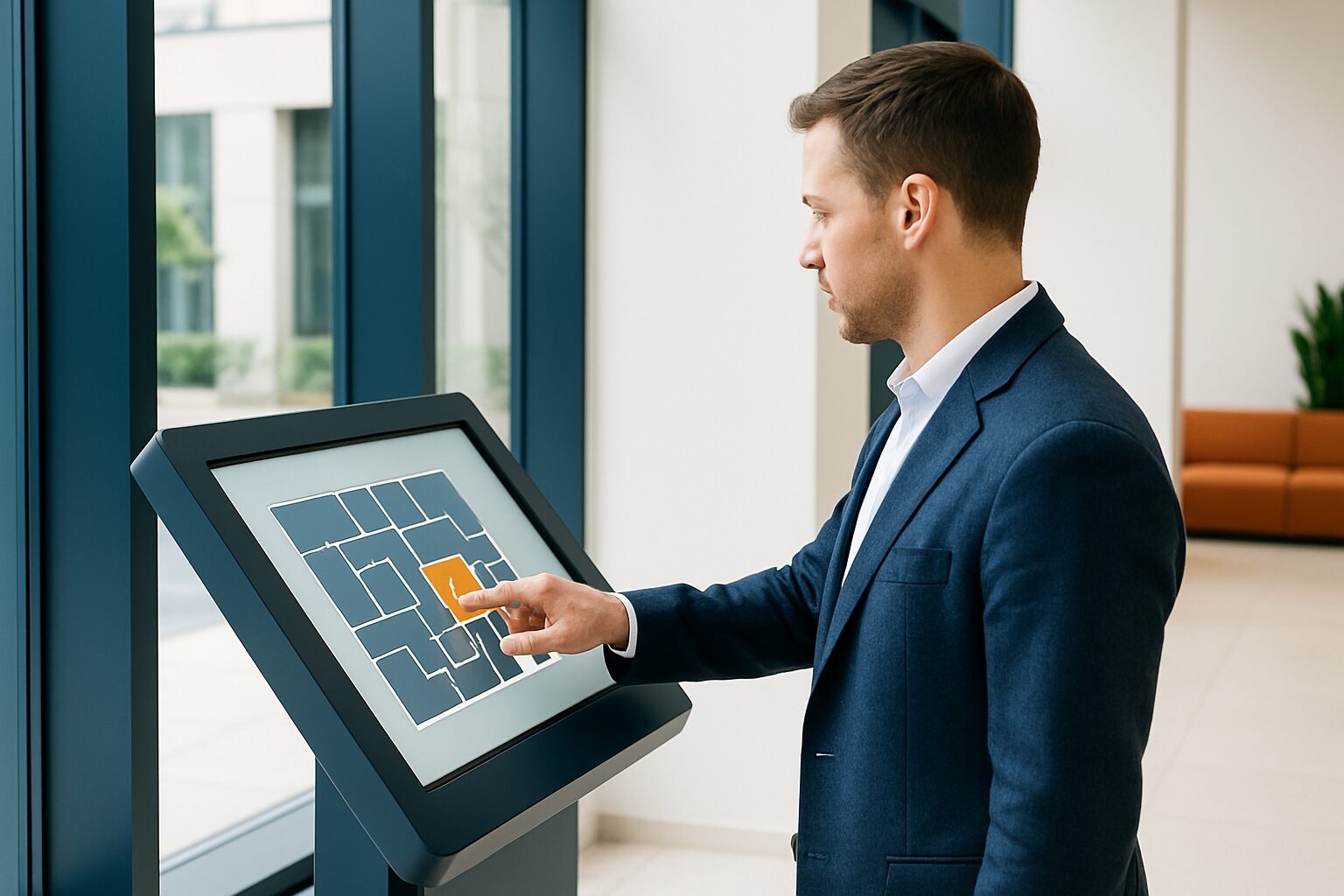
Digital wayfinding is a system in which visitors use an interactive touchscreen or information totem to find their destination themselves on a digital map and immediately see the route. It differs from passive signage: the visitor controls the interaction themselves. Wayfinding is applicable in hospitals, offices, campuses, shopping centres and public buildings — any location where orientation is not self-evident for an unfamiliar visitor.
What exactly does an interactive floor plan do?
An interactive floor plan shows a digital map of the location on a touchscreen. The visitor searches by name, department or room number, or taps a point on the map. The system then shows the fastest route, including walking time and visual directions.
Modern systems offer more than route planning alone. Think of multilingual interfaces, wheelchair-accessible routes, links to a room booking system for meeting rooms, and a QR code that sends the route to the smartphone. That way, the visitor does not have to return to the screen if they lose their way halfway down the corridor.
An important advantage over static floor plans: the information is centrally managed. Has a department moved or a route been temporarily closed for renovation? Then you update the floor plan in the CMS — without having to replace a single sign physically.
Where do you use digital wayfinding?
Wayfinding is most effective in locations where visitors are unfamiliar with the layout and where multiple destinations are possible. Practical applications:
- Hospitals and healthcare institutions — Patients and visitors navigate multiple departments, waiting rooms and corridors. Digital wayfinding in hospitals demonstrably reduces pressure on reception desks and lowers the number of missed appointments caused by wayfinding problems.
- Office buildings and campuses — Eye-In research shows that 40% of employees lose time looking for meeting rooms; an interactive floor plan at the entrance solves this immediately.
- Shopping centres — visitors look up shops, toilets and parking areas via a central kiosk. A QR code sends the route to the phone for navigation on the go.
- Public buildings and schools — Town halls, libraries and educational institutions receive daily visitors who do not know the layout.
- Events and trade fairs — A temporary interactive floor plan at the entrance orients visitors to the stand layout and programme. See also trade fair and event displays for more on temporary applications.
What hardware do you need?
The choice of hardware depends on three factors: location (indoor or outdoor), intended screen size and whether you want the kiosk fixed in place or used flexibly.
| Situation | Recommended hardware | Size | Indicative price (Q2 2026) |
|---|---|---|---|
| Fixed entrance, indoor space | PixioKiosk information column | 32″ or 43″ | current price on request |
| Flexible use, movable | PixioDisplay Mobile | 43″ | current price on request buy / current price on request p.m. lease |
| Representative reception hall | PixioDisplay Luxe | 49″ | current price on request buy / current price on request p.m. lease |
| Temporary event or trade fair | PixioKiosk rental | 21,5″–49″ | current price on request per day |
The PixioKiosk is specially designed as an information kiosk and touchscreen kiosk. The 43″ model costs current price on request (price list Q2 2026) and is available with integrated Android computer — no separate media player or laptop required. That saves current price on request in extra hardware per setup. You load content via USB, a website URL or the PixioApp.
Want flexibility? The PixioDisplay Mobile (43″, 400 cd/m², 60×150 cm) is mobile and light enough to reposition quickly. Renting is available from current price on request per day (3 days). That makes it suitable for temporary wayfinding at events or during refurbishment periods.
What determines the quality of a wayfinding experience?
Hardware is the carrier; the user experience stands or falls with four design principles. Use the 10 design rules for public touchscreens as a practical checklist for buttons, text, feedback and accessibility:
- Simplicity — Visitors need to understand within five seconds how to search. Use large buttons, recognisable icons and as few steps as possible.
- Consistency — The same terminology, colours and symbols on every screen and every floor. Inconsistency causes doubt and slows navigation.
- Visibility — Place the screen at a logical orientation point: the entrance, the lift or a central hall. A screen that nobody sees helps nobody.
- Feedback mechanism — Show the route visually and give the visitor the option to send it to their phone via QR code. That way the information remains available after leaving the kiosk.
Accessibility also brings additional requirements: high contrast, readable typeface, sufficient touch area and a screen height that wheelchair users can also reach. Read more in the article Accessibility (WCAG) for public displays.
Management and maintenance: what does it cost in practice?
A digital floor plan is only valuable if the information is correct. So when implementing it, plan straight away who manages the content and how often the floor plan is updated.
Most systems use a central CMS. Changes are live on all connected screens within seconds. That is a structural advantage over printed maps, where every change requires new print costs and physical replacement.
For hardware maintenance, the rule is: commercial displays are designed for continuous use. Consumer TVs (±300 nits) are not. The PixioKiosk and PixioDisplay Mobile are supplied as standard with a one-year warranty; extension to four years is available for current price on request depending on the model (price list Q2 2026). That provides certainty for a setup used daily by dozens of visitors.
Do you want to test first whether digital wayfinding works at your location? Rent a touchscreen kiosk for a pilot period. The PixioKiosk 21,5″ can already be rented from current price on request per day with a minimum rental period of two weeks. That way you can validate the placement and ease of use before making a final investment.
Digital wayfinding is the logical next step after static floor plans: the visitor takes control, the information stays up to date and the pressure on reception or staff decreases. Start with one touchscreen kiosk at the main entrance and expand based on use. For the broader context on interactive touchscreens, read the article Touchscreen displays for customer interaction: design and best practices or see the PixioKiosk product page for specifications and prices.
Frequently asked questions
What is the difference between digital wayfinding and digital signage?
Digital signage shows routes and directions passively on screens. Digital wayfinding is more interactive: the visitor looks up their destination themselves via a touchscreen or digital map and is shown a personalised route. Wayfinding therefore requires a touchscreen; signage can also be shown on a standard display.
What screen size is suitable for a wayfinding kiosk?
For an entrance hall or reception, a 32″ or 43″ screen is the most common choice. That size is easy to read from a distance and large enough for a clear floor plan. The PixioKiosk is available in 21,5″ to 49″, from €1.395 (price list Q2 2026). Choose a larger format for complex buildings with many floors or departments.
Can I rent a wayfinding kiosk temporarily for an event?
Yes. The PixioKiosk is available to rent from €65 per day for a minimum rental period of two weeks (21,5″) up to €225 per day (49″, 1 day). This makes temporary wayfinding at trade fairs, open days or events financially attractive without a fixed investment.
How do I update the floor plan if a department moves?
In most systems, you manage content via a central CMS. You update the floor plan digitally and the change is visible on all connected screens within seconds. No physical sign needs to be replaced.
Does a wayfinding screen have to meet accessibility requirements?
For public locations, guidelines apply for contrast, font size and accessibility for wheelchair users. WCAG guidelines apply in the Netherlands to government services and are increasingly used as the standard for public displays. At a minimum, ensure high contrast, large touch areas and a mounting height that can also be reached by seated users.