
Knowledge and advice
Can a digital reception replace a receptionist?
A digital reception desk partly or fully replaces a receptionist — depending on visitor volume and the desired level of hospitality. Read when hybrid works.
Can a digital reception replace a receptionist?
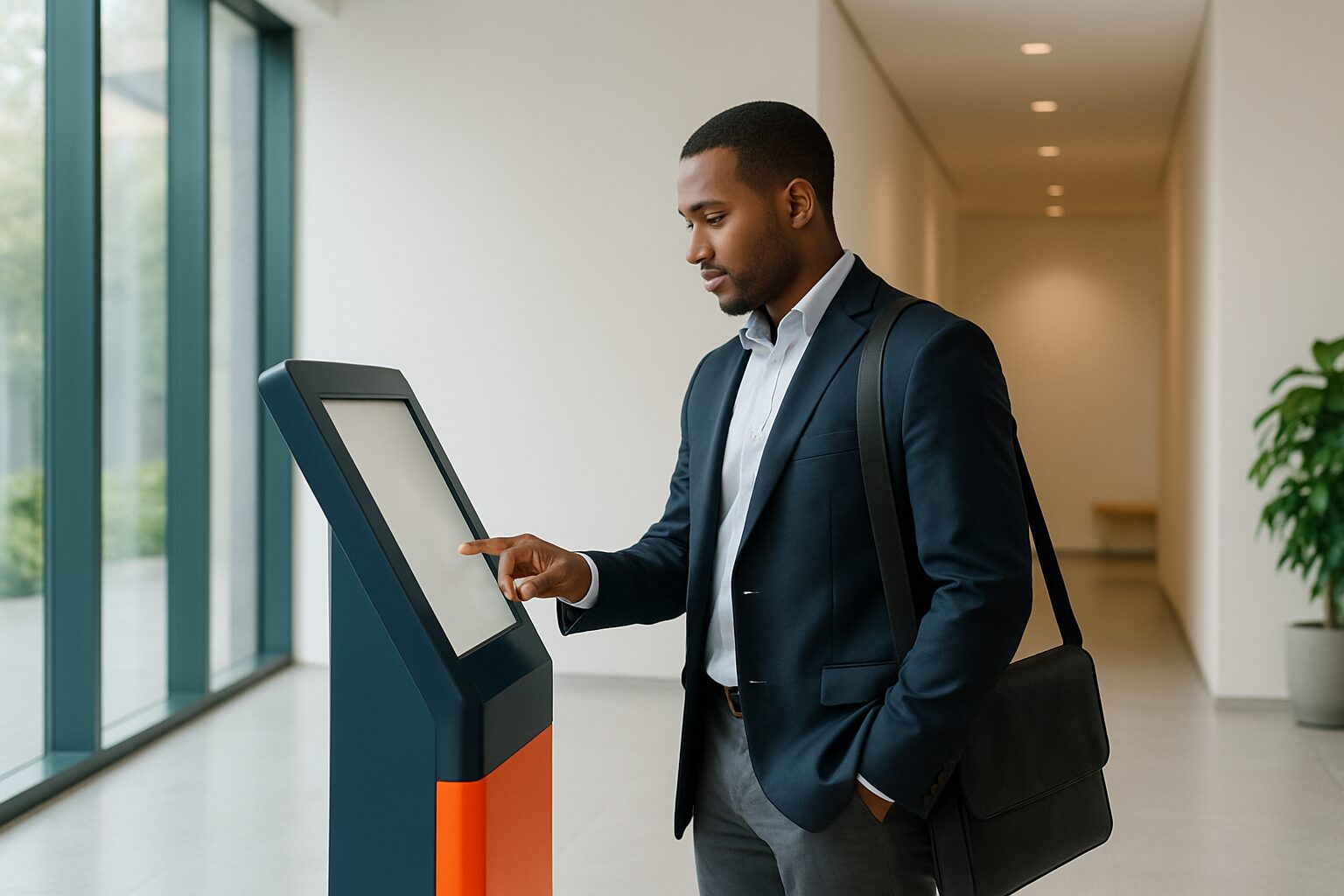
A digital reception is a touchscreen kiosk or welcome screen that lets visitors check in independently, notifies the right contact person and registers visitor data in a GDPR-compliant way. The system works 24/7 and takes over repetitive tasks such as registration, badge printing and wayfinding. Whether it therefore becomes a receptionist replaces, depends on three factors: visitor volume, type of organisation and the degree of hospitality you want to convey.
What a digital reception can and cannot do
A touchscreen kiosk handles the administrative reception process entirely. The software processes registration, notifications and access control automatically — without a receptionist needing to be present. The visitor scans a QR code or registers manually; the employee receives an immediate notification via Teams, e-mail or SMS.
What a screen does not do: assess an unexpected situation, calm an angry visitor or offer a VIP guest a cup of coffee. The point is to use technology intelligently without losing the personal touch — so employees can focus on what really matters: helping visitors in a welcoming way.
When fully unattended becomes realistic
Fully unattended receptions work best with predictable, low visitor volumes. With an average of 5 to 20 visitors per day, you can save considerably if a digital reception means you no longer need a full-time receptionist. This is also an interesting solution for office complexes.
Think about:
- Offices with mainly pre-registered visitors
- Locations with limited opening hours or evening/weekend access
- Business centres where each tenant manages their own visitors
- Manufacturing companies with fixed suppliers and safety protocols
A digital reception is active 24/7 and guides visitors quickly through the process — something a part-time receptionist cannot do by definition.
The cost comparison: screen versus employee
The average salary for a receptionist in the Netherlands is current price on request gross per month (Indeed, June 2026). Add employer costs, holiday allowance and sickness cover, and you arrive at an annual cost of roughly current price on request for one full-time equivalent. For 1,5 FTE — needed to keep the front desk staffed structurally — that rises further.
A touchscreen kiosk like the PixioKiosk 32" costs current price on request (price list Q2 2026) or can be leased from current price on request per month. The PixioDisplay Luxe (49″ touchscreen) — suitable for representative entrances — is available at current price on request to buy or current price on request per month lease. In addition comes the choice of visitor registration software, but the hardware investment pays for itself within one year for most offices.
| Full-time receptionist | Digital reception (kiosk + software) | |
|---|---|---|
| Annual costs (indicative) | current price on request | current price on request |
| Availability | Office hours | 24/7 |
| Repeatable tasks | Yes | Yes |
| Empathy in complex situations | Yes | No |
| GDPR-compliant registration | Depending on the approach | Yes (with the right software) |
GDPR: paper rarely suffices, a screen does
Visitor registration directly relates to GDPR. A paper guestbook gives other visitors access to relevant contact details of previous visitors — and that is no longer permitted under GDPR. Under GDPR, you must ask for consent to store data, inform visitors what you do with the data and state how long you keep it.
A digital kiosk with the right software handles this automatically: consent screen on sign-in, configurable retention period and encrypted storage. See also the knowledge base article Visitor registration touchscreen: GDPR checklist for offices for a step-by-step overview.
Hybrid model: the best of both
The most common choice in practice is the hybrid model: a touchscreen takes over administration, while an employee (or colleague from a nearby department) is available for exceptions. Many companies integrate a digital system alongside a traditional receptionist; some choose a fully digital reception so employees have more time for essential tasks.
A concrete example from the Pixio knowledge base: a medium-sized law firm on the Zuidas replaced its paper visitor book with a 32″ touchscreen kiosk. The receptionist only had to greet people — the administrative work disappeared. Check-in time fell from an average of 3 minutes to 45 seconds.
For the hybrid model, the rule is: start with fully digital if you receive fewer than 20 visitors per day and most appointments are scheduled in advance. Choose hybrid if hospitality is a core value or if you regularly receive unexpected visitors.
Conclusion: replace or support?
A digital reception desk replaces a receptionist completely in the case of low, predictable visitor flows and locations that are accessible outside office hours. In all other cases support the right word: the kiosk takes over the paperwork, the employee has time left for genuine hospitality.
Want to know which setup suits your office? See the digital reception application page or request the current price list on. For a full picture of hardware, software and set-up, read on in the pillar article Digital reception and welcome screen: from first impression to visitor registration.
Frequently asked questions
Can a digital reception really replace a receptionist?
Partially or fully, depending on your situation. At 5 to 20 visitors per day with pre-scheduled appointments, an unmanned kiosk works well. If you regularly receive unexpected or VIP visitors, a hybrid model — kiosk for administration, staff member for hospitality — is the better choice.
What does a digital reception kiosk cost?
A PixioKiosk 21,5″ starts at €1.395 buy or €31 per month lease (60 months). The 32″ version costs €1.895 or €42 per month. On top of that comes the choice of visitor registration software. Compared with the annual salary costs of a full-time receptionist, the hardware pays for itself within one year in most offices. See the current price list Q2 2026 at pixiodisplay.com.
Does a digital reception comply with the GDPR?
Yes, provided you use the right software. A paper guest book rarely meets the GDPR because other visitors can see the data. A digital system with a consent screen, encrypted storage and a configurable retention period is GDPR-compliant. Read more in the knowledge base article on GDPR-proof visitor registration.
How quickly does a visitor register via a touchscreen kiosk?
With a QR code sent in advance, the registration process takes an average of 30 to 45 seconds. Without a QR code and with manual input, expect about 1 to 2 minutes. That is significantly faster than a paper guestbook, where registration takes an average of 3 minutes.
Can I try out a digital reception desk before I buy?
Yes. You can rent a PixioKiosk or PixioDisplay Luxe from €65 per day with a minimum rental period of two weeks (21,5″) or €225 per day (49″, 1 day). This allows you to test the setup in your own entrance before making a purchase or lease decision. See the rental options on the Display rental page.