
Knowledge and advice
Implementing interactive touchscreen menus in hospitality
Step by step: how to install an interactive touchscreen menu board in a restaurant. Hardware, software, allergen rules and practical tips.
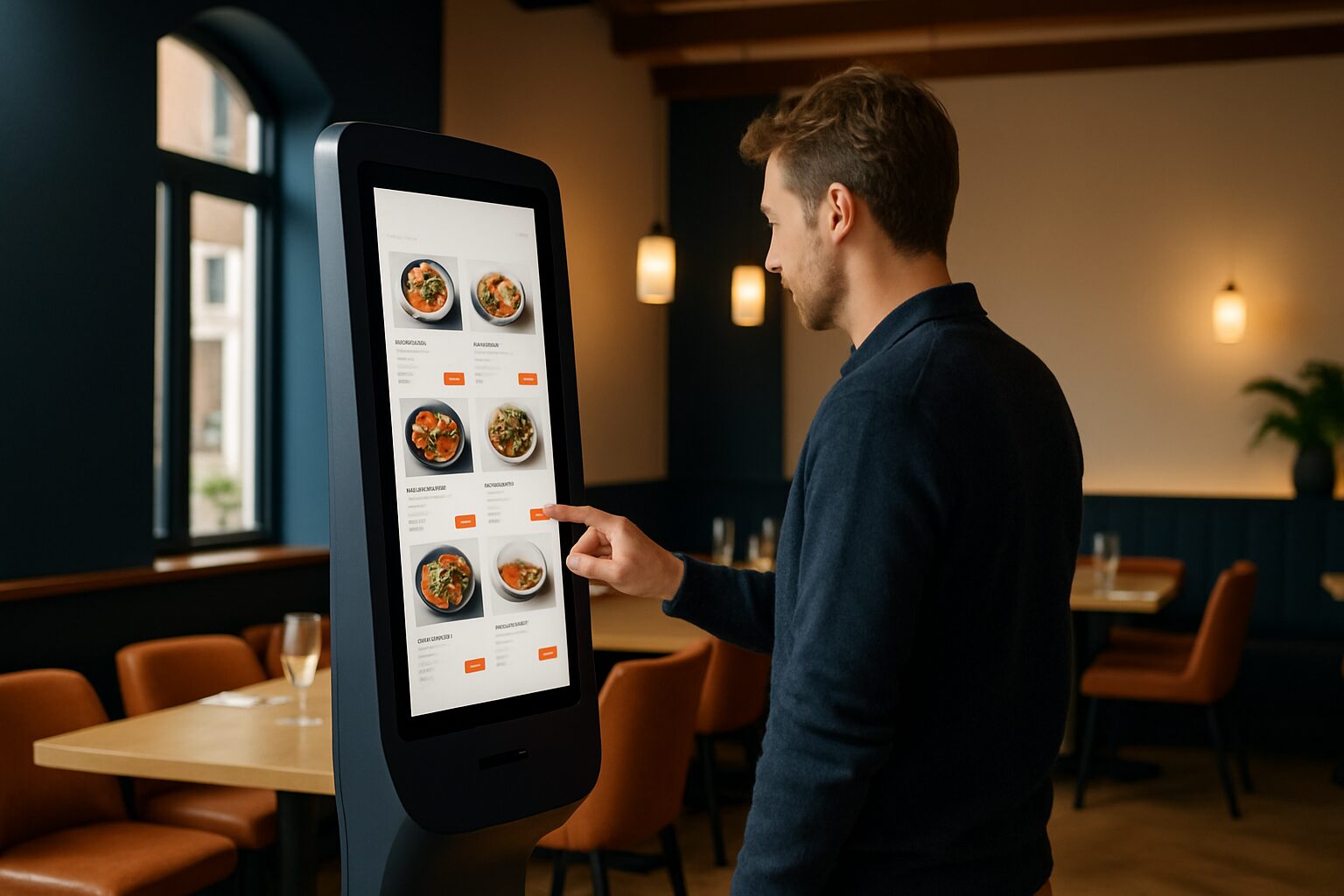
Implementing interactive touchscreen menus in hospitality
An interactive touchscreen menu board is a freestanding or wall-mounted kiosk with a capacitive touchscreen on which guests can browse the menu independently, compare dishes and — depending on the configuration — order and pay directly. The kiosk replaces or supplements the paper menu and gives the hospitality business owner the ability to manage prices, allergen information and availability centrally and in real time. This article describes the implementation from A to Z.
1. Determine the use: information kiosk or ordering kiosk?
Before you select hardware, you must answer one question: is the guest only going to look, or also order and pay? That distinction determines the entire technical stack.
Information kiosk — the guest browses the menu, sees photos and allergen information, and then passes the order to a member of staff. This only requires a display with touch software and a CMS connection.
Ordering kiosk — the guest orders and pays independently. This requires a link to the till system (POS), an integrated payment terminal and optionally a receipt printer or kitchen display screen.
Start with the information kiosk if the customer has no experience with self-service. Choose the ordering kiosk when the location has high peak times and staffing pressure is a concrete problem.
2. Choosing hardware: screen size, brightness and protection
The location of the totem determines the minimum specifications.
| Location | Recommended brightness | Size | Example |
|---|---|---|---|
| Indoor, dim lighting | ≥ 400 cd/m² | 21,5″–32″ | Entrance, next to the bar |
| Indoor space, daylight by window | ≥ 700 cd/m² | 32″–43″ | Sunny corner, side window |
| Terrace or covered outdoor area | ≥ 1.500 cd/m² | 43″–49″ | Terrace edge, canopy |
For a standard restaurant interior, 400 cd/m² is sufficient. The PixioDisplay Mobiel (43″ touchscreen, 400 cd/m²) is a direct option for that: buy for current price on request, lease for current price on request per month (price list Q2 2026). If you have a temporary concept or pop-up restaurant, you can rent the same unit from current price on request per day for a period of three days.
Note for hardware in kitchen environments or at the till: choose a housing with at least IP54 protection against splash water and dust. Commercial touchscreens are also designed for continuous use — a standard consumer TV (±300 cd/m²) is not suitable for this and offers no guarantee of 24/7 use.
A practical advantage of the PixioKiosk and PixioDisplay range: all models have an integrated Android computer (Android 13/14). You do not need a separate media player or laptop — that saves current price on request per location in additional hardware.
3. Set up software and content management
The software layer consists of three parts:
- CMS (Content Management System) — this lets you manage dishes, photos, prices and allergen information. Choose a CMS that works via a web browser or app, so the hospitality operator can make changes themselves without technical knowledge.
- POS integration (order kiosk only) — the kiosk must communicate in real time with the cash register system. Common integrations in the Netherlands include Lightspeed, Untill and MplusKassa. Before buying hardware, check whether the supplier offers an API or direct integration.
- Payment module (only with order kiosk) — a certified payment terminal (Adyen, CCV or similar) that complies with PCI-DSS.
The PixioDisplays support content via USB, website URL or the PixioApp. For a simple information pillar — without an ordering link — that is sufficient: you upload the menu as a web page or structured playlist and the pillar displays it automatically.
For a complete ordering kiosk, you need an external ordering application running on the Android system of the kiosk. Discuss this with the hospitality customer in advance: the application licence is an ongoing cost on top of the hardware.
4. Allergen information: legal requirements
This part is often underestimated during implementation. Yet it is legally required.
European Regulation (EU) No. 1169/2011 requires hospitality businesses to inform guests about 14 allergens in unpackaged products. According to the Dutch Food and Consumer Product Safety Authority this information may be provided in writing or electronically — so a digital pillar complies with the law, provided the information is correct and up to date.
NVWA inspections at more than 6.500 addresses showed that deviations from allergen legislation were found at more than half of the checked hospitality businesses (51,8%). A touchscreen menu solves that problem structurally, but only if the CMS keeps the allergen information per dish and staff keep the data up to date.
Practical checklist for the installer:
- Check whether the CMS supports an allergen matrix (14 substances per dish).
- Make sure changes in the menu automatically update the allergen display.
- Explain to the customer that the NVWA also checks the digital registration — the data must be available for inspection.
- Refer the customer to the knowledge base article Displaying allergy information digitally: which rules do you need to comply with? for the full regulations.
5. Placement, power supply and network
The physical installation has four points of attention:
Location — Place the column at the entrance or by the queue before the till, not in the middle of the walkway. Eye level for the interactive section is between 90 and 150 cm.
Power — check whether an earthed socket is available at the desired position. An extension lead visible on the floor is a safety risk and gives an unprofessional impression. Plan the cable route in advance.
Network — a stable Wi-Fi connection (minimum 10 Mbit/s upload for real-time menu synchronisation) is sufficient for most CMS applications. For ordering kiosks with POS integration, a wired Ethernet connection is more reliable.
Hygiene — In a hospitality setting, the screen is touched dozens of times per hour. Use a dry, lint-free cloth daily for smudge cleaning. For deeper cleaning, use a mild, non-abrasive agent. Avoid ammonia or bleach — they damage the coating of the touch panel.
For locations without a fixed power socket — think of a terrace or a temporary concept — it is the PixioDisplay Pavement Sign (43″, battery-powered) an alternative: 14 to 18 hours of use without a power point, available for current price on request (1.500 nits) or current price on request (2.000 nits) (price list Q2 2026). This model is not a touchscreen, but is suitable as an additional information screen next to a column indoors.
6. Delivery and management after installation
After the technical installation, use management begins. Make sure the hospitality customer can manage content independently — otherwise every menu change becomes a support ticket.
On delivery, provide at least:
- A short instruction video or manual for the CMS (maximum 10 minutes).
- Login details for the administrator panel, kept in a safe place.
- A test procedure: check whether a menu change is visible on the screen within 60 seconds.
- Arrangements on warranty and replacement in case of failure — the PixioKiosk comes as standard with 1 years' warranty, extendable to 2 years for current price on request or 4 years for current price on request depending on the model (price list Q2 2026).
After three months, schedule a short evaluation with the customer: is the POS link stable, is the allergen matrix being maintained, and have guests started using the kiosk?
An interactive touchscreen menu is a combination of hardware, software and process. The technical installation usually takes half a day; setting up the CMS and POS link takes more time. Invest that time up front — then the system runs without daily intervention.
For the broader picture of digital communication in hospitality — from entrance to terrace — read on in the pillar article Digital menus and signage in hospitality: from menu board to terrace display. Would you like to see the hardware live before you decide? Plan a showroom visit in Montfoort.
Frequently asked questions
Which screen size is most suitable for a touchscreen menu board in a restaurant?
For a standard restaurant interior, a 32″ or 43″ screen is the most practical: large enough to show several dishes at once, compact enough not to dominate. For a narrow entrance area or high counter, a 21,5″ column is the better choice. Size is less decisive than brightness: indoors, 400 cd/m² is sufficient.
Does a touchscreen menu need to comply with allergen requirements?
Yes. European legislation (EU 1169/2011) requires hospitality businesses to inform guests about 14 allergens in unwrapped products. Digital display is legally permitted, but the information must be correct, up to date and available for NVWA inspection. Ensure that the CMS supports an allergen matrix per dish.
Can a touchscreen column also process ordering and payment?
Yes, but that requires additional components: a POS link with the cash register system and a certified payment terminal (PCI-DSS). Check in advance whether the ordering application integrates with the customer's cash register system — common systems in the Netherlands are Lightspeed, Untill and MplusKassa. The hardware kiosk itself is a base for this; the ordering application is a separate licence.
How do you maintain a touchscreen in a hospitality environment?
Wipe the screen daily with a dry, lint-free cloth. For deeper cleaning, use a mild, non-abrasive cleaner — no ammonia or bleach. In a kitchen environment or at the checkout, a housing with at least IP54 protection is recommended to keep out splash water and steam.
What does a touchscreen information totem for hospitality cost?
The PixioKiosk starts at €1.395 (21,5″) and goes up to €2.295 (49″), or lease from €31 per month over 60 months (price list Q2 2026). The PixioDisplay Mobile (43″ touchscreen) costs €1.795 to buy or €42 per month to lease. Rental is available from €65 per day with a minimum of two weeks’ hire for temporary concepts or pop-ups.