
Knowledge and advice
Digital menus and signage in hospitality: complete guide
From digital menu board to terrace display: discover how hospitality operators in the Netherlands use signage to increase revenue and inform guests better.
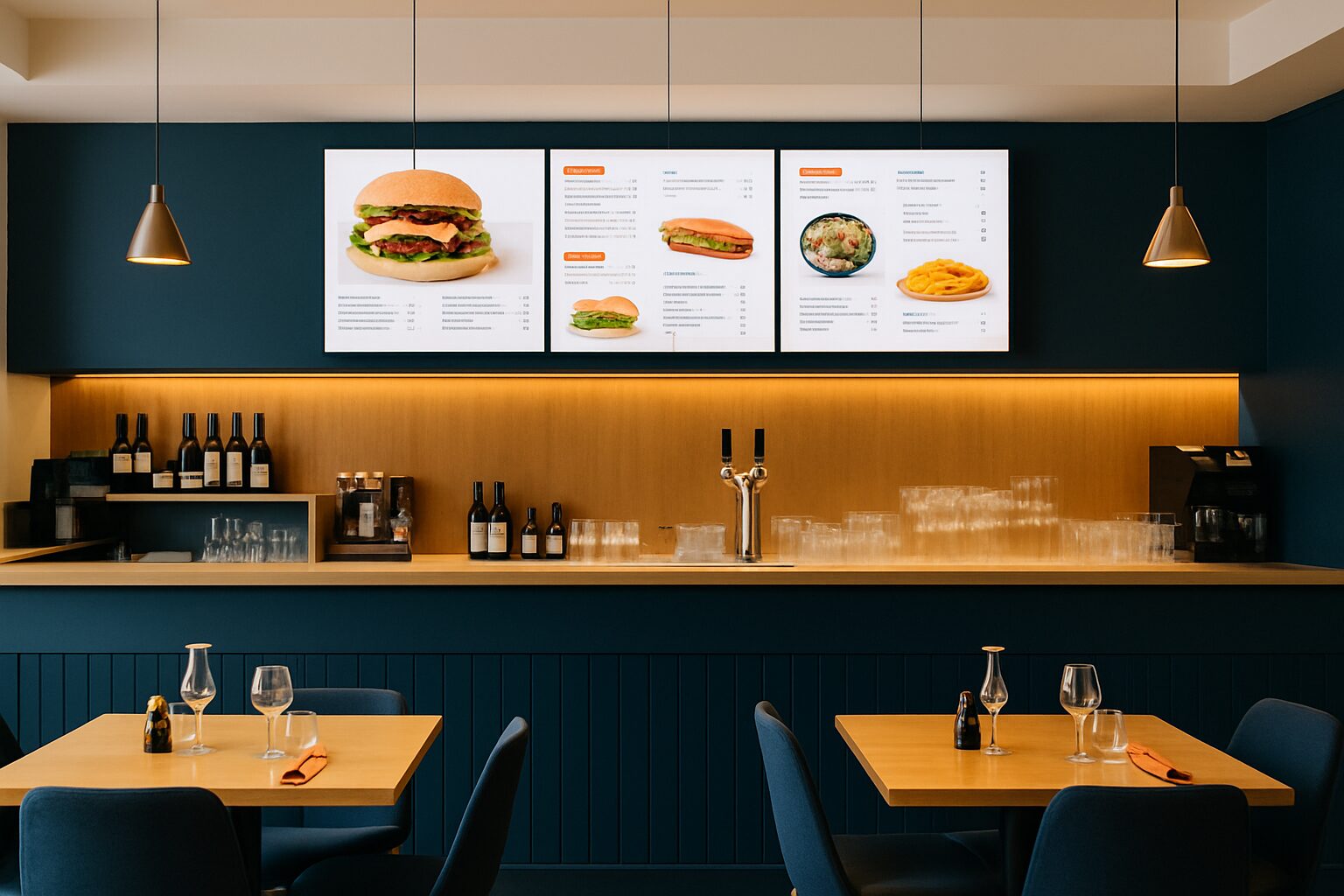
Digital menus and signage in hospitality: complete guide
Digital signage in hospitality includes all screens with which a restaurant, café or foodservice venue shows information to guests — from a digital menu board behind the bar to a weatherproof terrace display outside. The technology replaces static signs and paper menus with dynamic, centrally manageable visuals. Business owners can adjust prices, allergen information and promotions in real time without printing costs. Pixio Display, supplier of digital signage in the Netherlands and Belgium, provides complete solutions for this segment.
In short
- Digital menu boards increase the average order value by 3–5 % because upsell content appears at the right moment (source: QSR Magazine, 2023).
- Prices, allergens and daily menus are updated centrally — without new prints or chalkboard text.
- Outdoors, the terrace display requires an IP65-certified screen with at least 2 500 nit brightness.
- Touchscreen kiosks reduce waiting times and increase average order value.
- Good signage software links to your cash register system, so sold-out items disappear automatically.
Why hospitality operators are switching to digital displays
A paper menu costs on average current price on request per copy when reprinted. For a seasonal menu printed four times a year and 50 cards, that adds up to current price on request per year — excluding design time. A digital menu board has higher purchase costs, but no reprint costs. After two to three years, the investment is recouped for most locations.
In addition, guests respond more quickly to visual content. Moving image and attractive product photos draw attention to high-margin items such as desserts and drinks. That explains the revenue increase reported by several chains after the switch.
Types of displays for hospitality
Not every screen suits every hospitality setting. The choice depends on location, light conditions and the need for interaction.
| Type | Application | Point to note |
|---|---|---|
| Menu board (indoor) | Behind the bar, above the counter | Minimum 400 nits, anti-reflective coating |
| Table screen | Ordering or information at the table | Robust glass, easy to clean |
| Terrace display (outdoor) | Outdoor, visible from a distance | IP65, min. 2 500 nit, temperature resistant |
| Touchscreen kiosk | Self-service, ordering kiosk | 10-point multitouch, hygienic surface |
| Video wall | Large hospitality venues, event hall | Seamless bezel, high processing power |
A grand café in Amsterdam will usually opt for a combination: a menu board behind the bar, a terrace display at the entrance and possibly a kiosk for busy lunch service. A snack bar in Eindhoven often gets by with one menu board above the counter.
Digital menu boards: content and management
The strength of a digital menu lies in centralised management. Via a content management system (CMS), you can update the menu from a laptop or phone. Changes go live within seconds — useful when a dish is sold out or when you want to add a daily special.
Integration with your cash register system (POS) makes it even more efficient. Systems such as Lightspeed, Untill or Mews can communicate with signage software via APIs. Sold-out items are automatically greyed out or hidden. This prevents disappointed guests ordering something that is not available.
Font, colour and layout determine how quickly a guest makes a choice. Use no more than three categories per screen, place margin-rich items at the top right (the menu's 'sweet spot') and avoid too much text. Fewer choices per screen lead to faster decisions.
Allergen information and legislation
Since EU Regulation 1169/2011, hospitality businesses have been required to communicate the 14 major allergens. With a digital menu board, you can show this per dish with icons or a drop-down list. That is more overzichtelijk than a separate allergen menu on paper.
Important: the information must be current and correct. Link allergen information to your recipe management so that an ingredient change automatically updates the display. An error on a digital screen is just as legally risky as an error on paper. Consult the NVWA guidelines or the Belgian FAVV website for the exact requirements in your country.
Related article in the Pixio knowledge base: Displaying allergy information digitally: which rules do you need to comply with?
Terrace displays: communicate outdoors all season
A terrace display is exposed to sun, rain, dust and temperature changes. Standard consumer screens are not suitable for this. You need a screen with:
- IP65 certification — completely dustproof and splashproof.
- Minimum 2 500 nit brightness — in direct sunlight, a normal screen (300–500 nit) is unreadable.
- Operating temperature from -20 °C to +50 °C — for use in Dutch and Belgian winters and summers.
- Anti-vandalism enclosure — toughened glass and robust mounting.
A beach club in Scheveningen that switched to an outdoor display in 2022 reported 18 % more impulse orders from guests waiting outside for a table. The screen showed the daily menu and a promotion for house wine. This is a concrete example of how location and timing of content work together.
Related article: Outdoor displays for terraces: weatherproof and visible
Dynamic pricing and promotions
Dynamic price display means that you adjust prices based on time, occupancy or demand. In hospitality, this works best for happy hour offers, lunch deals and daily specials. You set time rules in the software: between 12:00 and 14:00 the lunch menu appears automatically, then dinner.
A café in Utrecht that visually announced happy hour on a menu board saw a 22 % increase in beer sales during the happy hour block compared with the period with only a chalkboard (internal research, 2023). Moving images and a countdown timer reinforced the sense of urgency.
Note: in Belgium, specific rules apply to price indications in hospitality (Royal Decree of 30 June 1966). Make sure your display always shows the current, correct price including VAT.
Related article: Dynamic price display on displays: real-time updates for hospitality
Touchscreen kiosks and self-service
Self-service kiosks are gaining ground in fast-casual restaurants and busy lunch venues. McDonald's and Burger King are the best-known examples, but independent operators in the Netherlands are also implementing kiosks. The benefits:
- Shorter queues at the till.
- Higher average order value through structured upsell suggestions.
- Fewer errors through direct input from the guest.
- Less staff pressure during peak hours.
A kiosk requires a robust touchscreen (at least 21 inches), fast processing software and a hygienic surface. Antimicrobial coating is an option for high-traffic locations. Connection to the kitchen printer or till system is essential for a smooth workflow.
Related article: Interactive touchscreen menu boards: how do you implement this?
Reviews and social proof on displays
Guests rely on other guests’ reviews. By showing Google Reviews or Tripadvisor scores live on a display in the waiting area or at the entrance, you build trust before anyone even sits down. Research by BrightLocal (2023) shows that 98 % of consumers read online reviews before choosing a local business.
You can set up an automatic feed that shows new reviews as soon as they come in. Combine this with a QR code on the screen inviting guests to leave a review themselves. That strengthens the feedback loop.
Related article: Show ratings and reviews live on displays in hospitality
Conclusion
Digital signage in hospitality is no longer a luxury, but a practical tool to inform guests better, increase turnover and reduce operational costs. From a simple menu board above the counter to a fully equipped terrace display with dynamic pricing — the technology adapts to every scale and budget. Pixio Display supplies displays, software and installation for hospitality locations in the Netherlands and Belgium, including weather-resistant outdoor solutions for terraces and outdoor areas.
Read more about hospitality displays
- Queue management with digital displays in restaurants and cafés
- Digital menu boards: the benefits for restaurants
- Live reviews on displays: social proof in hospitality
- Display live reviews on hospitality screens
- Touchscreen menu board hospitality: hygiene and user experience
- Implementing interactive touchscreen menus in hospitality
- Digital signage for your café or bar: how to choose the right screen
- Implementing a digital menu board: step-by-step guide
- Energy consumption of digital displays in hospitality: calculation and savings
- Outdoor displays for terraces: weatherproof and visible
Frequently asked questions
What does a digital menu board cost for a restaurant?
The price ranges from € 400 for a simple 43-inch screen with media player to more than € 2 000 for a professional commercial display with software subscription. Also allow for installation costs and a monthly CMS subscription of € 15–€ 50. The investment is usually recouped within two to three years through eliminated print costs.
Which screen do I need for outside on the terrace?
For a terrace display, you need a screen with IP65 certification, brightness of at least 2 500 nit and an operating temperature of -20 °C to +50 °C. Standard consumer screens are not suitable for outdoor use; they become unreadable in direct sunlight and are damaged by moisture.
Do I have to include allergen information on my digital menu card by law?
Yes. Under EU Regulation 1169/2011, as a hospitality business you are required to communicate the 14 major allergens. A digital menu is a good way to do this clearly per dish. Make sure the information is always up to date and, if possible, link it to your recipe management.
Can I link my digital menu to my till system?
That is possible with most modern signage software platforms. Popular till systems such as Lightspeed, Untill and Mpos offer API integrations. This means sold-out items automatically disappear from the screen and price changes are applied immediately without manual intervention.
How quickly can I adjust my menu on a digital display?
Via a cloud-based CMS, you can change content and updates are live on the screen within seconds. You only need an internet connection and a device (laptop, tablet or smartphone). Some systems also offer an offline mode in which changes are synchronised as soon as the connection is restored.
Is a touchscreen kiosk also suitable for a smaller restaurant?
Yes, a kiosk can also make sense for smaller locations, especially during busy lunch peaks. A compact 21-inch ordering kiosk takes up little space and reduces pressure on your staff. The added value is greatest if you process more than 50 covers per service.
What is the difference between a commercial display and a consumer screen?
A commercial display is designed for 16–24 hours of use per day, has higher brightness (400–700 nit indoor), a more robust housing and a longer warranty period (usually 3–5 years). A consumer screen is cheaper but wears out quickly with continuous use and has less bright images in lit spaces.
Can I show Google Reviews automatically on my display?
Yes, several signage software platforms offer widgets that automatically fetch and display Google Reviews or Tripadvisor ratings. You set a refresh interval so new reviews appear quickly. Combine this with a QR code on the screen to actively invite guests to leave a review.
How does dynamic price display work in hospitality?
With time rules in your signage software, you set which menu or price appears at what time. Between 12:00 and 14:00 the screen automatically shows the lunch menu; afterwards it switches to the dinner menu. Happy hour offers are activated with a countdown timer for extra urgency.
What are the maintenance costs of digital hospitality displays?
Besides the CMS subscription (€ 15–€ 50 per month), maintenance costs are limited. Commercial screens have an MTBF (mean time between failures) of 50 000 hours or more. Allow for an annual cleaning of the screen and check the mounting of outdoor displays after winter.