
Knowledge and advice
Cleaning and disinfecting a touchscreen: hygiene in retail and hospitality
Practical routines, safe products and HACCP requirements for cleaning touchscreens in a restaurant, café or shop. This ensures you comply with NVWA requirements.
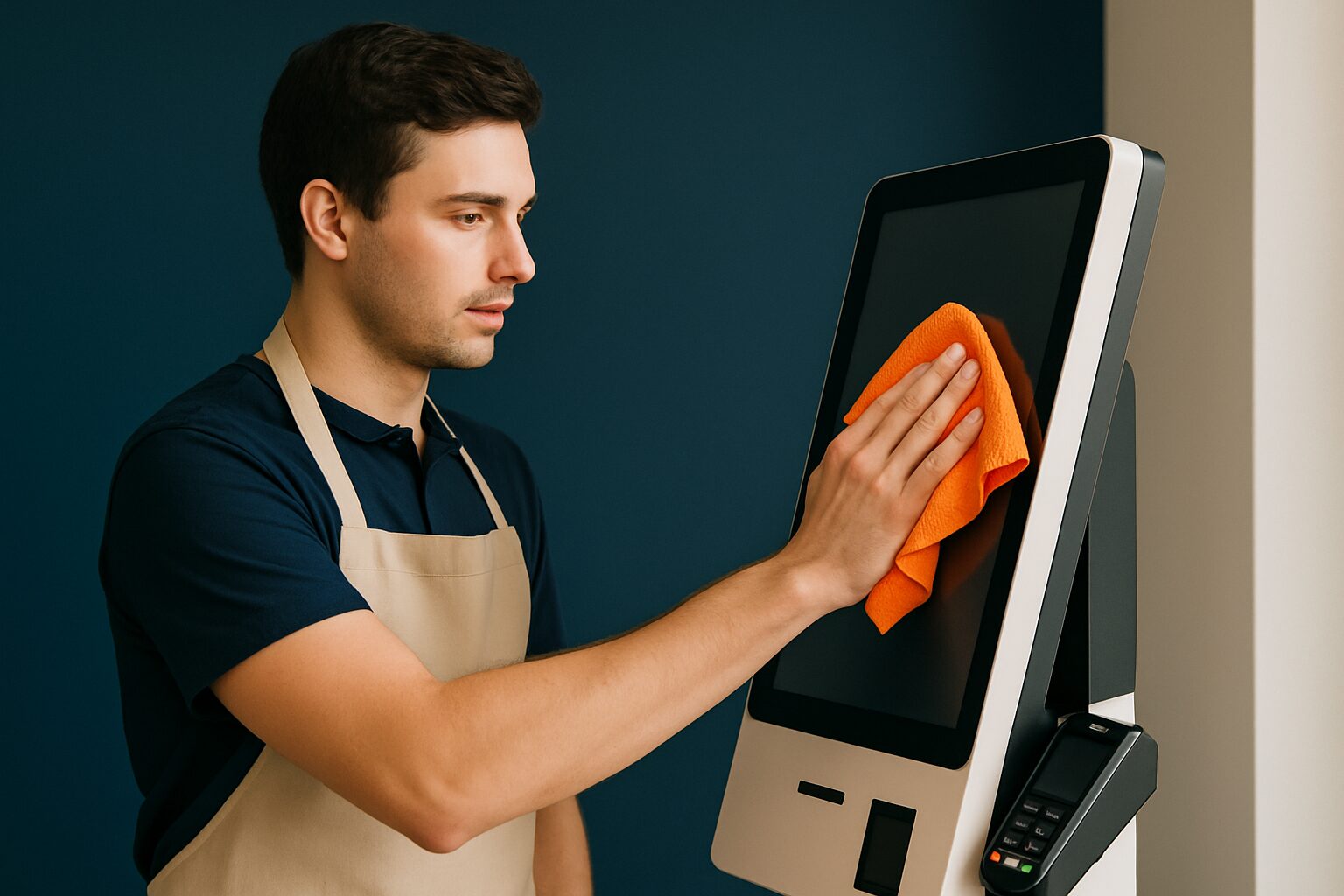
A touchscreen in a restaurant, café or shop is a so-called ‘high-touch’ point: it is touched dozens of times a day by different people. Cleaning it incorrectly damages the coating; not cleaning it increases the risk of bacterial transfer. The solution lies in a fixed routine: dry microfibre cloth for daily use, lightly damp cloth with isopropyl alcohol 70% for more thorough maintenance, and never spraying cleaner directly onto the screen. That protocol is both safe for the display and in line with Dutch hygiene standards.
Why a touchscreen requires extra attention
A public touchscreen is a contact point comparable to a door handle or a menu card. Research published in the trade journal Journal of Food Protection (ScienceDirect, 2026) shows that touchscreens in hospitality environments can contain faecal indicator bacteria, and recommends cleaning at least once per shift for high-traffic surfaces. That is not an overcautious measure: it is simply good business practice.
Consumer perception also plays a role. An international study by Ultraleap shows that 72% of consumers change their behaviour to avoid germs on public touchscreens. A visibly clean screen immediately increases trust among guests and customers.
HACCP and the NVWA: what is mandatory?
As a hospitality operator, you are legally required to work with an HACCP food safety plan or a hygiene code approved by the NVWA. The Dutch Food and Consumer Product Safety Authority checks during inspections whether your plan is up to date and whether staff complete the associated lists correctly. The most commonly used is the Hygiene Code for Hospitality of KHN.
A touchscreen at the checkout, at the table or by the entrance is a touchpoint that belongs in your HACCP documentation. Concretely, this means:
- Add the display as a contact point in your existing cleaning schedule.
- Set the frequency: daily after closing time, plus immediately when visible contamination occurs.
- Assign a responsible person for each service.
- Record the products used: product name and concentration.
- Have it signed off — NVWA inspectors pay specific attention to the documentation.
The KHN Hygiene Code for the hospitality industry includes registration forms that you can adapt directly for digital contact points. That way you do not have to reinvent the wheel.
Which substances are safe for the screen?
Not every cleaning product is suitable for a touchscreen. The coating — often an oleophobic layer that repels fingerprints — is vulnerable to aggressive chemicals. Use these products:
| Situation | Recommended option | Avoid |
|---|---|---|
| Daily maintenance | Dry microfibre cloth | Paper towels, rough cloths |
| Thorough cleaning | Isopropyl alcohol 70% on a cloth | Bleach, ammonia, acetone |
| Disinfection touch enclosure | IPA 70% on edge/frame | Household glass cleaner |
| Stubborn dirt | Distilled water + mild soap | Cleaning spray directly on the screen |
Isopropyl alcohol 70% is the safest choice for disinfection: that concentration is more effective against bacteria than 96% because the water helps denature the bacterial cell wall. Use it on the screen surface itself no more than once a week; frequent use damages the oleophobic coating that makes the screen fingerprint-resistant. Always spray the product onto the cloth, never onto the screen. Liquid can seep through the edges into the electronics.
Step-by-step cleaning routine
A fixed sequence prevents mistakes with changing staff. Hang the protocol by the cleaning product or in your cleaning app.
Daily (after closing time or when visibly dirty):
- Switch off the display or activate the screen lock.
- Wipe the screen with a dry, clean microfibre cloth using gentle, straight-line motions.
- Do not use pressure — a light touch is enough.
- Let the screen dry before switching it back on.
Weekly (more thorough disinfection):
- Switch the display off.
- Lightly moisten a microfibre cloth with isopropyl alcohol 70% or distilled water.
- The cloth may be slightly damp, but not wet.
- Wipe the screen and dry it immediately afterwards with a second dry cloth.
- Check the edges for accumulated dirt; use a soft brush for crevices.
This protocol is both safe for the display and in line with Dutch hygiene standards.
Practical example: self-ordering kiosk in a restaurant
Suppose you place a PixioKiosk of 21,5″ (current price on request excl. VAT, price list Q2 2026) as a self-service kiosk at the entrance to your restaurant. Guests use the screen dozens of times per evening. You add the display to your existing HACCP cleaning schedule as 'entry contact point', with a frequency of: daily after closing time and in between if visibly soiled. You assign the task to the member of staff who closes the dining room, have them sign it off in your logbook, and record that you use IPA 70% on a microfibre cloth. In an NVWA inspection, you show the completed schedule — that is all you need.
Want to know which touchscreen solution best fits your hospitality concept? View the application page for hospitality.
Make hygiene visible to guests
A clean screen is good. A screen where guests can see that it is clean is better. Consider a small sign or sticker next to the kiosk with the last cleaning time. Put out disinfectant wipes so guests can wipe the screen themselves before use — research shows that this significantly improves the perception of hygiene. Combine that with a hand sanitiser column near the kiosk: this significantly reduces the transfer of micro-organisms to the screen.
For more detail on how to design a touchscreen kiosk so that it remains usable even in busy environments, read the article Testing touchscreen interactivity: usability and performance.
A good cleaning routine protects both your guests and your hardware. Start with a daily dry cloth, add IPA 70% weekly and record everything in your HACCP cleaning schedule. That is the shortest route to a hygienic display and a flawless NVWA inspection.
Frequently asked questions
How often should I clean a touchscreen in my restaurant?
Clean the screen daily after closing time with a dry microfibre cloth. If there is visible dirt in between, clean it immediately. Once a week, carry out a more thorough clean with isopropyl alcohol 70% on a slightly damp cloth. Record the frequency in your HACCP cleaning schedule.
Does a touchscreen need to be included in my HACCP plan?
Yes. A touchscreen at the till or table is a contact point that belongs in your HACCP documentation. The NVWA expects you to include all contact points in your business in your cleaning schedule, including the cleaning frequency, the product used and a signature from the employee carrying out the task.
Which cleaning agent is safe for a touchscreen?
For daily maintenance, use a dry microfibre cloth. For disinfection, isopropyl alcohol 70% on a slightly damp cloth is sufficient. Avoid bleach, ammonia, acetone and household glass cleaners: they damage the screen's oleophobic coating. Always spray the agent onto the cloth, never directly onto the screen.
Can I use ordinary disinfectant hand gel to clean a screen?
No. Hand sanitiser often contains ingredients that damage the coating of a touchscreen. Use only isopropyl alcohol 70% on a microfibre cloth, or a special screen cleaner. Hand sanitiser is intended for hands, not for screen surfaces.
What does the NVWA expect during an inspection of touchscreens?
The Dutch Food and Consumer Product Safety Authority checks whether your cleaning schedule is up to date and whether staff complete the lists correctly. Make sure the touchscreen is listed as a contact point in your schedule, that the frequency and the product used are recorded, and that signatures or sign-offs are present. The Hospitality Hygiene Code of KHN contains registration forms you can use for this.