
Knowledge and advice
Digital signage for your café or bar: how to choose the right screen
Size, brightness, mounting and weather resistance: everything a café or bar owner needs to know about digital signage. Practical advice for every location.
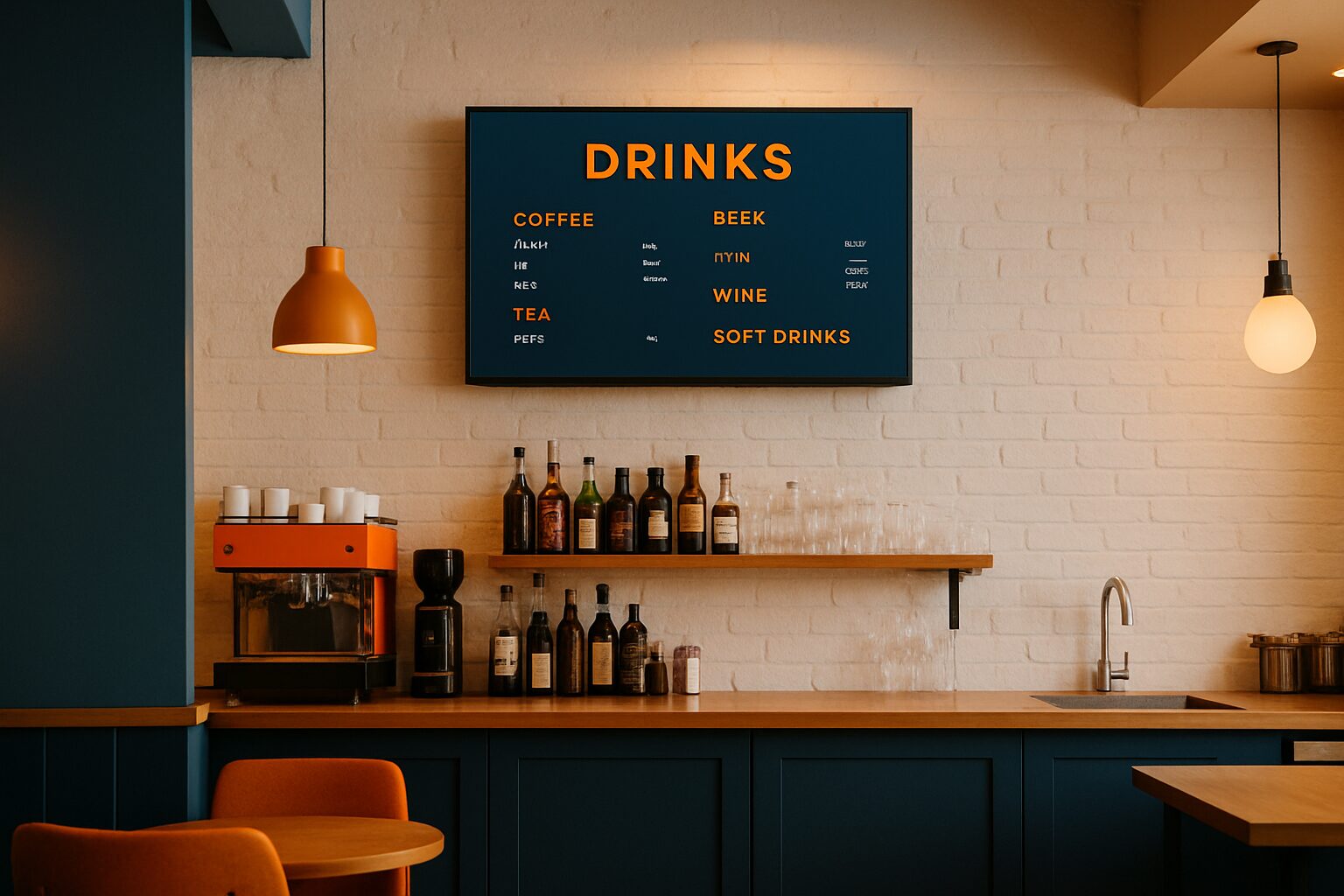
Digital signage for your café or bar: how to choose the right screen
Digital signage for a café or bar is a screen — or network of screens — used for menu display, promotions, ambience images or information for guests. The right choice depends on four variables: the location (indoor, window display or terrace), the light incidence at that spot, the format that suits the viewing distance, and the way you want to manage content. Anyone who works through those four variables properly avoids an expensive wrong purchase.
In short
- Indoors, 400–500 cd/m² is sufficient; a shop window in full sun requires at least 3.000 nits, a freestanding terrace display 3.500 cd/m².
- Choose the size based on viewing distance: roughly 1 inches diagonal per 30 cm viewing distance as a rule of thumb.
- A consumer TV (±300 nits, not for continuous use) is not a suitable replacement for a commercial display.
- Allergen information may legally be shown electronically — a digital menu counts as a valid method.
- Start by renting if you want to test; buy or lease if you use the screen structurally.
Why location is the first decision
Before you even look at a size, decide where the screen will be hung. Indoors, behind glass or outside on the terrace: each position has different requirements. A screen that works perfectly above the bar will be completely washed out in a sunny shop window.
Three typical locations in a café or bar:
- Interior wall or above the bar — controlled lighting environment, little direct sun.
- Shop window or window facing outside — direct or indirect sunlight, high brightness requirements.
- Terrace or exterior façade — fully outdoors, weather resistance and brightness are critical.
Every location has its own specification requirements. We address those per section below.
Brightness: the spec that makes the difference
Brightness is expressed in nits (or cd/m²). One nit equals one candela per square metre. The higher the figure, the more light the screen emits — and the better it remains visible in strong ambient light.
A rule of thumb for hospitality:
| Location | Minimum brightness | Example Pixio model |
|---|---|---|
| Dark indoor space | 400 cd/m² | PixioDisplay Mobile (400 cd/m²) |
| Light indoor space / bar | 400–700 cd/m² | PixioDisplay Mobile or Luxury |
| Shop window, partial sun | 1.000 nits | PixioDisplay Window Shadow |
| Shop window, full sun | 3.000 nits | PixioDisplay Window Full Sun |
| Terrace / pavement, sheltered | 1.500–2.000 nits | PixioDisplay A-board |
| Freestanding outdoor | 3.500 cd/m² | PixioDisplay Outdoor |
A consumer TV averages ±300 nits and is not built for continuous use. Outdoors, that is completely insufficient: the image is unreadable in daylight. Always use a display specifically designed for the intended environment.
Important: the panel determines the extra cost, not the size. A 43" screen with 3.000 nits in a sunny shop window performs better than a 55" screen with 400 nits in the same location.
Choosing a format based on viewing distance
A screen that is too small in a large space loses its effect. A screen that is too large above the bar looks intrusive and sometimes does not fit the permit for façade mounting. Calculate using the viewing distance.
Practical guideline:
- 43" — suitable for a viewing distance of about 3–4 metres (small bar, counter, kiosk)
- 49–55" — suitable up to approx. 5–6 metres (large hall, open kitchen, queue)
- Multiple smaller screens — better than one large screen when guests are spread out
A café in Amsterdam with a narrow bar of 4 metres will usually choose a 43" screen above the beer tap. A grand café in Rotterdam with an open space of 15 metres will more likely choose two 49" screens on either side of the space.
For an order point or cash register, a touchscreen kiosk is another option. The PixioKiosk is available in 21,5" (current price on request), 32" (current price on request), 43" (current price on request) and 49" (current price on request) — lease from current price on request per month (price list Q2 2026). That way you pay for the function you need, not for size alone.
Indoors: above the bar, by the entrance or as a menu board
There are three standard applications inside a café or bar:
1. Digital menu board above the bar
The most common use. A 43"–55" screen at eye level or slightly above. Light incidence is limited, so 400–500 cd/m² is sufficient. The PixioDisplay Mobile (43", 400 cd/m²) costs current price on request buy or current price on request per month lease (price list Q2 2026). No separate media player needed: the screen has an integrated Android computer.
2. Welcome screen or daily menu at the entrance
A freestanding display or kiosk by the door attracts guests who are still unsure. A 32"–43" touchscreen works well here. You can also show allergen information on it — this is legally permitted as an electronic method.
3. Atmosphere and promotion screen
A screen on the side wall with ambience visuals, offers or events. Size and brightness are less critical; content management matters more. Choose a model on which you can easily switch content via USB or app.
Shop window and window: brightness above all
A screen facing outdoors is exposed to direct or indirect sunlight. With too few nits, you will see the panel reflecting itself rather than the content — that costs you reach and credibility.
Dunkin' Donuts Netherlands chose the PixioDisplay Window for their digital shop window posters. The result: visible content even on sunny days, without a staff member having to change a poster every day.
The PixioDisplay Window Full Sun reaches 3.000 nits and is available from 43" to 55", single-sided from current price on request and double-sided from current price on request (price list Q2 2026). The PixioDisplay Window Shadow (43", 1.000 nits, current price on request) is suitable for north-facing façades or covered shop windows without direct sun.
Choose the Window Shadow if your shop window faces north or is covered. Choose the Window Full Sun as soon as direct sunlight falls on the glass for part of the day.
Terrace and outdoor: weather resistance and power supply
A terrace screen is exposed to rain, wind, dust and temperature fluctuations. Two things matter here: IP protection rating and whether a power outlet is available.
Power point available?
The PixioDisplay Outdoor (free-standing or façade, 3.500 cd/m²) is designed for full outdoor use. Prices: 49" current price on request, 55" current price on request (price list Q2 2026).
No power point on the terrace?
The PixioDisplay A-board runs on battery with a runtime of 14–18 hours — no power socket needed. Available in 1.500 nits (current price on request) or 2.000 nits (current price on request), lease current price on request or current price on request per month (price list Q2 2026). Ideal for a terrace in central Amsterdam or a brasserie in Ghent where no cable runs outside.
A terrace screen in a sheltered position (canopy, north-facing façade) needs fewer nits than a screen on an open, sunny terrace. If in doubt, always choose the higher variant: the extra cost is smaller than the cost of a replacement screen after one summer.
Displaying allergen information digitally: what is allowed and what is required
As a hospitality operator, you are obliged to inform guests about the allergens present in packaged and unpackaged products if the guest asks for this. This can be done orally or in writing — and electronic counts as written. A digital menu or information kiosk is therefore a valid way to comply with allergen legislation.
According to KHN you may state the allergen information directly on the (digital) menu, or refer guests to a place where the information is available. The NVWA actively checks: inspections in 2023 showed that more than half of the hospitality businesses inspected did not comply with allergen legislation.
A digital screen offers a practical advantage here: you can update the information immediately when a recipe changes, without new print costs. Link your screen to a content management system and keep your allergen list up to date.
Read more in the knowledge base article Displaying allergy information digitally: which rules do you need to comply with?.
Buy, lease or rent: what suits your situation?
Not every hospitality operator wants to buy a screen straight away. Pixio offers three models:
| Model | Suitable for | Costs (indicative) |
|---|---|---|
| Buy | Structural use, long-term | One-off current price on request |
| Lease | Fixed monthly cost, no large investment | From current price on request p.m. (60 mth) |
| Rental | Event, temporary, testing | From current price on request per day with a minimum two-week hire (21,5") |
Are you renting a screen for a terrace opening or a temporary pop-up concept? See the hire options — the PixioDisplay Mobile is already available from current price on request per day with three days' hire (price list Q2 2026).
Do you want to see the showroom first before deciding? You can schedule showroom appointment in Montfoort to compare the models side by side.
Conclusion: start with the location, not the size
The most common mistake with digital signage in hospitality is starting with the size or the price. Start with the location: determine the light levels, viewing distance and whether a power point is available. Only then choose the size and model.
For a dark indoor bar, a 43" display with 400 cd/m² is sufficient. For a sunny shop window in Utrecht or Antwerp, you need at least 3.000 nits. And for a terrace without a power connection, the PixioDisplay Pavement Sign on battery (14–18 hours' use) is the most practical choice.
View all hospitality applications or request the current price list for a full overview.
Frequently asked questions
Which screen size suits a small bar or café?
For a small bar with a viewing distance of 3–4 metres, a 43" screen is the most suitable choice. Bigger is not always better: a screen that is too large looks pushy and sometimes will not fit in the available space above the tap or counter.
Can I use a regular television as a digital menu board?
That is not recommended. A consumer TV averages ±300 nits and is not designed for continuous use. Commercial displays are built for 24/7 operation and have higher brightness levels that are better suited to a professional signage application.
How many nits do I need for a screen in my shop window?
For a shop window facing north or without direct sun, 1.000 nits is sufficient. If any part of the day gets direct sunlight on the glass, you need at least 3.000 nits. The panel, not the size, determines the surcharge.
Is a digital screen a valid way to display allergen information?
Yes. Under food allergen legislation, information may be provided in writing or electronically. A digital menu or information kiosk counts as an electronic method. Do make sure the information stays up to date if recipes change.
What does a digital pavement sign for the terrace cost?
The PixioDisplay pavement sign costs €2.245 (1.500 nits) or €2.950 (2.000 nits), leasing respectively €52 or €66 per month (price list Q2 2026). The screen runs on a battery with a battery life of 14–18 hours, so you do not need a power point on the terrace.
How do I manage the content on my hospitality display?
All PixioDisplays have an integrated Android computer. You load content via USB, a website URL or the PixioApp. You do not need a separate media player or laptop. This lets you quickly adjust a day menu or promotion without technical knowledge.
Can I rent a screen for a temporary event or terrace opening?
Yes, rental is possible from €65 per day with a minimum two-week rental for a 21,5" kiosk or €105 per day (for 3 days) for a PixioDisplay Mobile of 43" (price list Q2 2026). This is suitable for pop-up concepts, seasonal openings or temporary promotions.
What is the difference between the PixioDisplay Window Shadow and the Window Full Sun?
The Window Shadow reaches 1.000 nits and is suitable for shop windows without direct sun, such as a north-facing façade or sheltered position (€1.860). The Window Full Sun reaches 3.000 nits and is intended for shop windows with direct sunlight, from €1.780 for 43" (price list Q2 2026).
Do I need a permit for a screen on the terrace or façade?
This depends on the municipality and the location. A freestanding screen on a terrace often does not require a permit, but a façade installation or a screen in public space may require a planning permit. Check this with your municipality before installing.
What is a realistic budget for digital signage in a café?
An entry-level model for indoor use starts at €1.395 (PixioKiosk 21,5") or €1.795 (PixioDisplay Mobile 43"), lease from €31–€42 per month (price list Q2 2026). For a shop window or terrace display with higher brightness, the budget is higher: €2.245–€5.650 depending on model and nits.