
Knowledge and advice
Interactive kiosk for museums and cultural institutions: what works and what do you need to arrange
An interactive kiosk in a museum improves the visitor experience and complies with WCAG and GDPR rules. Read what works, what is required and which model fits.
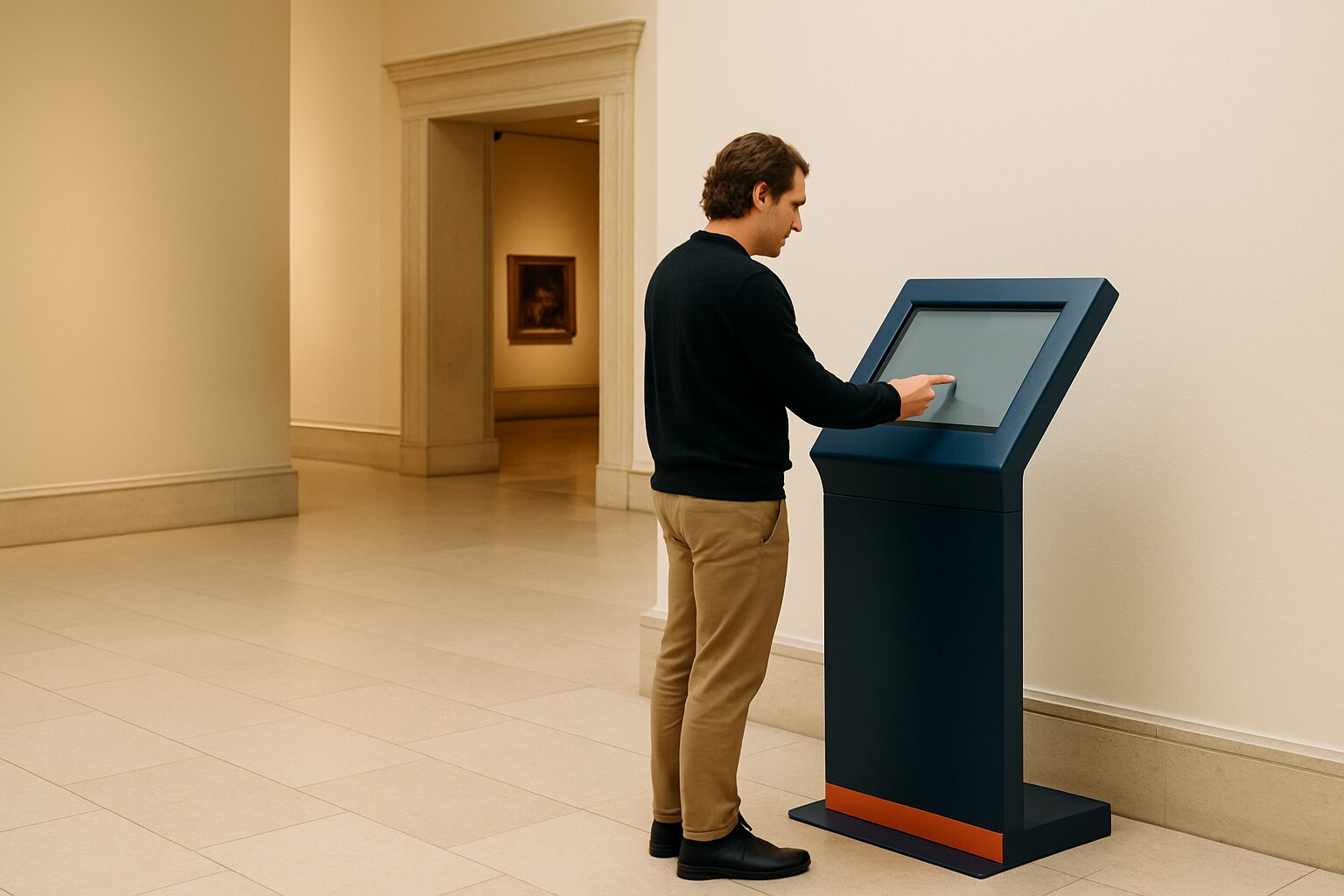
A interactive kiosk is a freestanding touchscreen system that allows museum visitors to look up information, plan routes or explore exhibits independently — without staff intervention. For museums and cultural institutions that are (partly) publicly funded, additional requirements apply in the areas of digital accessibility and privacy legislation. The right kiosk combines ease of use, robust hardware and demonstrable compliance.
Why a kiosk in a museum does more than an information board
Dutch museums drew almost 32 million visits in 2024. Of these, 27% came from abroad, making museums not only a cultural but also a tourist attraction. Those international visitors expect multilingual information — something a static information board cannot offer, but a touchscreen kiosk can.
A kiosk solves three concrete problems:
- Staff pressure at the counter: visitors can independently request route information, even outside peak hours.
- Multilingual: the interface switches by language, without extra print material.
- Detail on objects: visitors tap a work of art and see video, an audio clip or background text.
Integrated ticketing allows visitors to buy or collect tickets directly at the kiosk; a multilingual interface ensures that every visitor receives information in their own language.
Which accessibility requirements apply to your institution?
This is the part many museums struggle with. The rules are concrete.
From June 2025, cultural institutions must start working with the WCAG 2.1 guidelines. That obligation applies to all services that are (partly) publicly funded — and therefore to many theatres, museums, festivals and libraries.
Since June 2025, the European Accessibility Act (EAA) has applied to e-commerce services. That means: if you sell tickets online, your ticket sales fall under the EAA. The same logic applies to a kiosk where visitors buy tickets or make reservations.
In practical terms, this means for a museum kiosk:
| Requirement | What it involves |
|---|---|
| WCAG 2.1 AA | Sufficient colour contrast, legible fonts, keyboard navigation |
| Multilingual | At least NL/EN; at tourist locations also DE/FR |
| Privacy law (GDPR) | No facial recognition or personal data without explicit consent |
| Accessibility statement | Public for publication, demonstrably maintained |
Museums, foundations and non-profits need knowledge of digital accessibility, both legally required and morally necessary. It is a shared responsibility, from content to ticketing and marketing.
For more on GDPR compliance for public screens, read the knowledge base article Public displays and privacy law: what is and is not allowed.
Which size suits a museum environment?
The choice of format depends on three factors: footfall, duration of use and budget. These are the most commonly used configurations:
Information kiosk at the entrance (21,5″ or 32″)
Compact, takes up little floor space. Suitable for ticket control, route map and opening times. The PixioKiosk 21,5″ is available from current price on request (purchase) or current price on request per month (lease, 60 months) — price list Q2 2026. For a temporary exhibition or festival, hire from current price on request per day with a minimum hire period of two weeks is an alternative without investment commitment.
Portrait touchscreen for exhibition halls (43″ or 49″)
Larger screen, more room for collection information and video. The PixioKiosk 43″ costs current price on request (purchase) or current price on request per month (lease) — price list Q2 2026. All PixioKiosk models run on an integrated Android computer (Android 13/14), so you do not need a separate media player or laptop.
Mobile touchscreen without fixed power connection
For museums with changing exhibitions or temporary setups, the PixioDisplay A-board (43″, battery-powered, 14–18 hours’ runtime) is an option: current price on request for the 1.500-nits version — price list Q2 2026. No power socket needed, so no cabling through historic floors.
Content management: how do you keep the kiosk up to date?
A kiosk showing outdated exhibition information undermines visitors' trust. Choose a system where you manage content centrally.
The PixioApp lets you adjust content via a website URL or USB, without technical knowledge. Do you change exhibitions regularly? Then schedule content in advance so the kiosk automatically switches to the new exhibition.
Practical content structure for a museum kiosk:
- Home screen: welcome message + language selection
- Floor plan: interactive, with a search field per room or object
- Collection pages: image + short text + possibly audio
- Practical: opening hours, toilets, hospitality, emergency exits
- Ticketing (optional): link with your existing ticketing system
For the design principles behind a well-functioning public interface, see 10 design rules for public touchscreens that really work.
Hygiene and maintenance in a public environment
Museums have a high visitor frequency. A touchscreen that is touched by hundreds of people every day requires a maintenance protocol.
Use only cleaning products suitable for tempered glass. Aggressive sprays damage the oleophobic coating, causing the screen to attract dirt more quickly. Microfibre is the right choice; paper tissues scratch the surface.
Schedule daily cleaning in the opening protocol — not as a separate task, but as a fixed step when opening the rooms. More details about cleaning and maintenance can be found in Hygienic touchscreen displays: cleaning and maintenance.
Start here if you are unsure about size or budget
Choose a PixioKiosk 32″ (current price on request purchase, lease current price on request p.m.) as a starting point for a medium-sized museum with a fixed entrance hall. That size is readable from a distance, fits in most aisle widths and meets the minimum screen size for WCAG-compliant text display.
Do you have a temporary exhibition or want to test first? Rent a kiosk for a shorter period via /display-huren/ — the 21,5″ is available from current price on request per day with a minimum two-week hire period. This lets you validate the setup and the content concept before investing.
Would you like to view the models in person? Make an appointment in the showroom in Montfoort or request the current price list on.
A broader overview of digital applications in museums — from wayfinding to multilingual visitor information — can be found in Digital signage in museums: interactive exhibitions and visitor information.
Frequently asked questions
Does a museum kiosk have to comply with WCAG?
Yes, if your museum is (partly) publicly funded. From June 2025 the European Accessibility Act (EAA) applies to digital services of cultural institutions, including interactive kiosks where tickets are purchased or information is provided. The standard is WCAG 2.1 level AA. You must also publish an accessibility statement.
Which screen size is suitable for a museum entrance?
A 32″ or 43″ touchscreen is the right size for most museum entrances. Smaller than 21,5″ makes text hard to read for older visitors; larger than 43″ is difficult to place in narrow corridors. The PixioKiosk 32″ costs €1.895 (purchase) or €38 per month (lease, 60 months) — price list Q2 2026.
Can I hire a kiosk for a temporary exhibition?
Yes. The PixioKiosk 21,5″ can be rented from €65 per day with a minimum rental period of two weeks, the 49″ from €225 per day (1 day) — price list Q2 2026. Renting makes sense if you want to support a temporary exhibition without a long-term investment. More information can be found on the rental page.
How do I keep the content on the kiosk always up to date?
All PixioKiosk models run on a built-in Android computer. You manage content via the PixioApp, a website URL or USB. You can schedule content in advance, so the kiosk switches automatically at a new exhibition — without technical knowledge or external software.
May a museum kiosk recognise faces or store visitor data?
No, not without the visitor's explicit consent. The GDPR prohibits processing biometric data without unambiguous opt-in. Anonymous counters (how many people touch the screen) are permitted, provided there is no link to personal data. Consult the knowledge base article on privacy legislation for public displays for the full guidelines.