
Knowledge and advice
Making a touchscreen kiosk WCAG-accessible: step by step
Make your touchscreen kiosk WCAG 2.1-compliant: concrete steps for contrast, height, navigation and legal obligations in the Netherlands and Belgium.
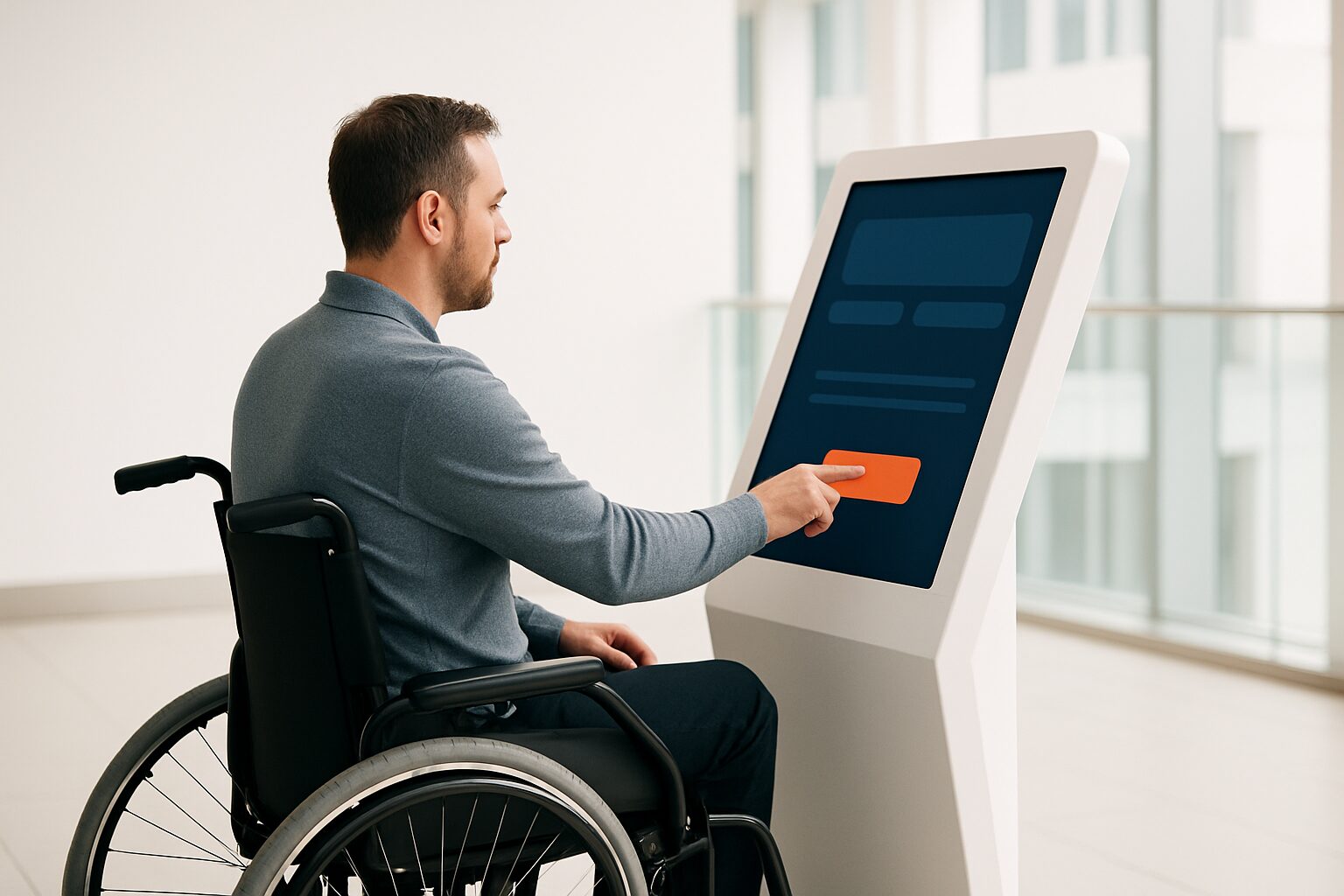
A WCAG-accessible touchscreen kiosk meets the European standard EN 301 549 (called 'Digitoegankelijk' in the Netherlands) and implements WCAG 2.1 level AA. That means: sufficient colour contrast, readable typography, operable interface elements and understandable navigation — regardless of whether a visitor has a visual, motor or cognitive impairment. For public bodies this obligation is required by law; for commercial parties it is European Accessibility Act in force from 28 June 2025.
Why WCAG is now mandatory for kiosks too
As of 1 July 2018, government organisations are legally required to use Digitoegankelijk (EN 301 549 and WCAG 2.1) for the accessibility of websites and mobile applications. Touchscreen kiosks in public spaces fall under the same standard: <CITE_13-9,13-10,13-11>EN 301 549 is the European Standard for digital accessibility, with requirements that ICT applications must meet for people with disabilities — not only websites and apps, but also devices.</CITE_13-9,13-10,13-11>
For commercial organisations, the situation changed as of 28 June 2025. The EAA explicitly mentions 'interactive self-service terminals' such as ticket, check-in and information kiosks. Companies with fewer than 10 employees and annual turnover below €2 million fall outside the EAA obligations. Municipalities, museums, hospitals and educational institutions do fall under it, regardless of size.
The legal obligation consists of two elements: apply EN 301 549 and publish a accessibility statement.
Step 1 — Physical placement and hardware
Accessibility starts before the first screen design. The physical setup determines who can operate the kiosk at all.
Mandatory considerations for hardware and installation:
- Screen height: operable elements at a maximum height of 120 cm for wheelchair users
- Accessibility: at least 90 cm of clear space on both sides for wheelchair manoeuvring
- Screen angle: tiltable or placed at an angle so seated users can also read the screen
- Touch surface: no operation requiring fine motor skills; minimum touch area 44×44 px (WCAG 2.5.5)
The PixioKiosk 32" (current price on request according to price list Q2 2026) is available with an adjustable floor stand, allowing you to set the screen height to suit the location. When ordering, request the elevation set (+current price on request) or a lower mounting position — that is cheaper than adjusting it afterwards.
Step 2 — Colour contrast and typography
Visual accessibility is the most controllable element. Use a contrast checker before you publish content live.
Minimum requirements WCAG 2.1 AA:
| Element | Minimum contrast ratio |
|---|---|
| Normal text (< 18 pt) | 4,5:1 |
| Large text (≥ 18 pt or 14 pt bold) | 3:1 |
| UI components and icons | 3:1 |
| Decorative elements | no requirement |
The contrast ratio of 4,5:1 for text is laid down in WCAG 2.1 success criterion 1.4.3. White text on a medium-dark blue background easily achieves this; light grey on white does not.
Use at least 18 pt for running text on a public kiosk. Avoid typefaces with thin hairlines (such as light sans-serif weights) on screens with lower pixel density.
Step 3 — Navigation and operation without touch
Not every user can operate a touchscreen. WCAG requires alternative input methods alongside touch control.
Practical implementation:
- Physical buttons or switch control: add a navigation bar that also works with an external switch or joystick
- Keyboard navigation: all functions accessible via sequential key presses (Tab, Enter, Escape)
- Text to speech: optional audio output for visually impaired users via headphone socket (3,5 mm jack)
- Session timeout: warn at least 20 seconds in advance and offer an extension (WCAG 2.2.1)
- Error messages: describe errors in text, not only with colour or icon
A concrete example: a municipality that installs an information pillar in the public hall adds a headphone jack to the side of the enclosure. Visitors with a visual impairment can then activate text-to-speech without help from a reception desk employee. That is exactly the independence the EAA aims for.
Step 4 — Software and content settings
Hardware is a prerequisite; the software determines whether your kiosk actually meets requirements. Check these points in your CMS or kiosk application:
- Semantic structure: use headings (H1–H3), labels and ARIA roles so assistive technology can parse the page correctly
- Focus indicator: visible focus ring on all interactive elements (WCAG 2.4.7)
- Language: set the interface language to
lang="nl"so screen readers pronounce it correctly - Video and animation: subtitles for all audiovisual content; no automatically moving elements longer than 5 seconds without a pause button
- Forms: each input field has a visible label, not just a placeholder as the sole indication
The PixioKiosk runs on Android 13/14 with an integrated computer — no separate media player required. This makes it easier to manage and update one accessible application centrally via the PixioApp, without extra hardware per location.
Step 5 — Testing and accessibility statement
An accessibility statement is a legal requirement for public organisations. <CITE_6-15,6-16>In it, you tell regulators and users how accessible a website or application is and how you will improve it.</CITE_6-15,6-16> The same principle applies to kiosks: document what you have tested, what still does not comply and when you will fix it.
Test protocol in four steps:
- Automatic scan — use a tool such as Axe or WAVE on the web application running on the kiosk
- Manual inspection — run the WCAG-EM evaluation method using a checklist
- User testing — test with at least one person with a visual impairment and one with a motor impairment
- Declaration of conformity — ask the supplier for a declaration of conformity for the hardware platform
<CITE_8-11,8-12>It is expected that the new version 4.1.1 of EN 301 549 will be published at the end of 2026, after which WCAG 2.2 will become the applicable standard.</CITE_8-11,8-12> Schedule a retest at that time.
From checklist to compliant kiosk
WCAG accessibility for a touchscreen kiosk is not a one-off project. It is a combination of the right hardware setup, a well-considered screen design and an application built semantically correctly. Start with the physical placement and colour contrast — these are the quickest to check and correct. Navigation without touch and the accessibility statement take more time, but are essential for public bodies.
For a full overview of the design principles behind accessible public screens, read the article WCAG accessibility for public touchscreens and kiosks. If you want to know how to build a kiosk interface step by step, then the guide to designing a touchscreen kiosk a logical next step.
View the PixioKiosk product page for specifications and prices, or request the price list when comparing multiple locations.
Frequently asked questions
Does my municipal information kiosk have to comply with WCAG?
Yes. Government organisations — including municipalities, provinces and water authorities — are legally required to ensure digital services comply with EN 301 549, the European standard that refers to WCAG 2.1 level A and AA. This also applies to touchscreen kiosks in public spaces such as town halls and libraries.
What colour contrast is mandatory for text on a kiosk?
WCAG 2.1 success criterion 1.4.3 requires a minimum contrast ratio of 4,5:1 for normal text (smaller than 18 pt) and 3:1 for large text (18 pt or larger, or 14 pt bold). Check this with a free tool such as the WebAIM Contrast Checker before you put the interface live.
Does the European Accessibility Act also apply to commercial kiosks?
Yes, from 28 June 2025 new self-service terminals in the EU must comply with the EAA. Exception: businesses with fewer than 10 employees and annual turnover below 2 million euros are exempt. Existing physical terminals may remain in use for up to 20 years after June 2025, but software updates must include accessibility requirements as far as possible.
How high may a touchscreen kiosk be mounted at most for wheelchair users?
Operable elements on a public kiosk may be a maximum of 120 cm high, measured from the floor. That is the guideline derived from EN 301 549 for closed systems such as information kiosks. Also ensure at least 90 cm of clear space on both sides for wheelchair manoeuvring.
What is an accessibility statement and am I required to publish one?
An accessibility statement describes how accessible your digital service is, what still does not comply, and when you will fix this. For public-sector organisations, publication is a legal requirement under the Government Digital Accessibility Decree. Use the input assistant at toegankelijkheidsverklaring.nl to draw up the statement.