
Knowledge and advice
Shortening queues with digital displays: case studies and ROI
Discover how digital displays reduce waiting times in hospitality and retail by up to 35%. Concrete cases, ROI figures and integration with POS systems — including Pixio prices.
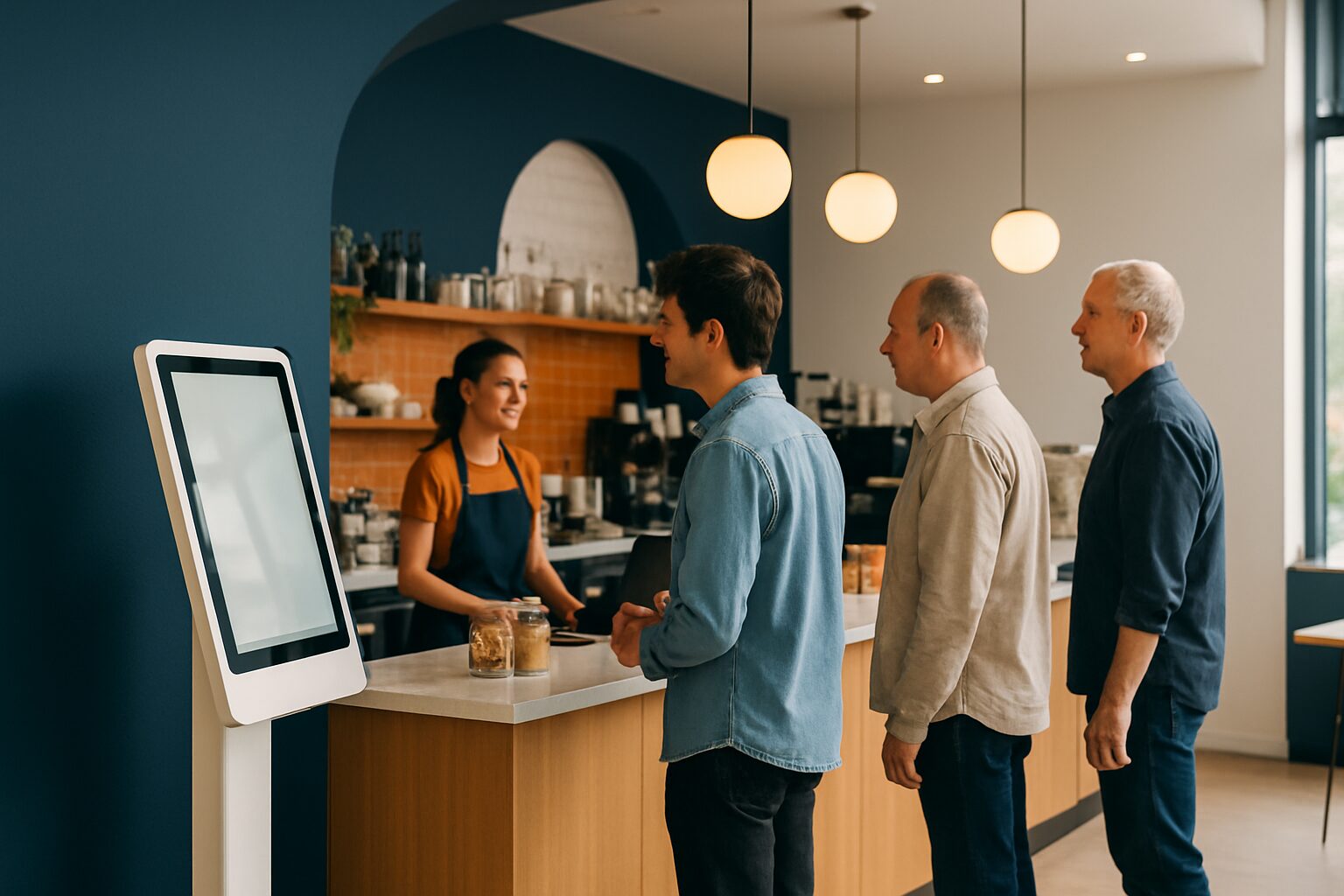
A digital display at the till or order counter shortens the queue in two ways: it speeds up the ordering process via self-service and it reduces the experienced waiting time by actively informing guests. Research shows that digital signage can reduce perceived waiting time by up to 35% — even if the objective waiting time remains the same. For restaurants and cafés with lunch peaks or weekend evenings, this is immediately visible in turnover and customer satisfaction.
Why queues cost sales
A long queue puts people off before a guest has even ordered. Once a restaurant or café has more than six customers in the queue, people drop out and walk away — without you registering it. That is direct lost revenue, invisible in your till report.
The cause is rarely in the kitchen. Slow ordering interactions at the counter, unclear menu boards and uncertainty about waiting time are the three biggest delaying factors. Each of those three can be addressed with a display.
The national hospitality 2.0 survey shows that 55% of Dutch hospitality businesses monitor waiting times purely by feel, without any data. If you do not measure, you cannot manage.
Three concrete applications with measurable results
1. Touchscreen ordering kiosk as a second counter
An ordering kiosk next to the existing counter splits the flow of guests over two channels. Guests who prefer to choose independently — and there are more of them than you think — go to the kiosk. The counter is relieved and the average transaction time drops.
In restaurants introducing a self-service kiosk, the average spend per receipt also demonstrably increases: guests order more calmly and are more receptive to upsell suggestions on the screen. The PixioKiosk is available in sizes from 21,5″ to 49″, with prices from current price on request (price list Q2 2026). Leasing is possible from current price on request per month, so the investment can start cashflow-neutral straight away.
2. Queue display with real-time status information
A screen showing the waiting status — position in the queue, estimated time, order number — actively manages expectations. Guests who know how long they are waiting experience the wait as shorter and are less frustrated. That is not a feeling: it is the core of the 35% effect from queue research.
Fill the screen time with the daily menu or an upsell offer. Guests who are already waiting are more receptive to extra information than guests who have just arrived. This turns the queue into a sales moment.
3. Digital menu board that shortens decision time
An unclear menu is a queue extender you cannot see. Guests who are still hesitating at the counter hold up the line. A digital menu board with clear categories, photos and daily offers — visible before the counter — shortens decision time. Research consistently shows an increase of 3–12% in total turnover after introducing a digital menu board, with highlighted items selling 15–25% more.
Dunkin' Donuts sets digital window posters in with the PixioDisplay Window to make the offer visible outside already. Guests come in with a choice — the counter interaction is shorter and the queue keeps moving.
Calculating ROI: this is how to approach it
The ROI of queue optimisation consists of two components: revenue growth and cost savings. Calculate them separately.
Turnover increase: Count the number of guests you serve per hour before and after implementation. Multiply the difference by your average basket value. With a lunch peak of two hours and five extra guests per hour with an average basket value of current price on request, that is already current price on request extra per day — well current price on request per year.
Cost savings: A display replaces printed menus, daily boards and promotional posters. Printing costs for an average café quickly amount to current price on request per year. Those costs disappear.
Payback period: International benchmarks show that quick-service restaurants recoup their hardware investment in an average of 6–9 months — the fastest payback in the signage industry. For a PixioKiosk of current price on request (price list Q2 2026), that is less than five months in the calculation example above.
| Measure | Primary effect | Typical payback period |
|---|---|---|
| Order kiosk | Shorter queue, higher average spend | 5–9 months |
| Queue status display | Lower perceived waiting time | 6–12 months |
| Digital menu board | Faster decision, more upsell | 3–8 months |
Integration with cash register systems
A display works best when it communicates with your till system. Orders placed via the kiosk go straight to the kitchen; the counter staff do not need to retype them. That eliminates errors and speeds up preparation.
The PixioKiosk runs on Android 13/14 with an integrated computer — you do not need a separate media player or laptop. You send content via USB, a website URL or the PixioApp. Connection to common POS systems is possible via API or webview integration. Read more about the technical options in our article about POS displays: types, functions and integration with POS systems.
Getting started: buy, lease or rent?
Start by hiring if you want to test without commitment. The PixioDisplay Mobile (43″, 400 cd/m²) is available for hire from current price on request per day for three days, or current price on request for one day (price list Q2 2026). That is suitable for a pop-up location, a busy weekend or a trade fair day.
Choose lease if you want to spread the investment. You can lease a PixioKiosk of 32" for the current price on request per month (price list Q2 2026) — less than one extra order per day to break even.
Buy if you have a permanent location with a stable lunch peak. The payback period is then shortest. View the current options on the PixioKiosk product page or request a price list for a customised configuration.
More about the broad applications of displays in hospitality can be found in the overview article Reducing queues with digital displays: practical solutions for retail.
Frequently asked questions
How much shorter is the waiting time with a digital display?
Research shows that digital signage can reduce the *perceived* waiting time by up to 35% by informing guests about their position and estimated wait. The objective waiting time drops further if you use an ordering kiosk: it spreads guest flow across multiple channels and speeds up the transaction.
What does an ordering kiosk for my restaurant or café cost?
Depending on size, the PixioKiosk costs from €1.395 (21,5″) to €2.295 (49″) when purchased, or €31–€52 per month on lease for 60 months (price list Q2 2026). Rental is available from €65 per day with a minimum two-week rental for the 21,5″ version — useful for testing the setup first.
How do I connect a display to my till system?
The PixioKiosk runs on Android 13/14 with a built-in computer. Connection to POS systems is via API or webview integration, depending on your till software. Orders then go straight to the kitchen without staff at the counter intervening.
When is buying better than leasing?
Buy if you have a fixed location with a daily lunch rush or evening bustle. With an average bill of €12 and five extra guests per hour, a kiosk of €1.395 pays for itself in less than five months. Lease is smarter if you want to keep monthly costs low or roll out multiple locations in phases.
Does a display also work if my business is not large?
Yes. A 21,5″ PixioKiosk fits in a narrow aisle or next to an existing counter. For smaller spaces, a wall-mounted menu screen is often enough to shorten decision time and keep the queue moving. The investment does not have to be large to have an effect.