
Knowledge and advice
What is digital signage? Complete guide Netherlands 2026
What is digital signage? Complete guide to digital screens in the Netherlands: applications, software, costs and examples — updated for 2026.
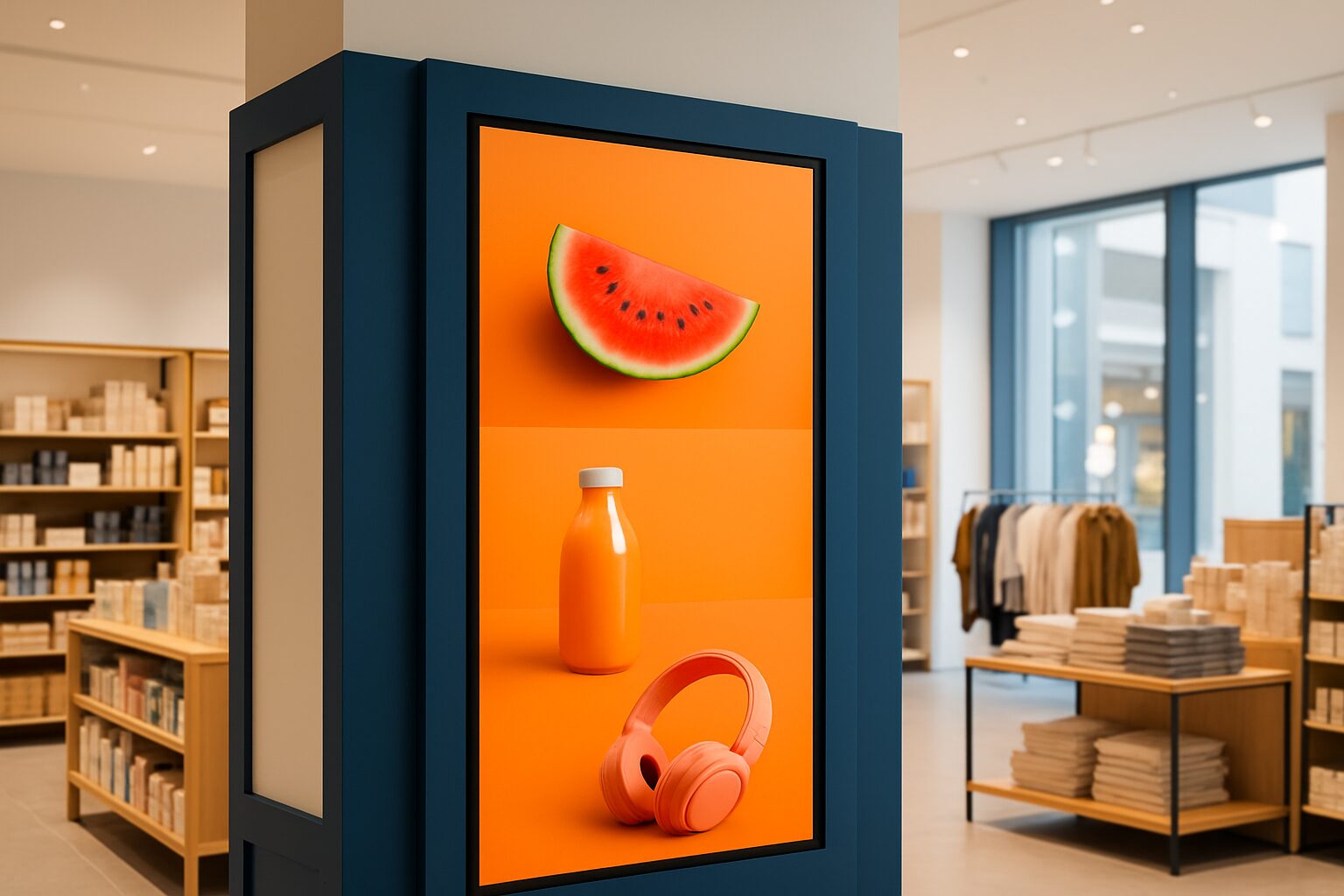
What is digital signage? Complete guide for 2026
Digital signage is a communication system in which digital screens — such as LCD, LED or OLED displays — show dynamic content to an audience in public or commercial spaces. The content (text, images, video, data) is controlled via software and can be changed remotely and in real time. Applications range from shop advertising and wayfinding to interactive kiosks and information displays in hospitals.
In short
- Digital signage combines hardware (screens, media players) with software (content management system) to display dynamic messages.
- You can adjust content centrally and remotely — without print costs or physical presence on site.
- Retailers, healthcare providers, hospitality businesses and public authorities use digital signage for advertising, information and orientation.
- Research by Grand View Research estimates the global market in 2025 at over 27 billion dollars, with annual growth of around 8 per cent.
- A properly implemented system increases conversion, reduces perceived waiting time and replaces recurring print costs.
How does digital signage work?
A digital signage system consists of three layers. The first layer is the hardware: the screen itself, a media player or built-in smart chip, and possibly mounting hardware. The second layer is the software: a content management system (CMS) with which you schedule, manage and distribute content. The third layer is the content itself — videos, images, live data or interactive elements.
The media player receives content via the internet or local network and sends the signal to the screen. Modern screens sometimes have a built-in player (System-on-Chip), meaning you do not need separate hardware. Through the CMS you decide which screen shows which content and at what time.
What are the main applications?
Digital signage has applications in almost every sector. These are the most common:
- Retail: promotions, seasonal offers and price updates on screens in shops and window displays.
- Hospitality: digital menu boards at fast-food chains and restaurants — think of McDonald's and Burger King, which have used fully digital menu boards for years.
- Care: waiting time information, route guidance and patient communication in hospitals such as Radboudumc in Nijmegen.
- Transport: departure times and disruption information at NS stations and airports.
- Corporate communications: internal screens in the office for KPI dashboards, news and safety instructions.
- Trade fairs and events: orientation screens and sponsor displays at events such as Horecava in Amsterdam RAI.
- Outdoor: weather-resistant LED displays along motorways and in shopping streets.
Each application has different requirements for brightness, interactivity and manageability.
What hardware do you need?
The choice of hardware depends on the location, the purpose of use and the budget. The table below gives an overview of the most common types:
| Type | Use | Benefit |
|---|---|---|
| Commercial LCD screen | Indoors, continuous operation | Cheaper than LED, high resolution |
| LED video wall | Large spaces, events | Modular, clear display |
| Outdoor LED display | Outdoor advertising, wayfinding | Weather-resistant, high nits value |
| Touchscreen kiosk | Self-service, orientation | Interactive, reduces staff |
| Window display | Shop windows, retail | Visible in daylight |
Commercial screens are designed for 16 to 24 hours of use per day. Consumer screens are not — they are cheaper, but break down faster under continuous use. That is a common mistake for beginners.
What is the difference with narrowcasting?
The terms digital signage and narrowcasting are often used interchangeably, but there is a subtle difference. Digital signage is the umbrella term for all digital screen communication. Narrowcasting is a specific application in which you send a targeted message to a defined audience at a specific location — for example only the screens in the sports department of a department store.
In short: narrowcasting is always digital signage, but digital signage is not always narrowcasting. Read more in the article digital signage vs. narrowcasting: what is the difference? — and determine the right approach for a retail environment straight away with the digital signage decision tree for retailers.
What does digital signage cost?
Costs vary widely. A simple system with one screen, a media player and a basic CMS subscription starts at around 800 to current price on request for the hardware, plus 20 to current price on request per month for the software. A comprehensive installation with multiple outdoor LED displays, custom integrations and a managed network can run into tens of thousands of euros.
The payback period depends on usage. Retailers who replace printed material with digital signage save an average of 30 per cent on print costs, according to an analysis by the Digital Signage Federation (source: dsf.org — consult their white papers for current figures). Read the full cost analysis in the article How much does digital signage cost? An honest cost analysis.
How do you measure the result?
Digital signage is measurable, but you must decide in advance which KPIs are relevant. Common metrics are:
- Conversion rate: how many visitors buy a promoted product after seeing the screen?
- Dwell time: how long does someone look at the screen? Modern camera analytics measure this automatically.
- Uplift in revenue: compare sales figures from a period with and without campaign.
- Cost savings: calculate the lost printing and distribution costs.
A supermarket chain in Utrecht that installed digital screens near the fresh produce department saw a sales increase of 18 percent on promoted products in the first three months (source: ask your supplier for comparable case studies or consult POPAI Benelux for industry figures). Also see the article Calculating the ROI of digital signage: a worked example for a concrete calculation.
What are the trends for 2026?
The sector is developing fast. These are the five most relevant trends:
- AI-driven personalisation: software recognises viewers' demographic characteristics via cameras and automatically adapts content.
- Integration with retail media: screens become part of advertising networks through which retailers generate extra revenue.
- More sustainable hardware: energy-efficient e-paper displays and LED screens with lower consumption are gaining ground.
- Programmatic content: content is purchased and shown in real time based on external data such as weather, time or stock levels.
- Interactive kiosks: touchscreens for self-service are growing strongly in retail and healthcare, partly due to staff shortages.
Read the in-depth analysis in 7 trends in digital signage for 2026.
Common mistakes
Many organisations underestimate the complexity of a good implementation. The most common mistakes are:
- Buying consumer screens instead of commercial displays.
- Set up content once and never update it again.
- Putting too much text on one screen — a passer-by typically has 2,5 seconds of attention.
- Not taking ambient light into account, which makes screens unreadable.
- Forgetting the software subscription costs in the budget planning.
You can find an extensive list in The 10 biggest mistakes when using digital signage.
Conclusion
Digital signage is a mature technology that helps organisations communicate dynamically, measurably and cost-effectively — from one screen in a small shop to a nationwide network of hundreds of displays. The key to success lies in the combination of the right hardware, a reliable CMS and relevant content that you refresh regularly.
Pixio Display, supplier of digital signage in the Netherlands and Belgium, offers a complete range of commercial screens, LED video walls and touchscreen kiosks, supported by local service from Montfoort and Paal-Beringen. View the range at pixio.display or contact us for a no-obligation consultation.
Use digital signage for your organisation? View it Pixio's display range — from shop window display to interactive kiosk, for sale or rent.
Read more about digital signage
- Digital signage content management for hospitality: planning and updates
- Digital signage compliance in Dutch municipalities: procurement, GDPR and contracts
- The 10 biggest mistakes in digital signage (and how to avoid them)
- 7 trends in digital signage for 2026
- Digital signage for internal communication and employee engagement
- Digital signage privacy and GDPR: what is and is not allowed?
- Digital signage for hospitality: menu boards, queues and promotions
- LED vs. LCD outdoors: which display survives the Dutch climate?
- Digital signage costs per month: budget for 10, 50 and 100 screens
- Digital signage vs narrowcasting: decision tree for retailers
- LED, LCD or e-ink outdoors: screen choice for the Dutch climate
- How much does digital signage cost? Concrete prices from our price list
- GDPR and privacy in digital signage: what are you allowed to film and store?
- Digital signage in retail: applications by store type
- How many screens do you need? Formula for digital signage coverage
- LED, LCD or e-ink: which display type do you choose for digital signage?
- Screen size and viewing distance: formula for readable digital signage
- Digital signage in municipal institutions: regulations and best practices
- Digital signage at events: deployment, setup and risks for exhibitors
- Digital signage in municipalities: GDPR, tenders and contracts
- Digital signage at events: setup, risks and control
Frequently asked questions
What is digital signage in simple terms?
Digital signage is the use of digital screens to display dynamic information or advertising to an audience. Think of menu boards in a restaurant, information screens at a station or promotional displays in a shop. Content is managed via software and can be adjusted remotely.
What do you minimally need to get started with digital signage?
You need at least three things: a commercial display, a media player (or a screen with a built-in player) and a content management system. For a simple setup with one screen, you are ready with an investment from around 800 euros for hardware plus a monthly software subscription.
What is the difference between digital signage and a normal TV?
A commercial digital signage screen is designed for 16 to 24 hours of use per day, has higher brightness and offers connections for network and remote management. A consumer screen is cheaper, but breaks down much faster under continuous use and lacks management functions.
Can I also use digital signage outdoors?
Yes, but then you need special outdoor displays with high brightness (at least 2.500 nits), a weatherproof enclosure (IP65 or higher) and temperature control. Standard indoor screens are not suitable for outdoor use.
How much does a digital signage system cost per month?
The monthly costs consist mainly of the CMS subscription, which ranges from 20 to 60 euro per screen per month for standard software. On top of that come any management and maintenance costs. Hardware is a one-off investment.
Is digital signage suitable for small businesses?
Absolutely. Systems are scalable: you can start with one screen and expand later. Cloud-based CMS platforms are affordable and require no technical knowledge to operate. Many small retailers and hospitality businesses already use digital signage successfully.
What is narrowcasting and how does it differ from digital signage?
Digital signage is the umbrella term for all digital screen communication. Narrowcasting is a specific application in which you send a targeted message to a defined audience at a specific location. Narrowcasting is therefore always digital signage, but not the other way round.
How long does digital signage installation take?
A simple installation with one or two screens is usually completed within a day. A larger network with dozens of screens at multiple locations requires a project plan and can take several weeks, including cabling, installation and software configuration.
Can I link digital signage to my till system or webshop?
Yes, many modern CMS platforms offer API connections to POS systems, ERP software or webshops. This lets you automatically synchronise prices and stock levels with your screens, without manual adjustments.
Where can I buy digital signage in the Netherlands or Belgium?
Pixio Display is a specialist supplier of digital signage in the Netherlands and Belgium, with branches in Montfoort and Paal-Beringen. In addition to hardware, they also provide advice, installation and software support. There are also international suppliers such as Samsung, LG and Philips Professional Display.